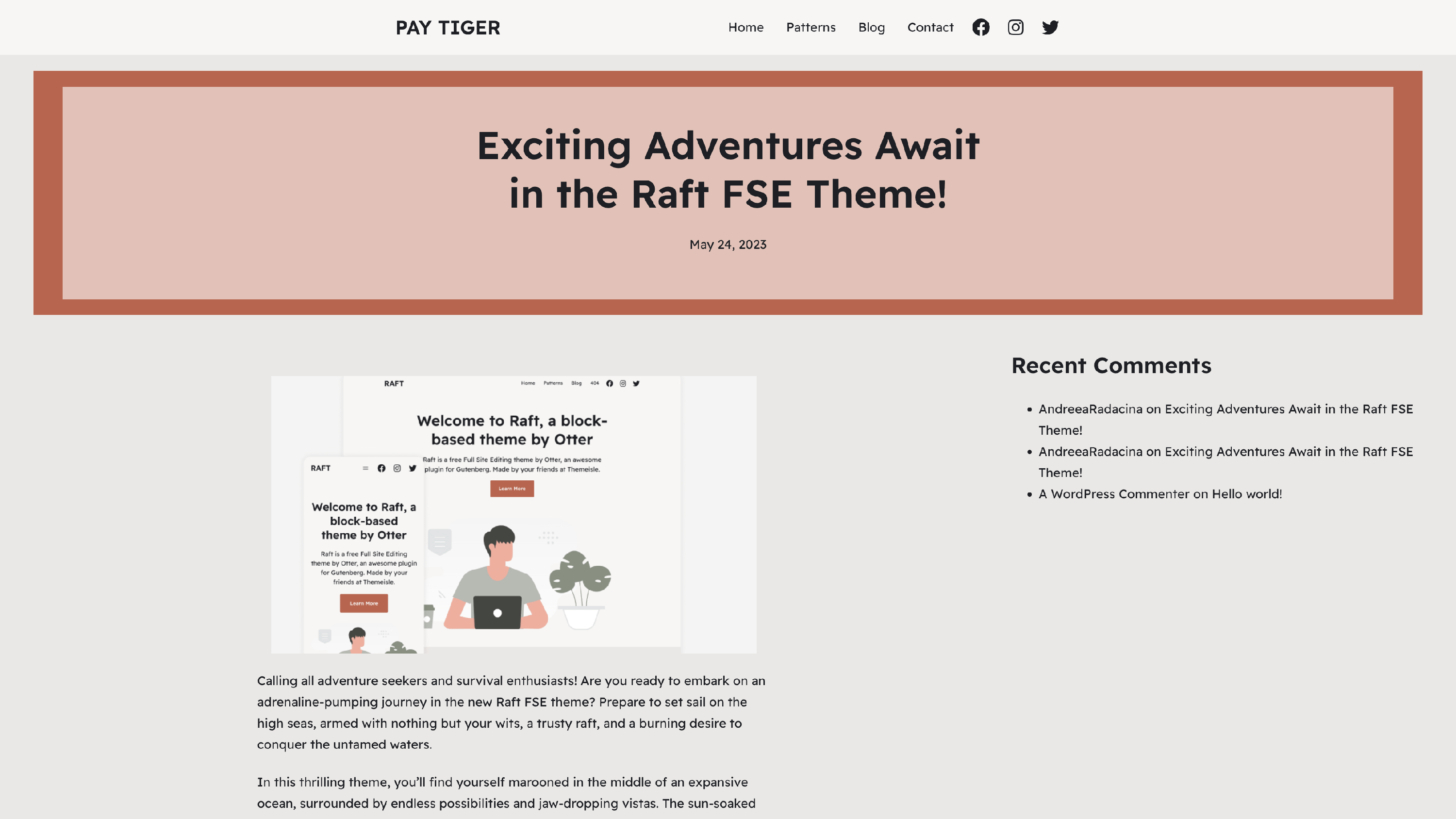
How to Add Widgets to Single Posts in FSE Themes?
If you were accustomed to the old widgets panel that appeared in Dashboard > Appearance > Widgets, that's not the case for the FSE themes anymore, as the only way to customize the templates is with the blocks editor. However, this article presents a solution for adding widgets easily on single posts:
1. Install and activate the Legacy Widget plugin.
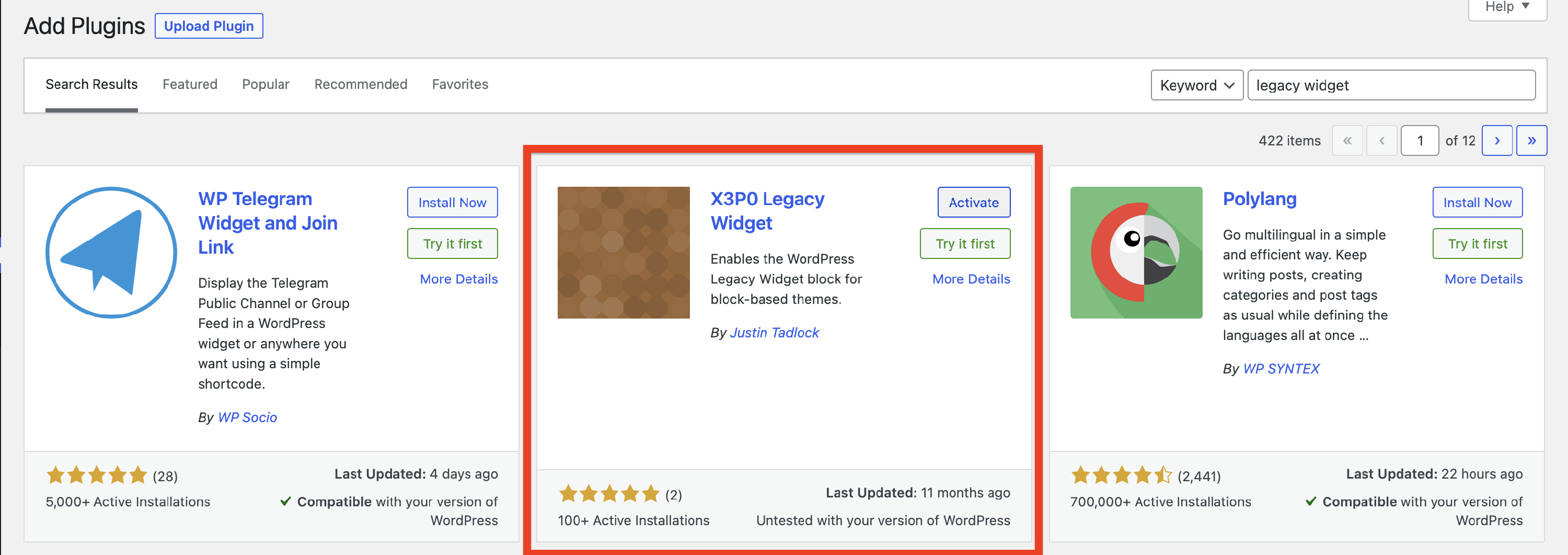
📝 Note: If you need help with installing the plugin, check this doc.
2. Navigate to Appearance > Editor > Templates.
3. Open the Single template in the editor.
4. Insert a Columns block and add two columns.
5. In the first column, insert the Post Content block.
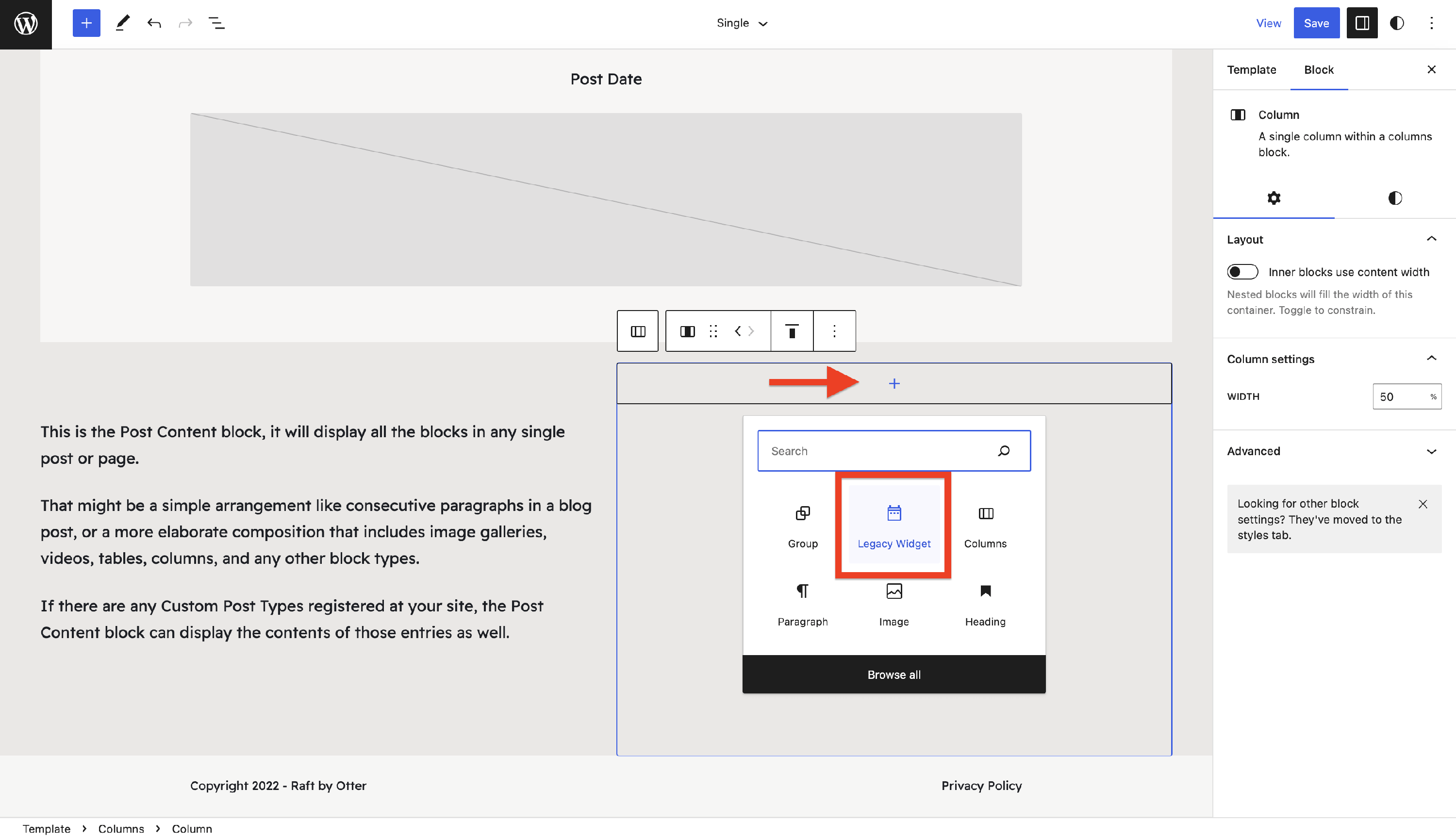
6. In the second column, insert the Legacy Widget block.
7. Select the first column and change the column width to 70%.
8. Select the second column and change the column width to 30%.
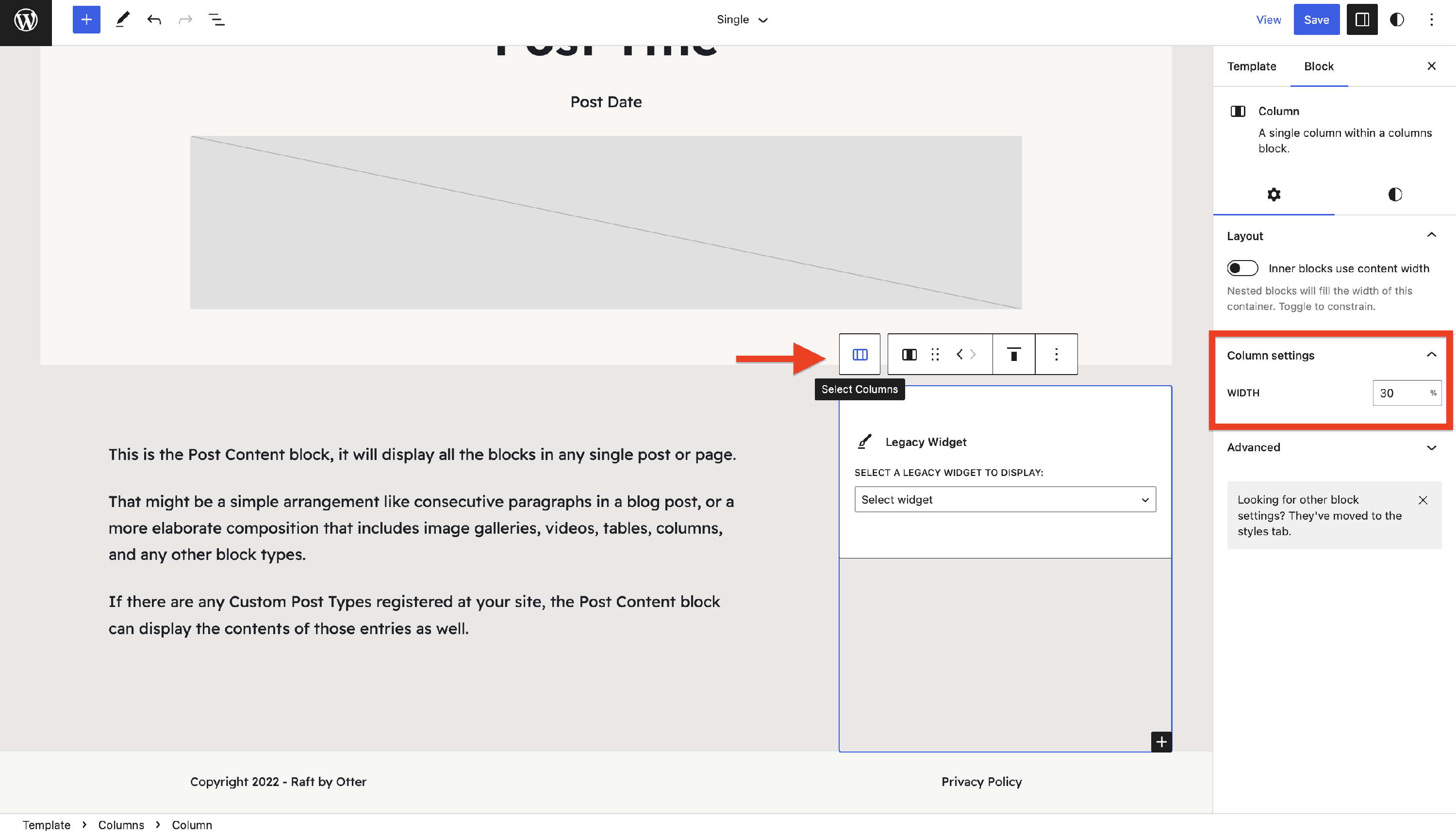
9. In the second column, select one of the available widgets (e.g. Recent Comments).
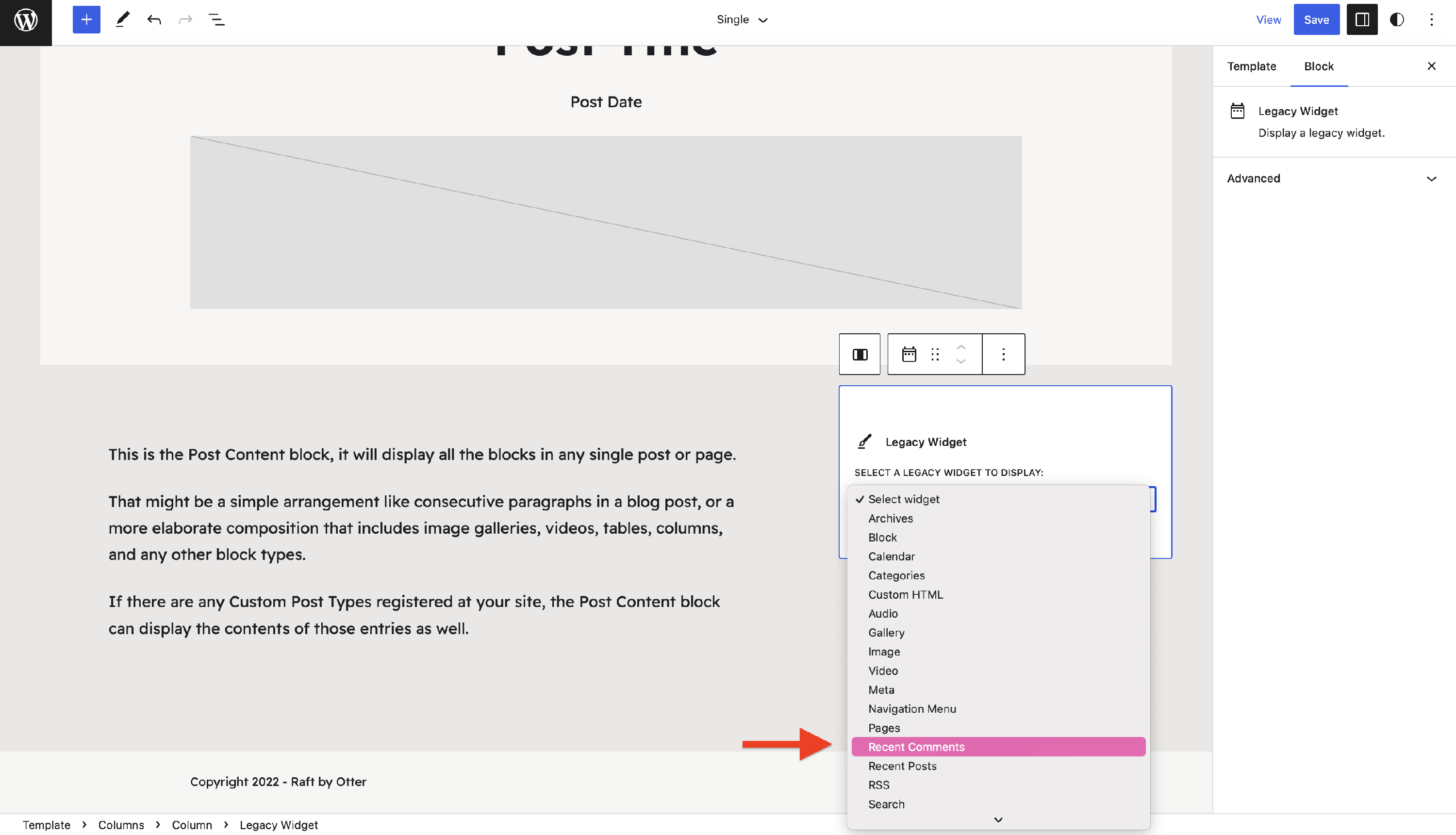
10. Save the changes and navigate to one of your website's post.
📝 Note: These steps can be applied to any other template, and the number of widgets can be greater than one.
Result: