Getting Started with the FSE Design Pack
The FSE Design Pack is a premium plugin for Themeisle's Full Site Editing themes that provides ready-made layout patterns you can import and customize.
In this article
Before you Install
Make sure that you are using the latest versions of any of our Full Site Editing (FSE) themes: Neve FSE / Jaxon / Riverbank / Fork / Raft. These are the only themes the FSE Design Pack is officially compatible with.
⚠️ Important: The FSE Design Pack is not tested or guaranteed to work with third-party FSE themes. If you use one, the layouts will usually still import, but your spacing and colors may not appear correctly. See Troubleshooting for more details.
How to Install and Activate the FSE Design Pack
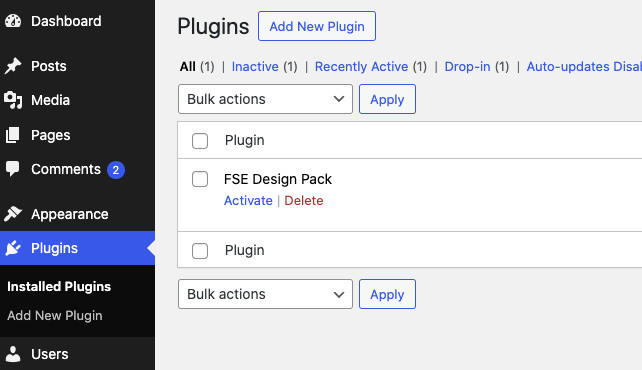
From your Themeisle Store Account, download the plugin Zip file. In your WordPress dashboard, go to Plugins \ Install New \ and choose the zip file from your computer. After installing the plugin, you can activate it.
Activating your License
In order to enable future updates you will need to add and activate your License. The License can be found in your Themeisle Store account. Paste the License Number Under Settings \ General \ FSE Design pack License
Activate the license on every site where you install the plugin. Each WordPress installation checks its own license, so a site without an activated license keeps working but stops receiving plugin updates.
You will also see a notification at your dashboard, with quick links to obtain and validate your license.

License terms and site limits
The FSE Design Pack is a one-time purchase. There is no subscription and no recurring billing, and your access to the plugin does not expire.
- Number of sites: One license covers an unlimited number of your own personal sites and your client sites.
- Future collections: Pattern collections released later for the plugin are included in your original purchase at no extra cost.
📝 Note: If your project falls outside personal or client sites — for example, a community or hosted platform where the sites belong to other people — ask through the pre-sale questions page before you buy, so the right terms for your use case can be confirmed.
Importing the layouts
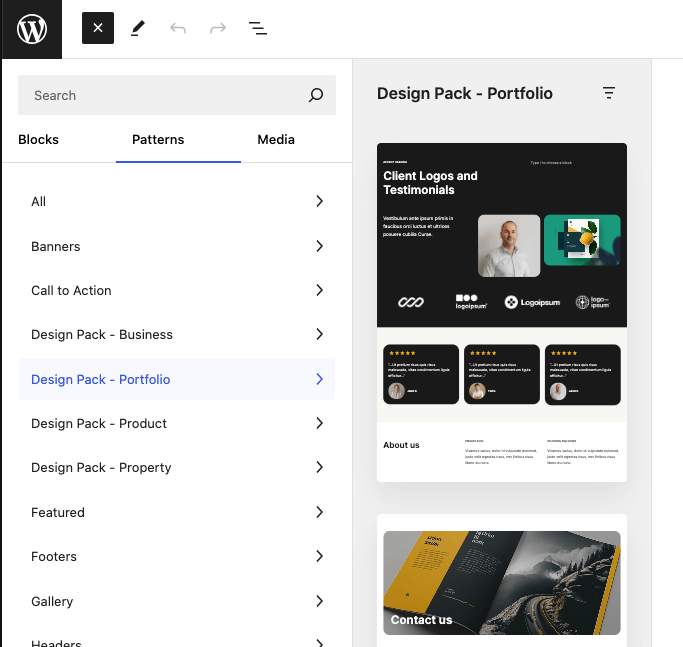
All layouts are available as patterns, and easily accessible via the pattern library and categorised in collections. Open any page, insert a pattern into it and enjoy a modular setup that you can customise and extend.