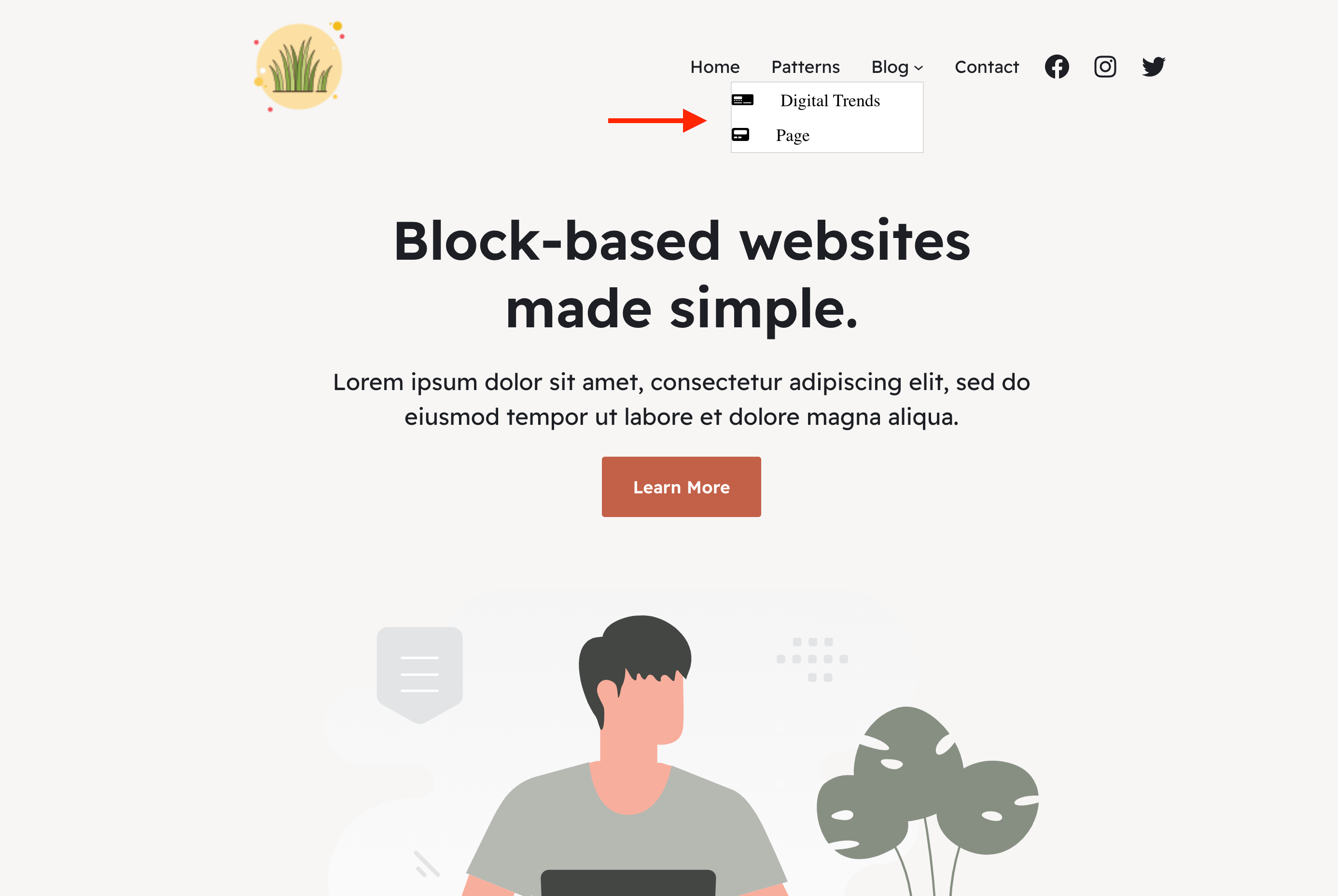
How to Add Submenu Items in FSE Themes Editor?
Adding submenu items in the FSE Themes can be done quickly inside the editor. In this example, we have used the Raft theme, but the steps are the same for the other FSE Themes ( Jaxon, Fork, Riverbank ).
1. Open the template page where the menu is added.
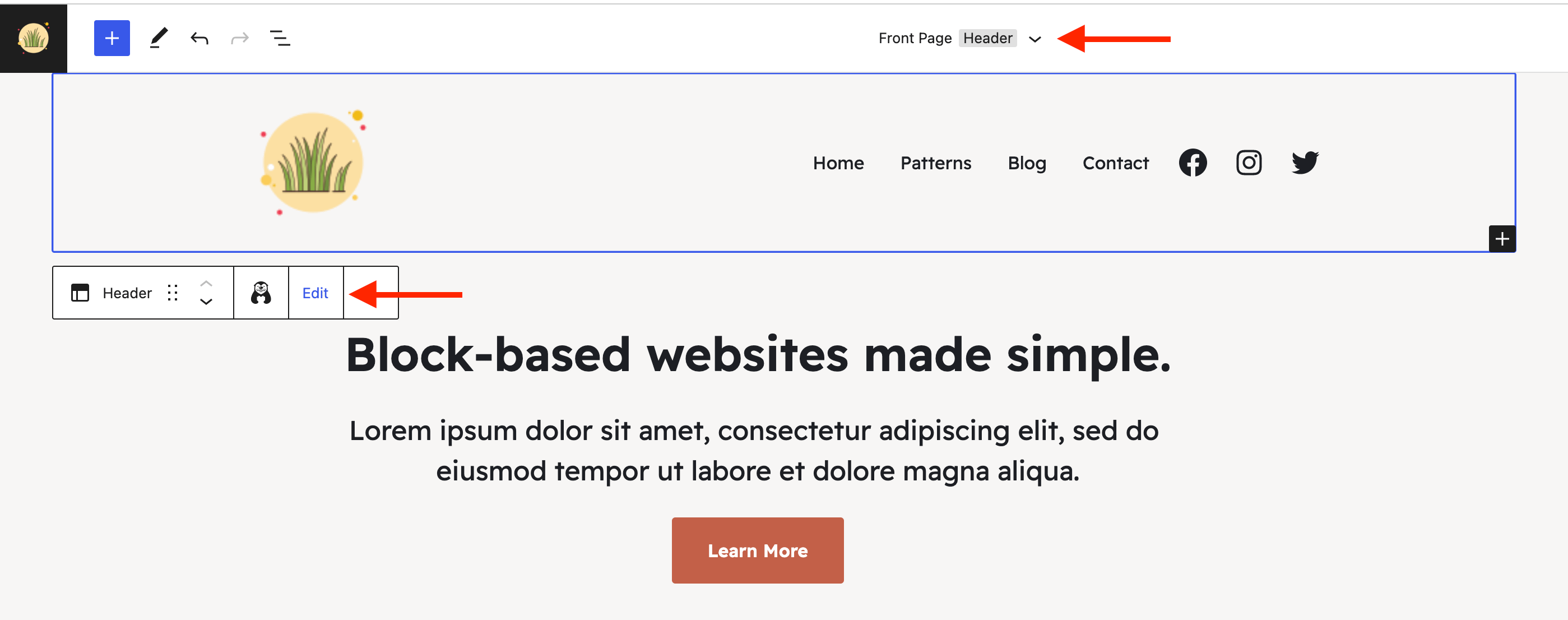
2. From the dropdown menu, select Header.
3. Hover over the header area and click on Edit.
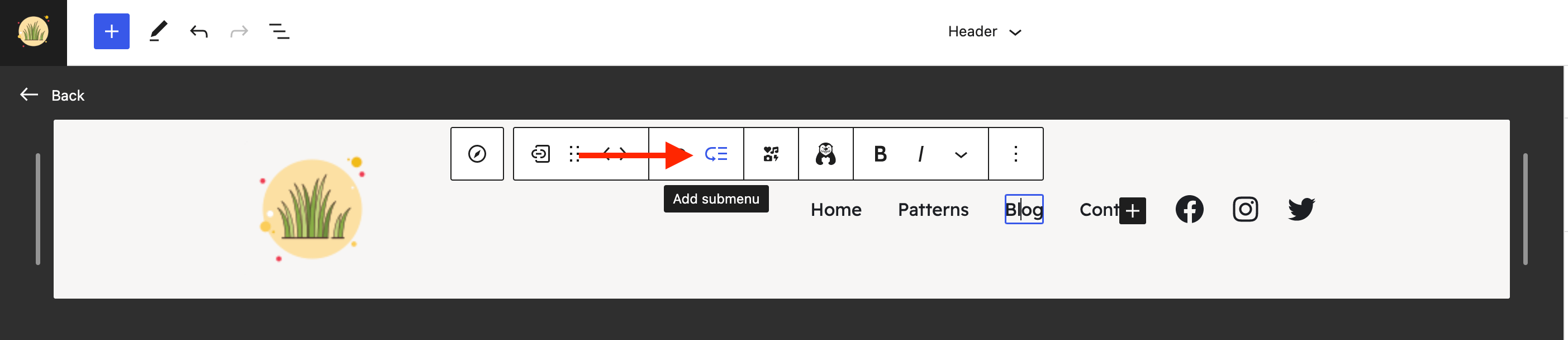
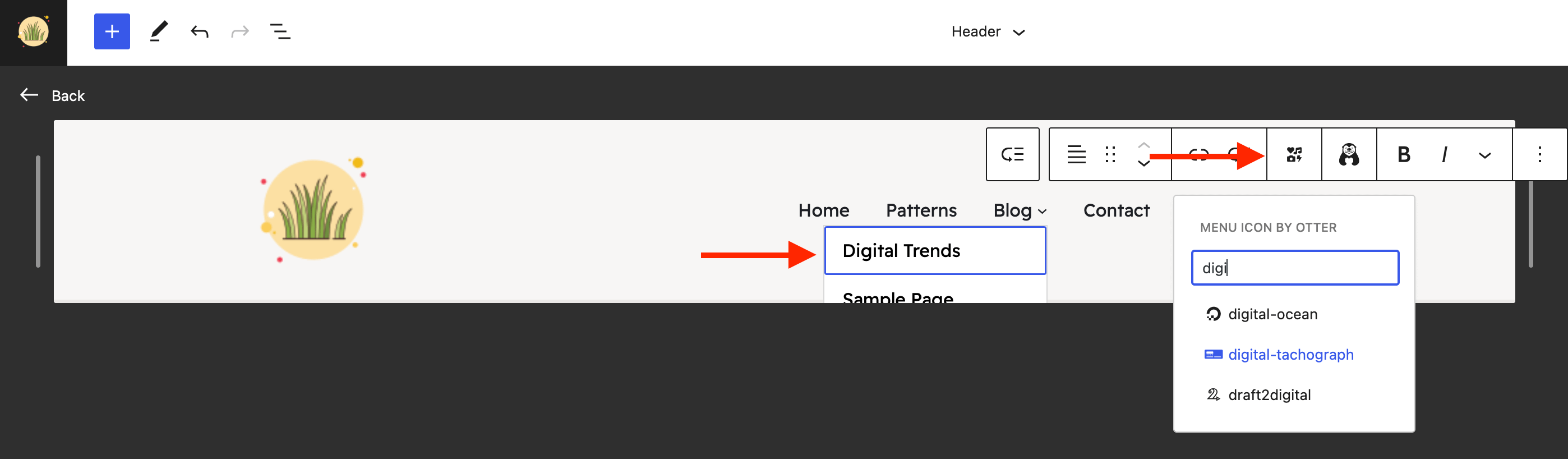
4. Select the menu item where you want to list subitems.
5. Click on the add submenu icon.
6. Use the plus button to add items to the submenu.
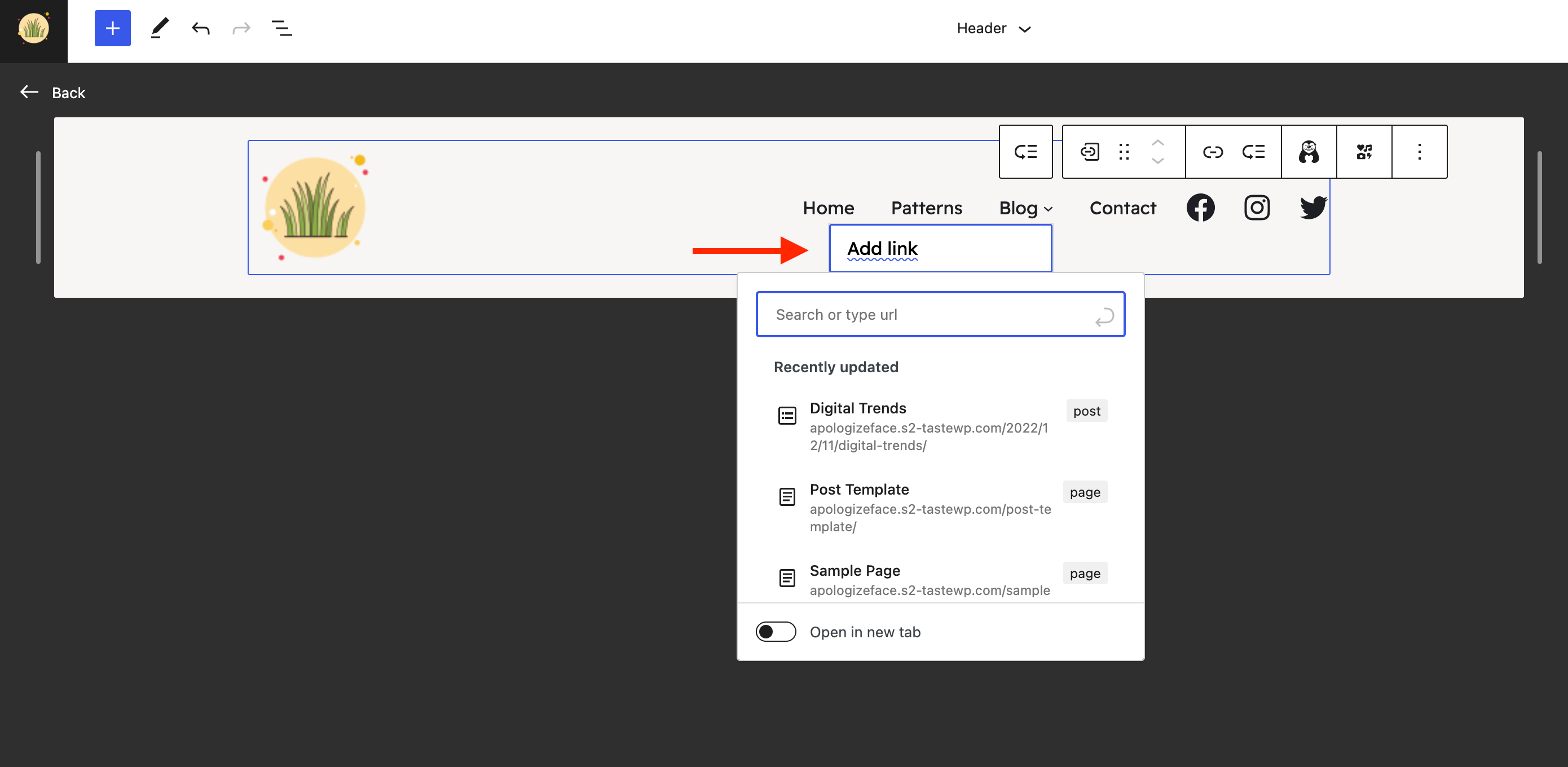
You can customize the new items with menu icons too.
Result