
Troubleshooting Salesforce Integration
Navigate the intricacies of our advanced Salesforce Integration extension with this step-by-step guide to address issues related to entries not reaching Salesforce
Step-by-Step Resolution
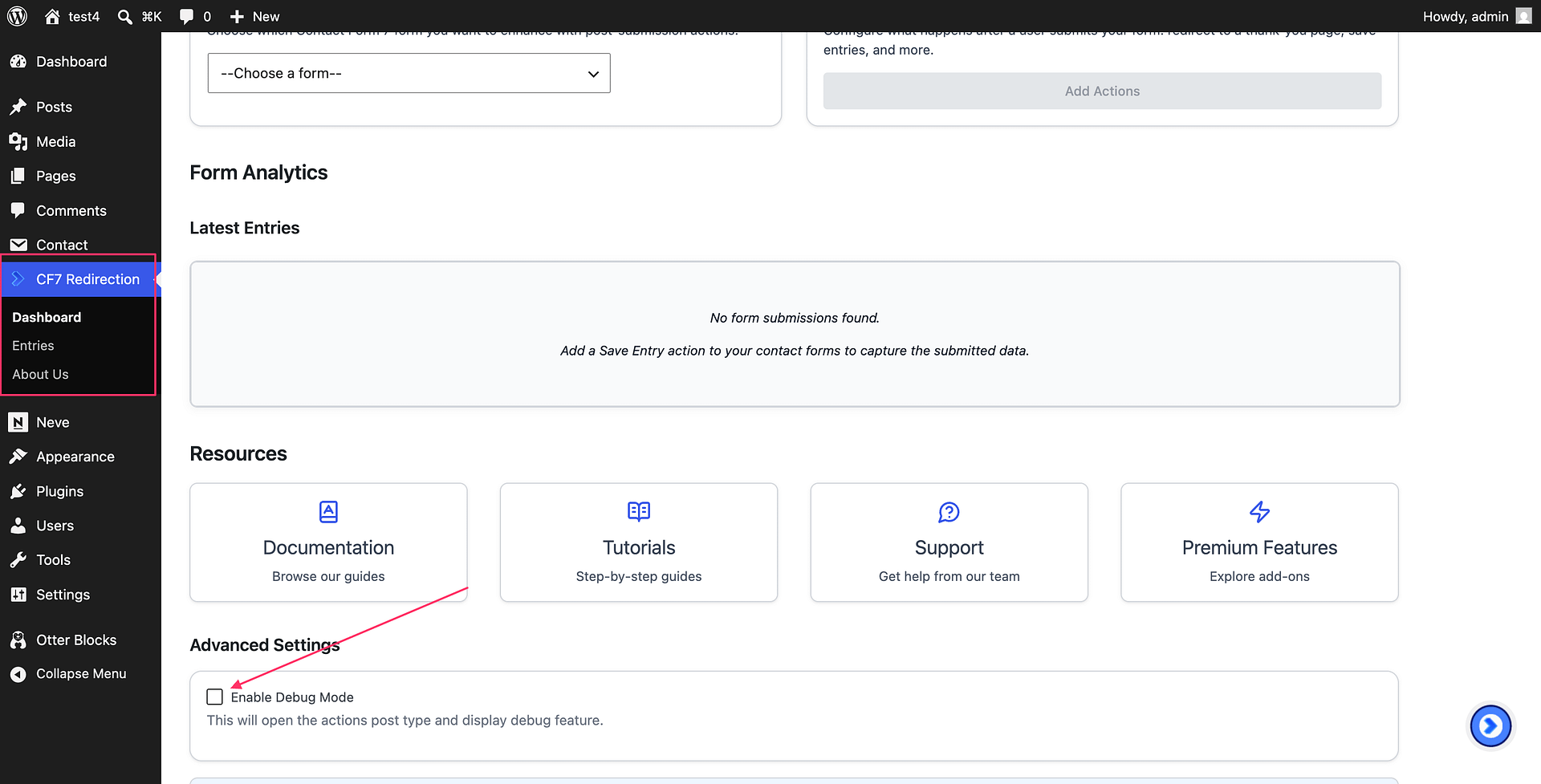
- In your WordPress admin panel, open the CF7 Redirection > Dashboard. Make sure to enable "Enable Debug Mode".
 2. Proceed to the Form -> Actions Tab. Add the "Save Entry" action and save the form.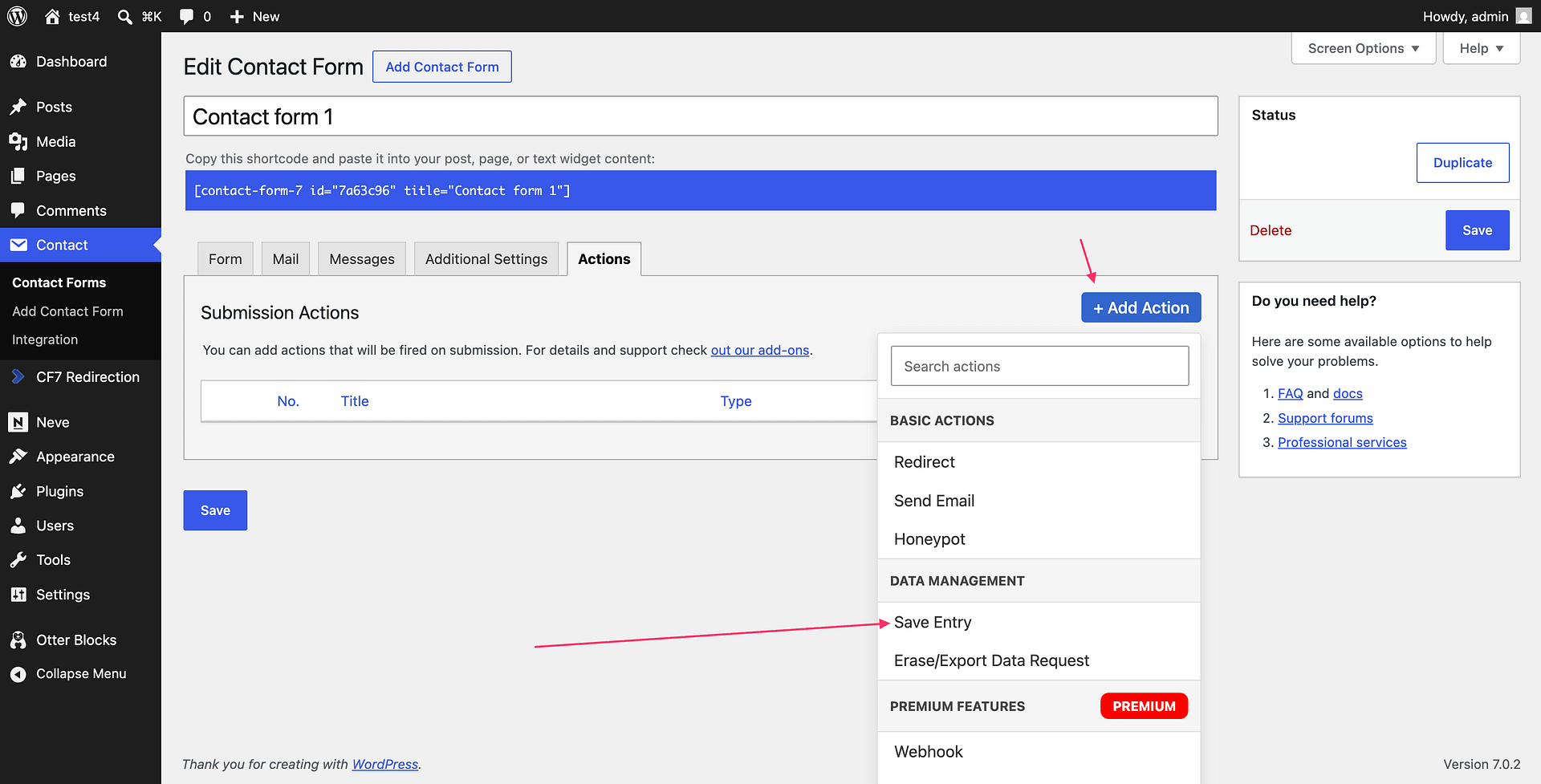
On the front-end, visit the page displaying the form. Complete all fields and submit.
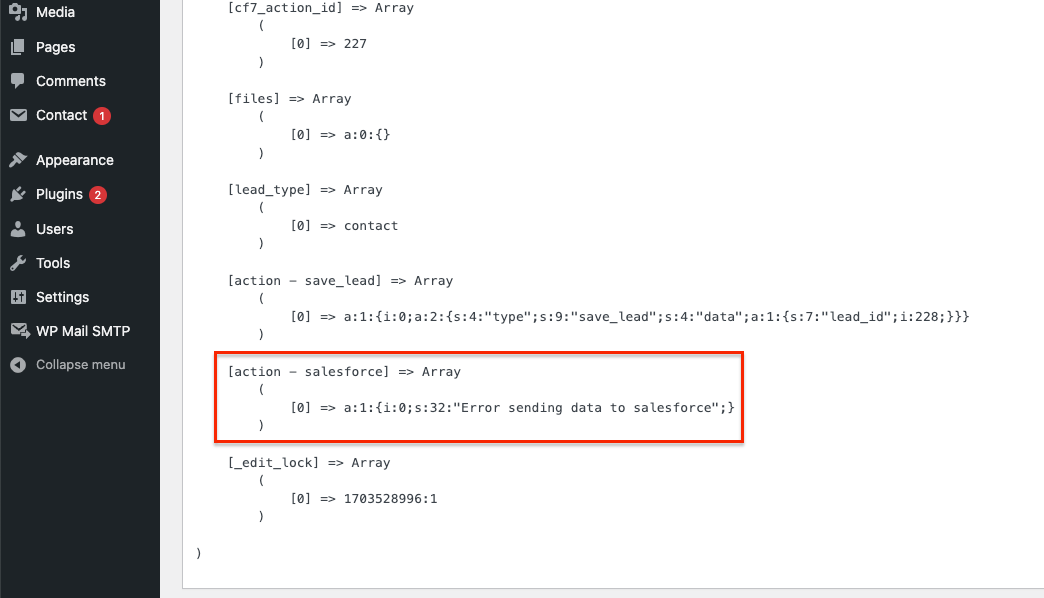
Return to your WordPress admin panel and navigate to CF7 Redirection -> Entries. Locate the submitted form, click on it, and find the Salesforce action response object for insights into any issues encountered.
Seek Additional Assistance
If challenges persist, feel free to contact our support team for further guidance. They are here to assist you in resolving any lingering issues with the integration.