
How to install and activate premium addons of Redirection for Contact Form 7
In order to use any premium addon of Redirection for Contact Form 7, you need to install the free version of Redirection for Contact Form 7 along with the Contact Form 7 plugin.
In this article
Prerequisites
- Redirection for Contact Form 7(free version)
- Contact Form 7
Download and Install
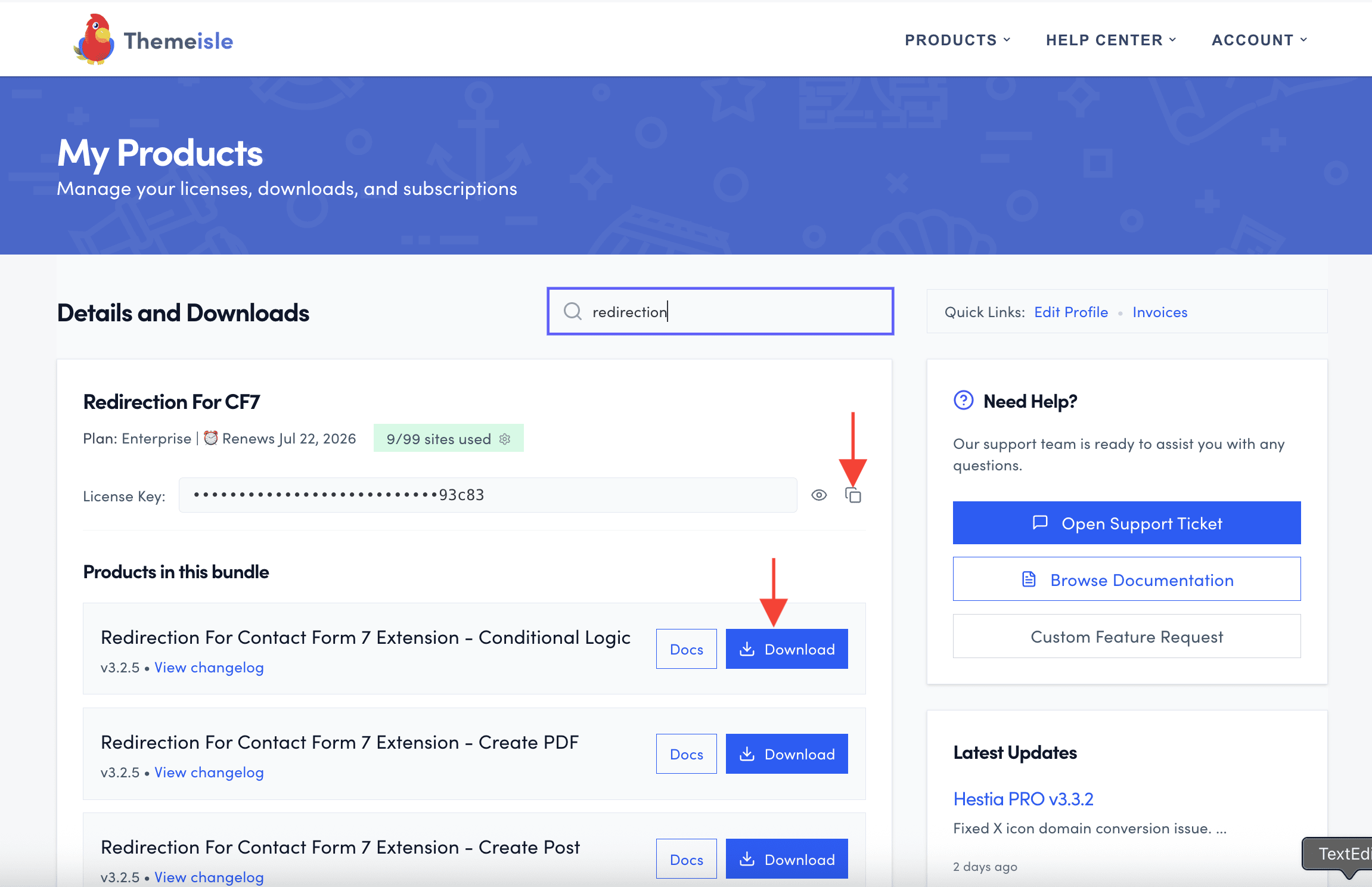
1. Navigate to Themeisle store and download the premium add-on you purchased.
2. Click on the license key and copy it.
3. Navigate to Plugins > Add new in your WordPress dashboard and install the downloaded zip file. 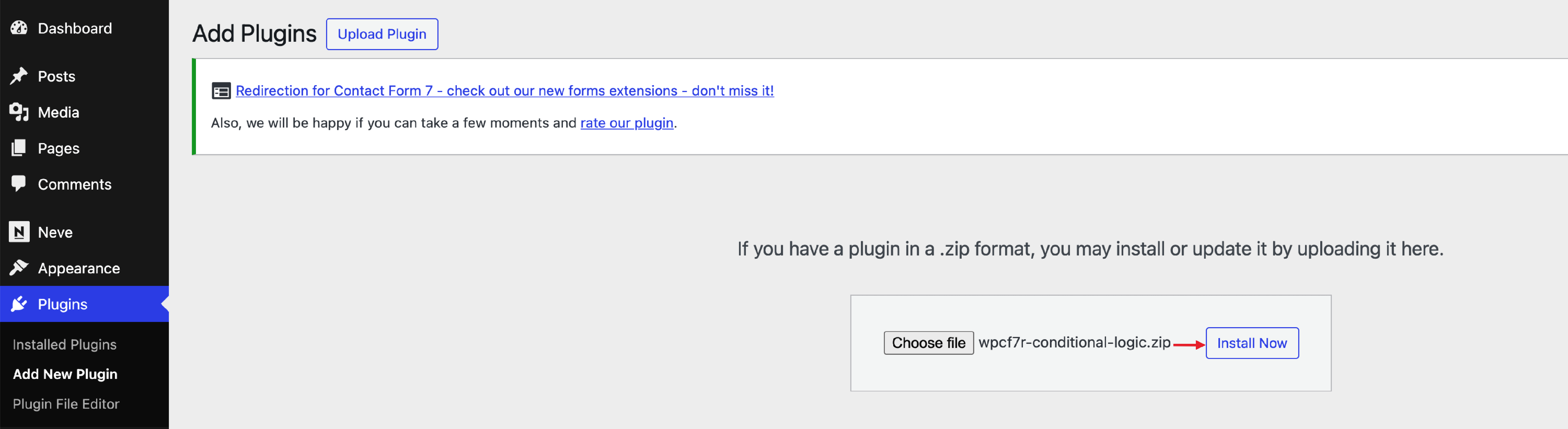
4. Navigate to CF7 Redirection > Dashboard > Licenses and add the copied license key to activate it.

Troubleshooting
- For errors uploading the add-on ZIP file, see Fix 403 Forbidden or upload errors when installing RCF7 add-ons.
- If the Licenses tab is missing from your dashboard, see Licenses tab missing in CF7 Redirection dashboard.