
How to install the PRO version of WP Product Review
This guide walks you through installing and activating the PRO version of WP Product Review, including uploading the plugin and entering your license key.
NOTE: First, make sure the free version WP Product Review Lite is INSTALLED and ACTIVATED.
1. Download your copy of the plugin from your ThemeIsle Purchase History.

2. Open your WordPress Dashboard, and go to Plugins -> Add New.
3. Click the Upload Plugin button.
4. Select the plugin from your File Explorer and click Install Now.
5. After successfully uploading the plugin, click Activate Plugin.
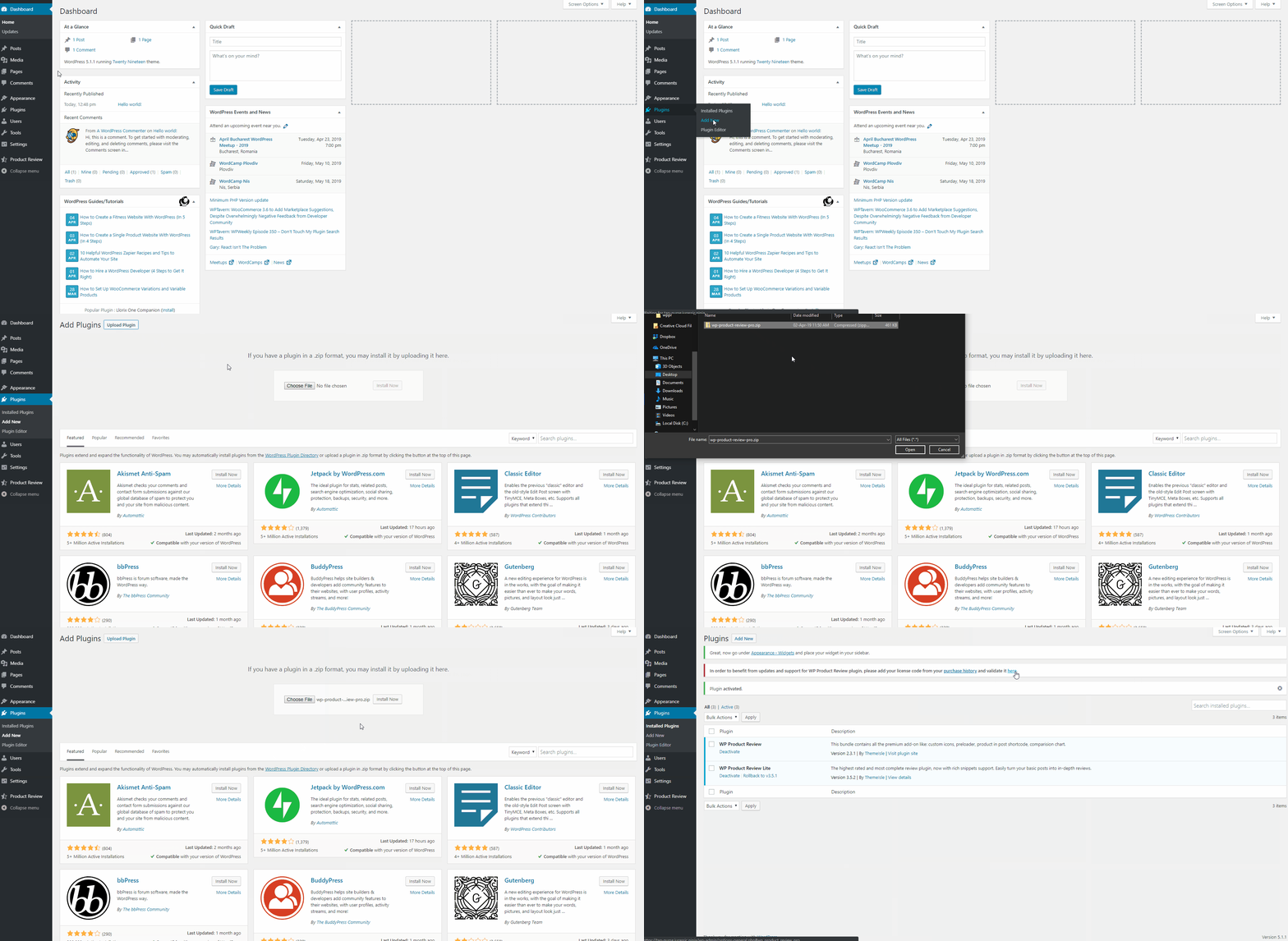
6. After activation, navigate to Settings->General and scroll down until you see the WP Product Review license input.
7. Insert the license key in the field and click Activate. 