
How to enable review post types
Post Types are the types of content in a WordPress site. WP Product Review also comes with post types known as review post types.
In this article
Enabling the review post types
To enable review post types in WP Product Review, here are the steps you can follow:
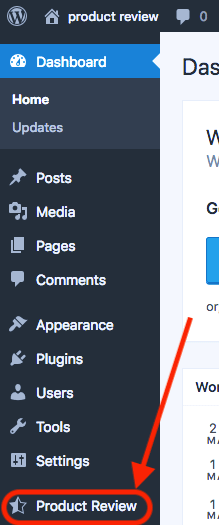
1. Go to Dashboard > Product Review.
2. In General Settings tab, you'll see an option: Enable review post type.
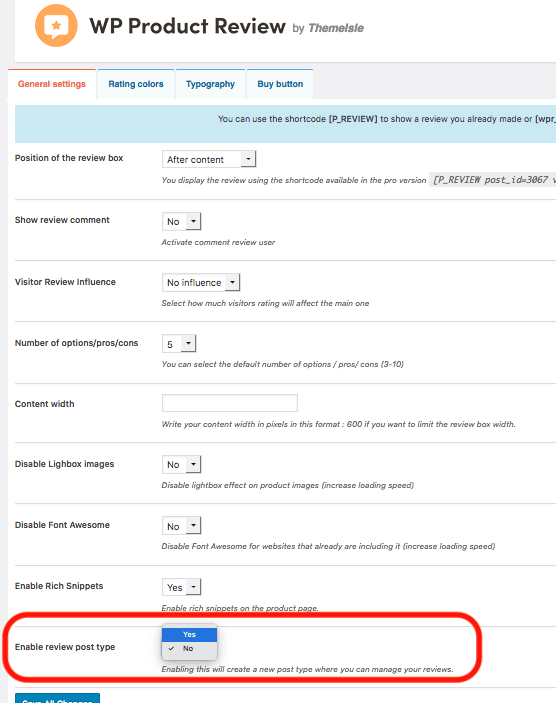
3. Select Yes, and click on Save Changes button.
Creating reviews using Review Post Types
Now, that you have enabled review post types, here are the steps you can follow to create the reviews using Review Post Types:
1. Go to Dashboard > Reviews > Add New.
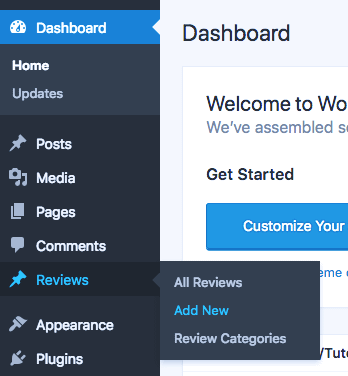
2. Enter the title, review and ratings of the product you want to review and click on Publish.

How to create and group reviews in categories
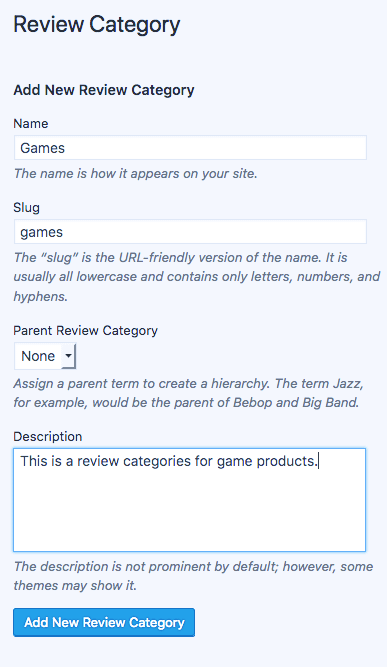
1. Go to Dashboard > Reviews > Review Categories.

2. Add a Category.
3. Now, go to your review post, and under Review Category option, select the categories you want your product to be in. Also, you can add a new category by clicking on Add New Review Category option.
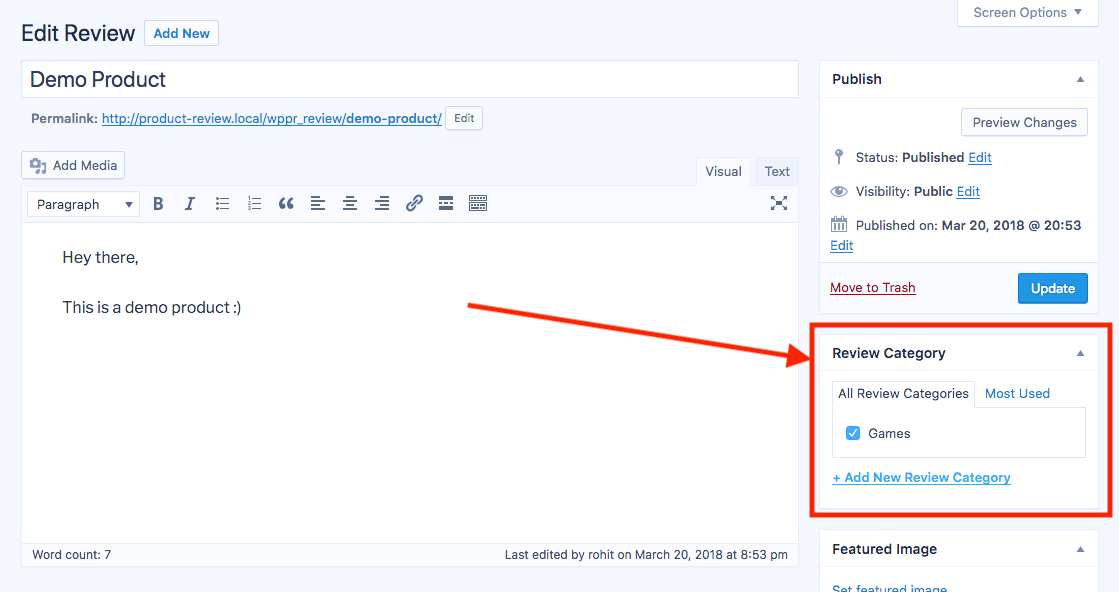
4. Click on Update button.
Use the Review categories in comparison table
To use the Comparison table for post in particular review post type categories, you need to use shortcode:
[wpr_landing post_type='wppr-reviews' cat='products']
Assuming products to be the category's slug and post_types='wppr_reviews' is review post type attribute (to use review post types categories). More on using comparison table: here.