
How to link Menu to Sections in Zelle
⚠️ Important notice: This product is now in maintenance mode and is no longer being actively developed or supported. Updates and bug fixes will not be provided unless they relate to security concerns.
Zelle is a one-page parallax theme, so its front page is divided into multiple sections. To link a menu item to one of those sections, assign the section's anchor to the menu item.
In this article
Adding a Section Link to Your Menu
In your WordPress Dashboard, go to Appearance > Menus.
Add a Custom Link to your menu, using your site address followed by the section's anchor as the URL. In the example below, the anchor is #focus, for the Our Focus section.
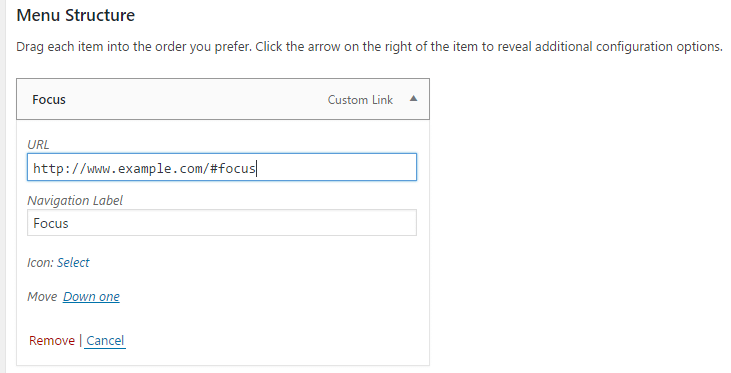
Only include www. in the URL if your website shows www. in the address bar.
Section Anchors
Here is the list of all the sections for the Zerif Pro/Lite theme:
| Section | Anchor |
|---|---|
| Our Focus | #focus |
| About Us | #aboutus |
| Portfolio | #works |
| Our Team | #team |
| Packages | #pricingtable |
| Testimonials | #testimonials |
| Bottom Ribbon | #ribbon_bottom |
| Right Ribbon | #ribbon_right |
| Shortcodes | #shortcodes-section |
| Contact | #contact |
| Subscribe | #subscribe |
| Latest News | #latestnews |
Some of these sections and anchors aren't available in Zelle Lite.