
Working with Custom Post Types
Auto Featured Image Pro supports custom post types beyond the default WordPress posts and pages, including WooCommerce products, events, portfolios, and other content types registered on your site.
Learn how to enable auto-generated featured images for custom post types including WooCommerce products, events, portfolios, and theme-specific post types.
In this article
Overview
WordPress Custom Post Types (CPTs) extend beyond standard posts and pages. This guide shows you how to configure Auto Featured Image to work with any custom post type.
Understanding Custom Post Types
What Are Custom Post Types?
Custom Post Types are content types beyond WordPress's default posts and pages:
Common Examples:
- WooCommerce → Products
- Events Calendar → Events
- Portfolio Plugins → Portfolio Items
- Forum Plugins → Topics, Replies
- Custom Solutions → Any registered CPT
Enabling CPT Support
Step 1: Check Available Custom Post Types
- Go to Auto Featured Image > Settings > General tab
- Look at the Generate for post types section
- View all registered post types
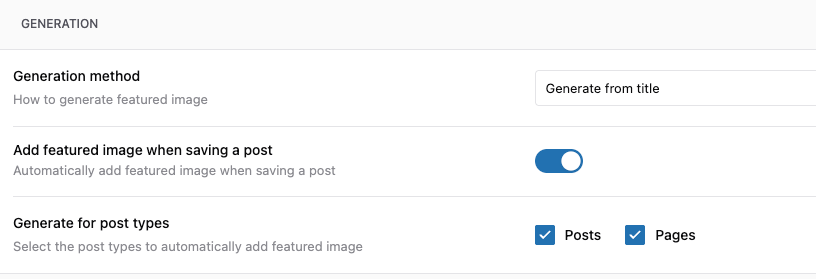
What You'll See:
☑ Posts (post)
☐ Pages (page)
☐ Products (product) [WooCommerce]
☐ Events (tribe_events) [The Events Calendar]
☐ Portfolio (portfolio) [Theme CPT]
☐ Testimonials (testimonial) [Theme CPT]
Step 2: Enable Desired Post Types
Simply check the boxes next to the post types you want to enable:
☑ Posts
☐ Pages
☑ Products ← WooCommerce
☑ Events ← Events plugin
☑ Portfolio ← Theme feature
Click Save Settings.
WooCommerce Products Setup
Special Considerations for Products
WooCommerce products have unique characteristics:
Product Image Priority:
- Product gallery (first image)
- Product featured image (if exists)
- Stock image search (product name)
- Category default image
Troubleshooting
- If your custom post type does not appear in the settings list, see Fix: Custom Post Type Not Showing in Auto Featured Image.
Related Articles
- Quick Start Guide
- Settings Explained: Complete Reference
- Generating Featured Images from Post Content
- Using Stock Image Search
Need Help with Your CPT?
- Contact Support - with your CPT details