
Advanced Settings
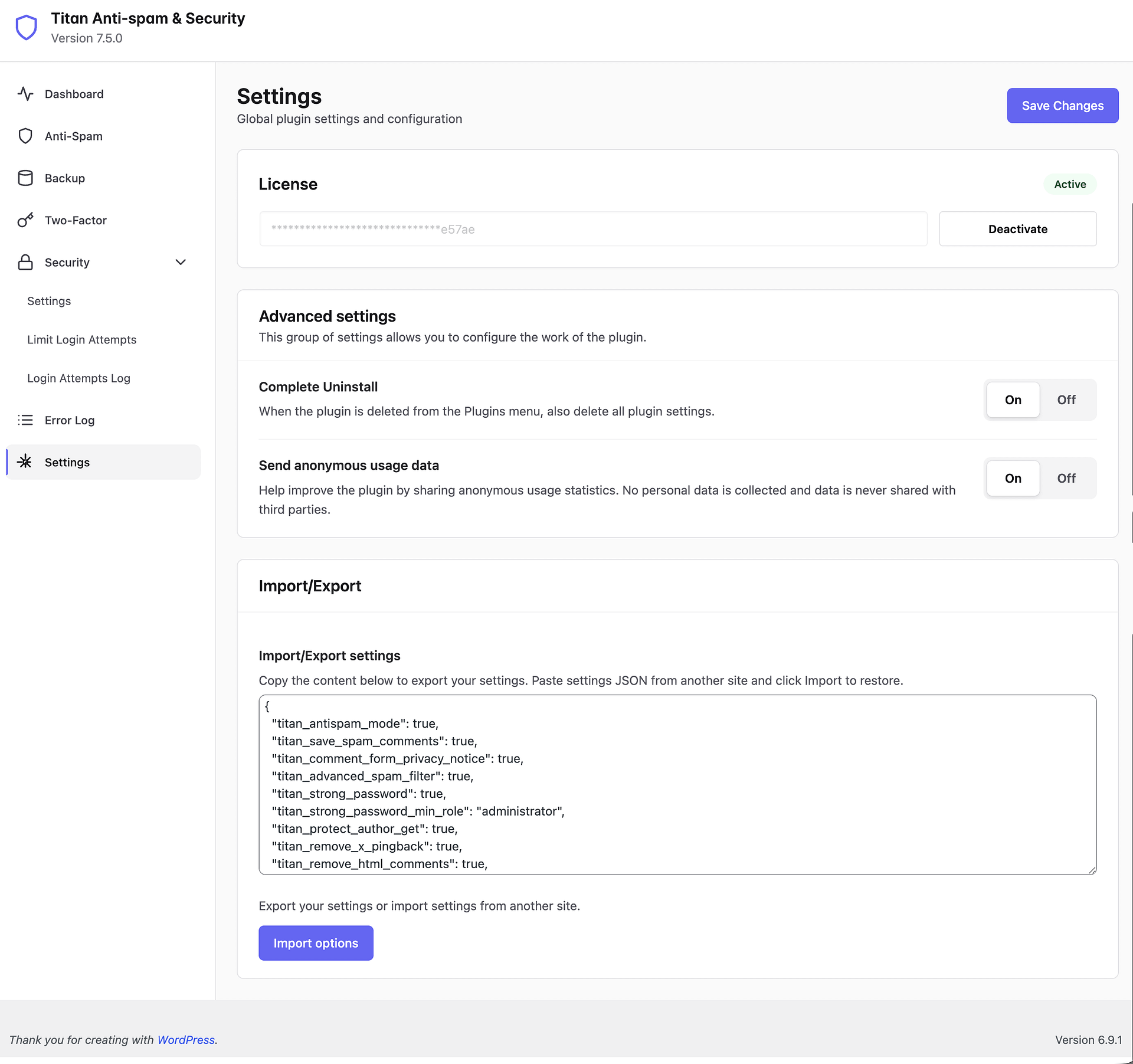
The Settings page provides global plugin settings and configuration for Titan Anti-Spam & Security. You can access it by navigating to Titan Security → Settings in your WordPress dashboard.
In this article
License
This section displays your current license status and allows you to manage your license key.
When your license is active, it shows an Active badge. Your license key is displayed in a masked format for security. Click the Deactivate button to deactivate your license on this site — for example, when migrating to a new domain or server. You can then activate the same license key on your new site.
Advanced settings
This group of settings allows you to configure the work of the plugin.
Complete Uninstall
When the plugin is deleted from the Plugins menu, also delete all plugin settings. Enable this if you want a clean removal with no leftover data in your database. Keep it off if you plan to reinstall the plugin later and want to retain your configuration. (On/Off)
Send anonymous usage data
Help improve the plugin by sharing anonymous usage statistics. No personal data is collected and data is never shared with third parties. (On/Off)
Import/Export
Import/Export settings
Copy the content below to export your settings. Paste settings JSON from another site and click Import to restore.
The text area displays your current plugin configuration in JSON format. This includes all your anti-spam, security, brute force protection, and other plugin settings.
To export your settings: Copy the JSON content from the text area and save it somewhere safe, or paste it into the same field on another WordPress site running Titan.
To import settings: Paste the JSON configuration from another site into the text area and click the Import options button to apply those settings.
Use Import/Export to quickly apply the same security configuration across multiple WordPress sites, or to create a backup of your settings before making major changes.
After adjusting your settings, click the Save Changes button at the top right to apply your configuration.