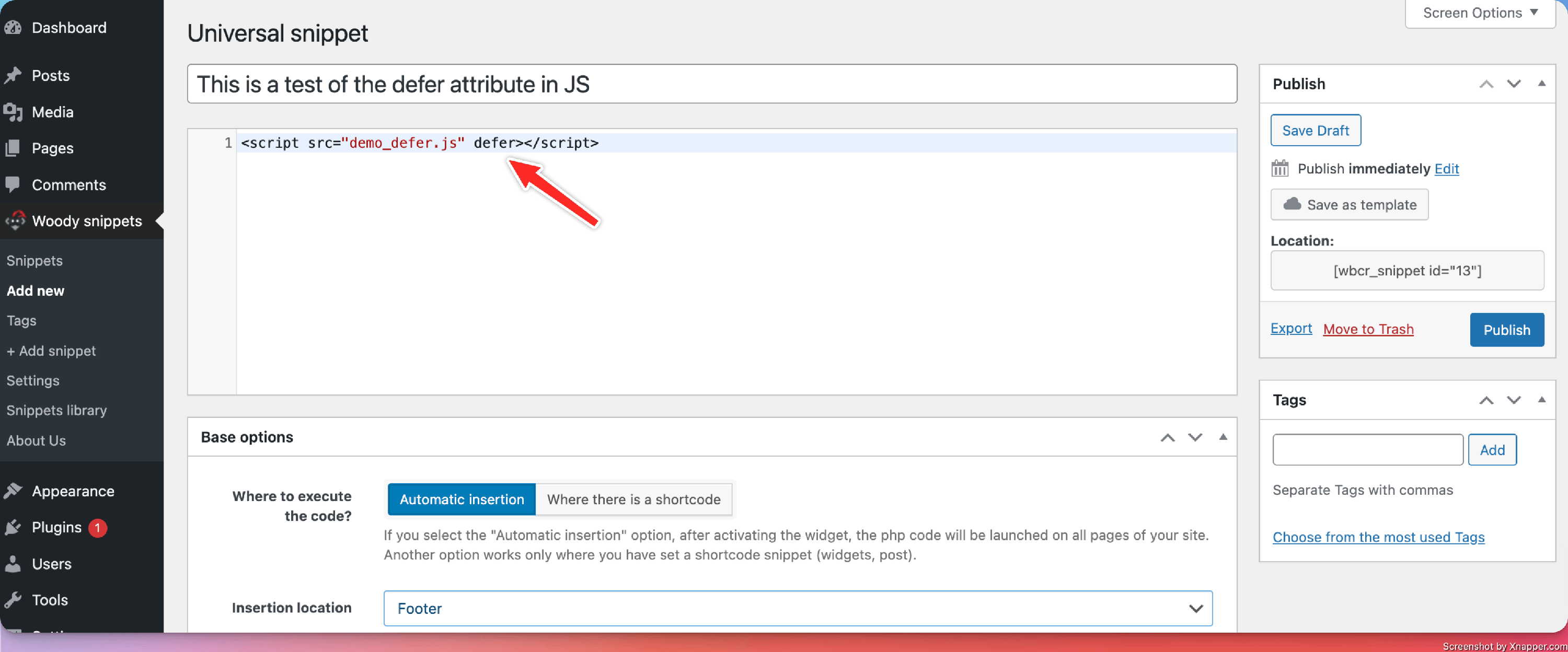
How to add the defer attribute to a javascript script using Woody Snippets
While the JavaScript snippet does not allow for dedicated attributes, like defer, for example, to obtain the same result, you can create a new Universal snippet, in which you can add the JS script using the defer attribute, or any other attributes of your choice.
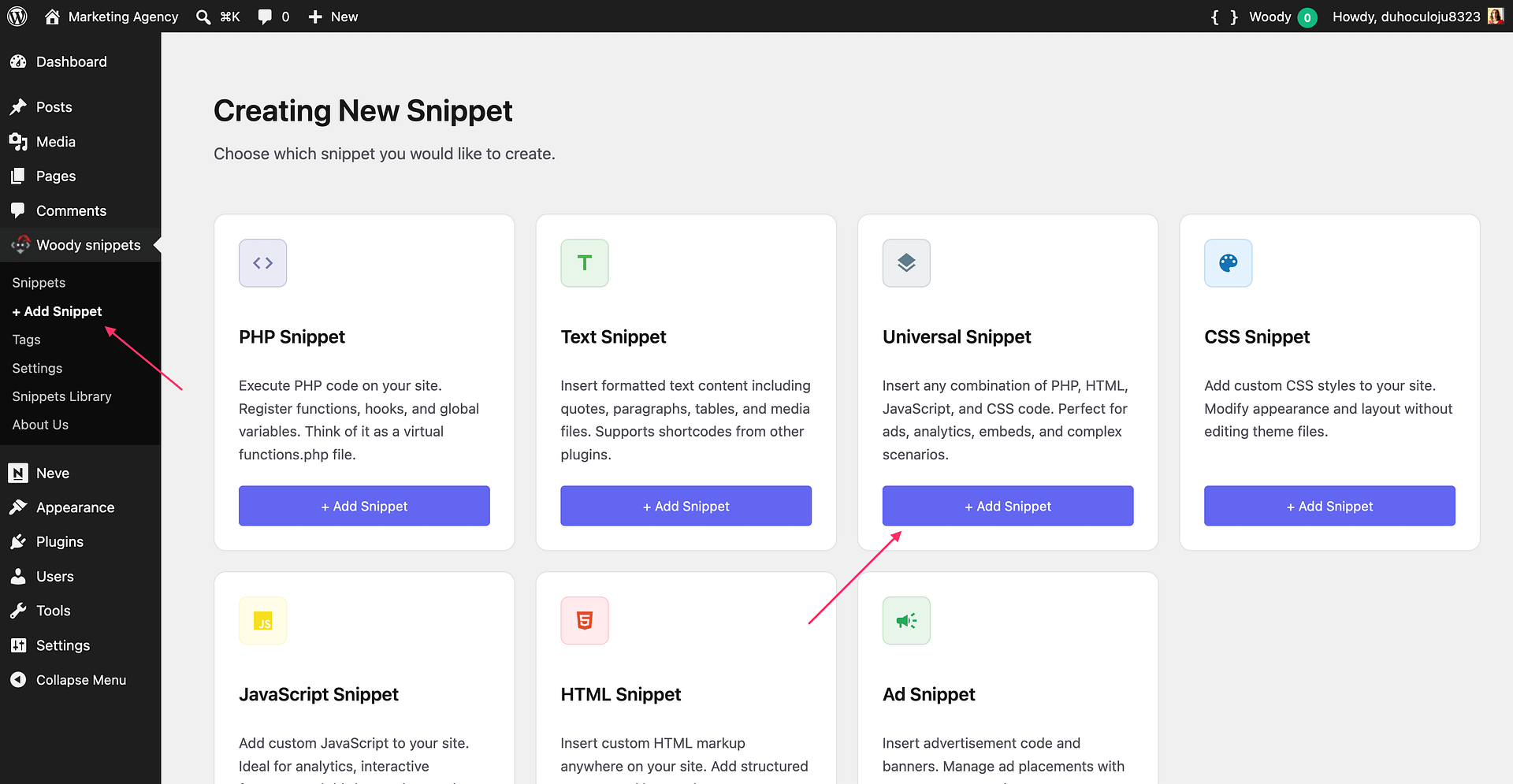
- Navigate to your WordPress Dashboard > Woody snippets > + Add Snippet
- Create a new Universal snippet
- In the Universal snippet, add your script tag with the defer attribute.