How to Add a Snippet Shortcode in a Text Widget?
You can use Woody snippet shortcodes inside WordPress text widgets, making it easy to display snippet content such as ad units in sidebars or footers.
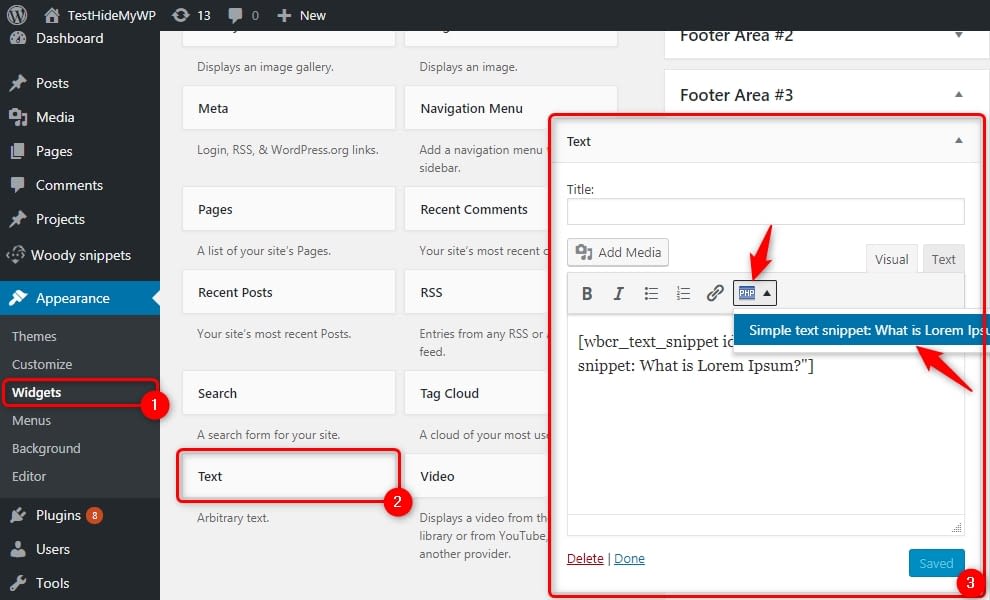
- Go to “Widgets”
- Add a new text widget to the sidebar;
- If you need to move widget content to a snippet select the content inside the snippet. Otherwise, just set the cursor in the text field.
- Click the plugin icon at the widget toolbar and select any snippet. Only active snippets with the Where there is a shortcode placement option are available in the list.