
How to Add a Snippet Shortcode in the Gutenberg Editor?
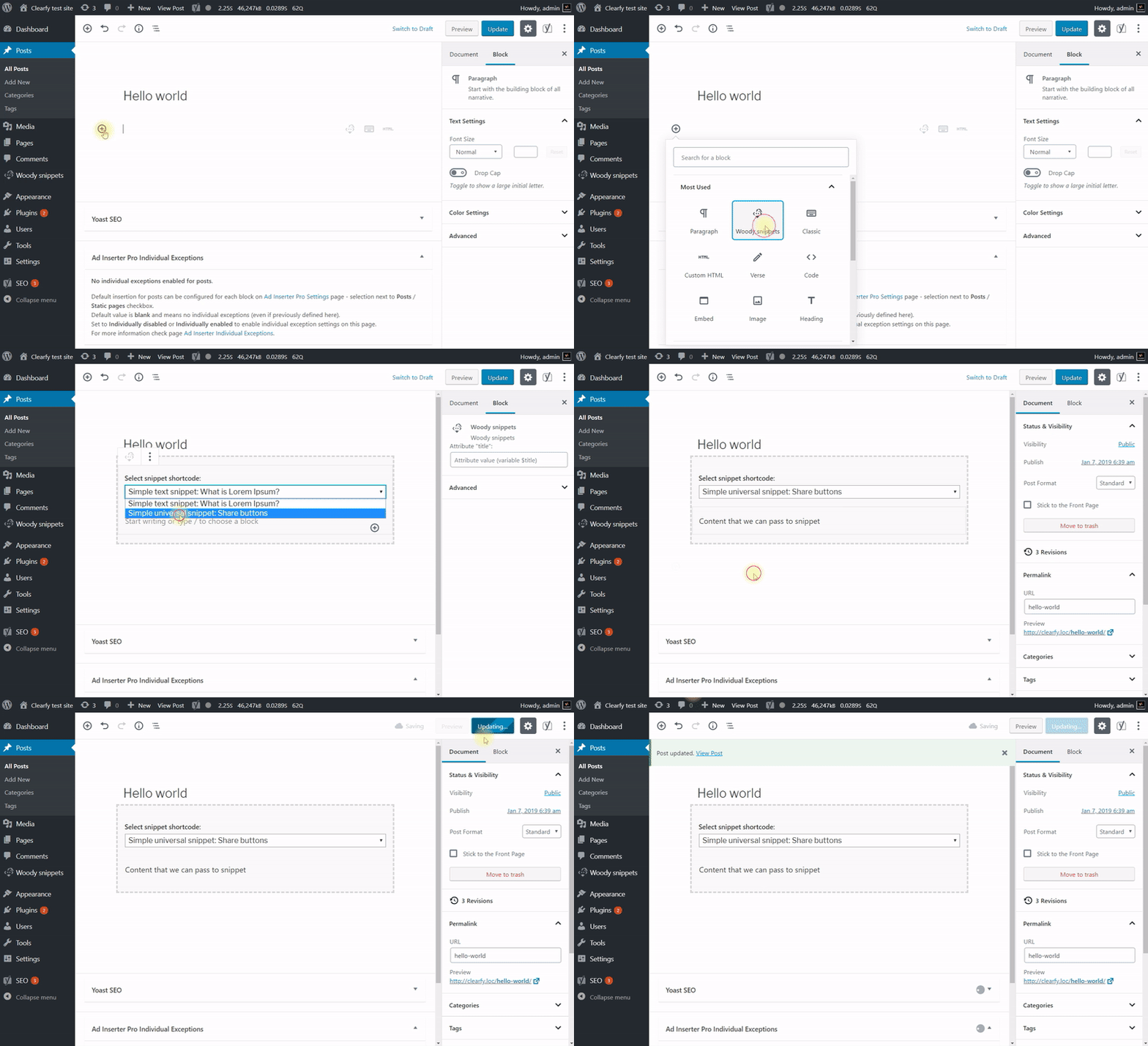
The Woody Snippets block lets you place an active shortcode snippet without typing the shortcode manually:
- Create a new snippet, activate it, then set Snippet Scope to Where there is a shortcode.
- Open the post or page in the block editor and insert the Woody Snippets block.
- Select the snippet you want the block to display.
ℹ️ No snippets available in the block? If the block shows No shortcode snippets available, click Create a snippet, create and activate a snippet with Snippet Scope set to Where there is a shortcode, then return to the editor and select it in the block.