
How to Install and activate Robin Image Optimizer Pro license
Robin Image Optimizer is available as a free plugin from the WordPress repository, with optional Pro features you unlock by activating a Pro license.
In this article
Overview
This product work on a freemium mode:
- Robin Image Optimizer: The core WordPress Plugin, which provides basic functionality for image compression
Install Robin Image Optimizer
To install the Robin Image Optimizer Plugin:
Download and Install
To download and install the Robin Image Optimizer plugin, make sure you follow the steps below:
- Navigate to the WordPress Dashboard > Plugins.
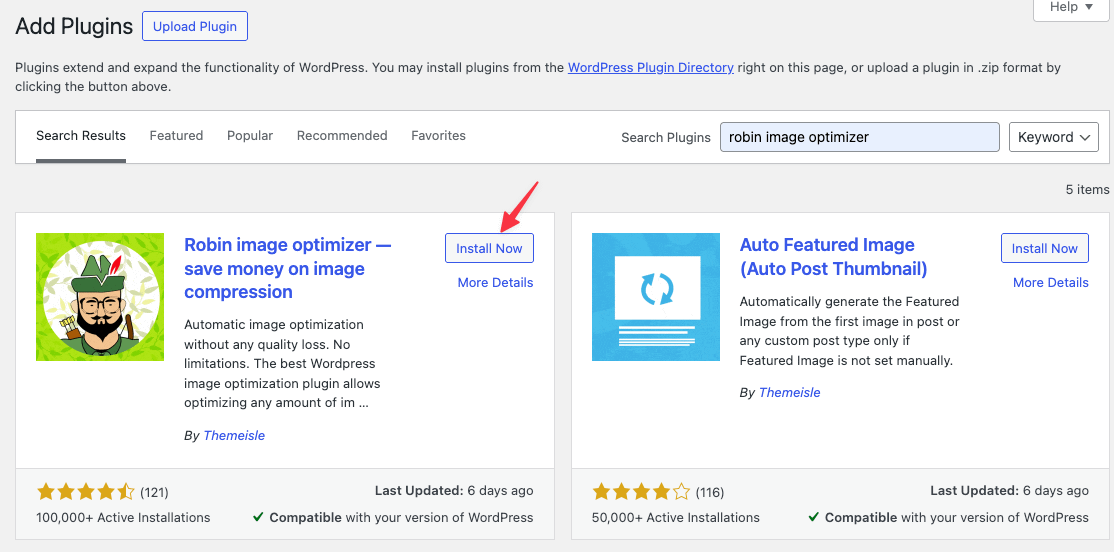
- Click the Add New button and type "Robin Image Optimizer" in the Search Bar.
- When the plugin appears, click on the Install button, and then, Activate the plugin, to start using it.
If you are a pro user then You must follow the rest of this Documentation to receive full functionality.
How to activate Pro License
To activate the Pro version of Robin Image Optimizer please follow these steps.
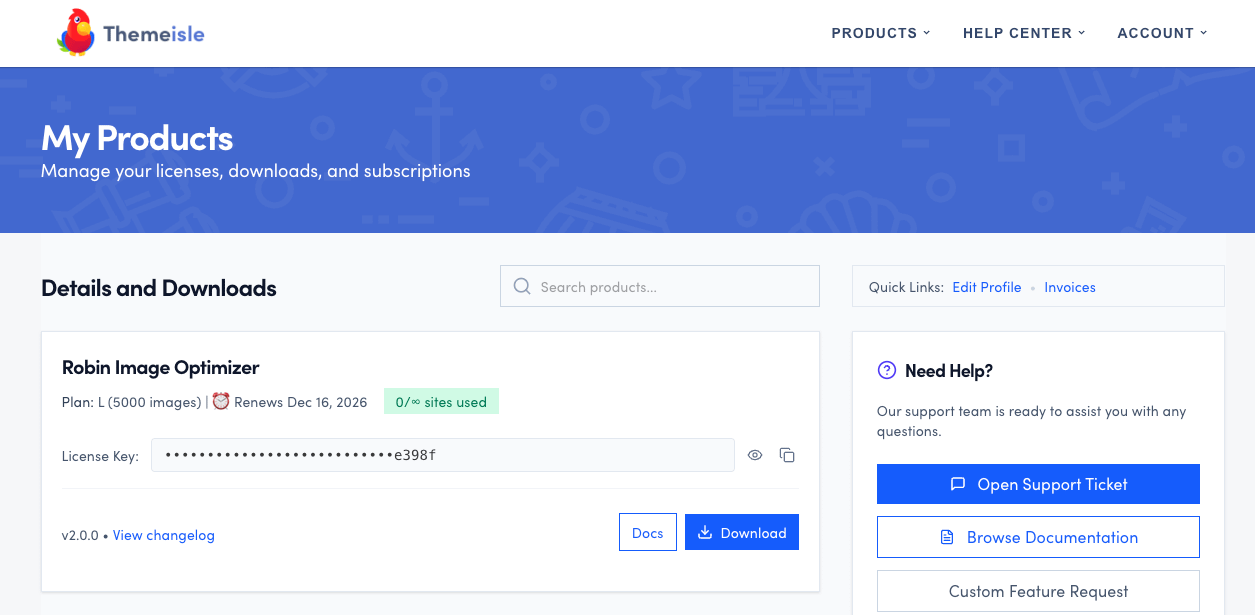
Visit our store - https://store.themeisle.com
Login with your credentials and navigate to the purchase history page.
You will be able to also download the product file as well as access the license key.
Are you a Safari user? Make sure Safari does not automatically unzip downloaded ZIP files at Preferences>General tab > uncheck the option Open “safe” files after downloading.
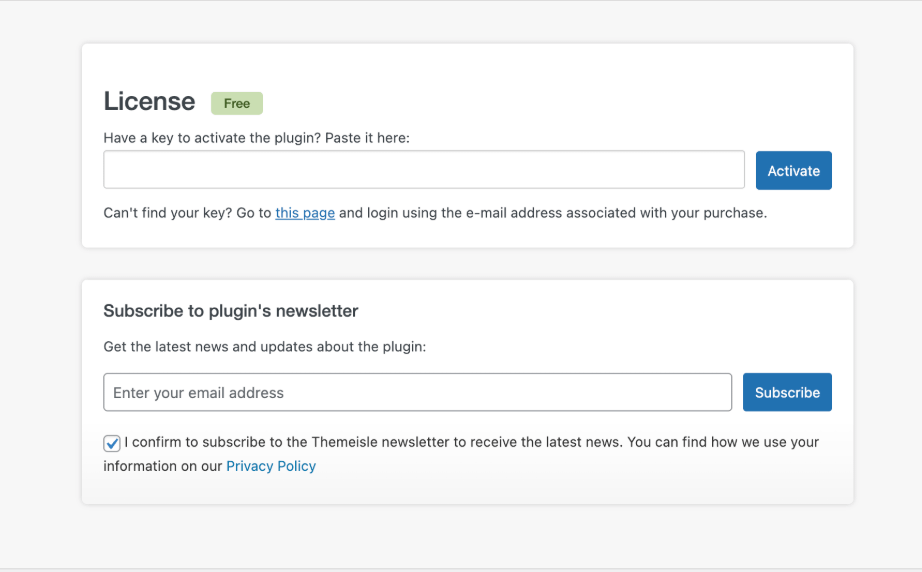
In order to unlock the pro features you need to activate your license key in the plugin's Licensing page.
Legacy Freemius license migration notice
If you see this notice in the plugin — "Your license was issued through our previous licensing system (Freemius)" — it means your Robin Image Optimizer Pro license is from our older Freemius system.
Robin Image Optimizer now uses the Themeisle store licensing and subscription system.
Do I need to migrate now?
Yes. The in-plugin notice is labeled Action Required. To keep receiving updates and support for Robin Image Optimizer Pro, migrate your license to the current Themeisle store licensing system by contacting support.
How to migrate your license
To migrate, contact support and ask for a Robin Image Optimizer license migration.
Include the following details so our team can verify your license and provide the next steps:
- The purchase email address used for Robin Image Optimizer Pro.
- Your current license details (key, order details, or invoice, if available).
- The site URL where the license is active.
Once support provides your replacement Themeisle license key, it does not automatically replace the legacy Freemius key stored on your WordPress sites. You must update every site still using the legacy key individually. If your license covers multiple sites, repeat the replacement on each connected site; changing the subscription or key in your Themeisle account alone does not update those installations.
On each site's Licensing page, deactivate the already-active legacy key before entering and activating the replacement key. Follow How to activate my license key for the general key deactivation and activation procedure.
If you see invalid-key errors (including character-limit issues), check Why Is My License Key Invalid? for additional troubleshooting.