
How to Install Woody Code Snippets Free and Pro
This guide walks you through installing both the free and premium versions of Woody Code Snippets on your WordPress site, and activating your Pro license key.
In this article
How to install the free version
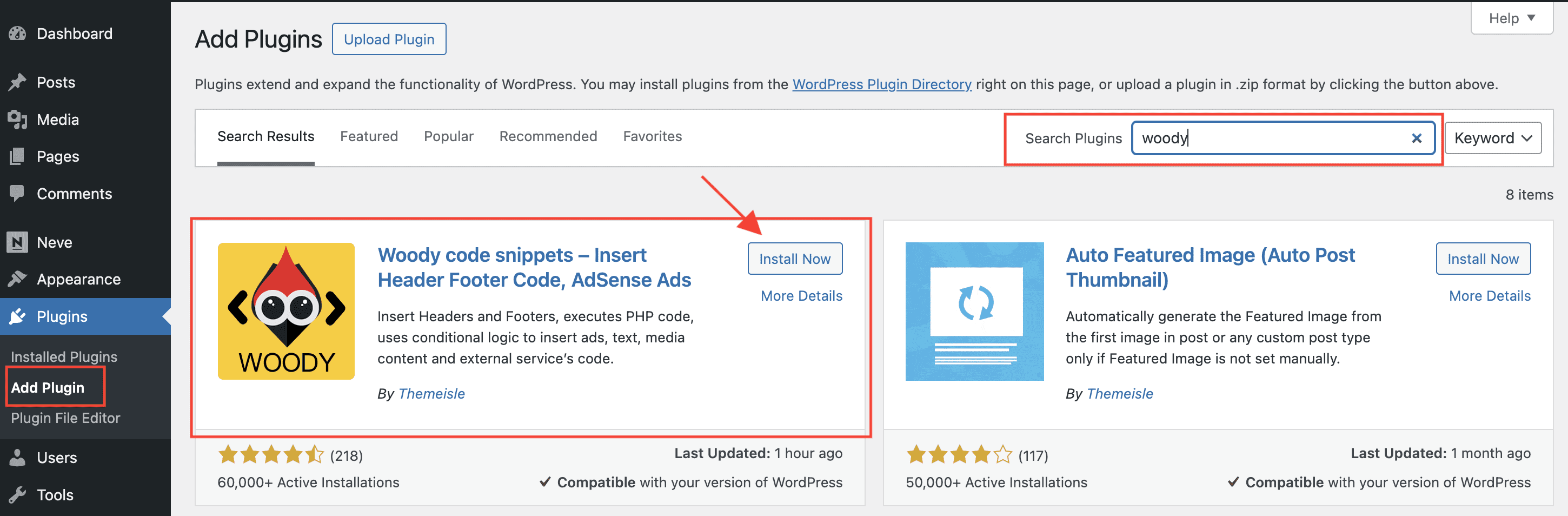
In your WordPress Dashboard, navigate to Plugins > Add New Plugin. Enter the plugin name Woody Code Snippets in the search bar.
Click Install now next to the corresponding plugin name. Once the installation is completed, activate Woody snippets.
How to install the premium version
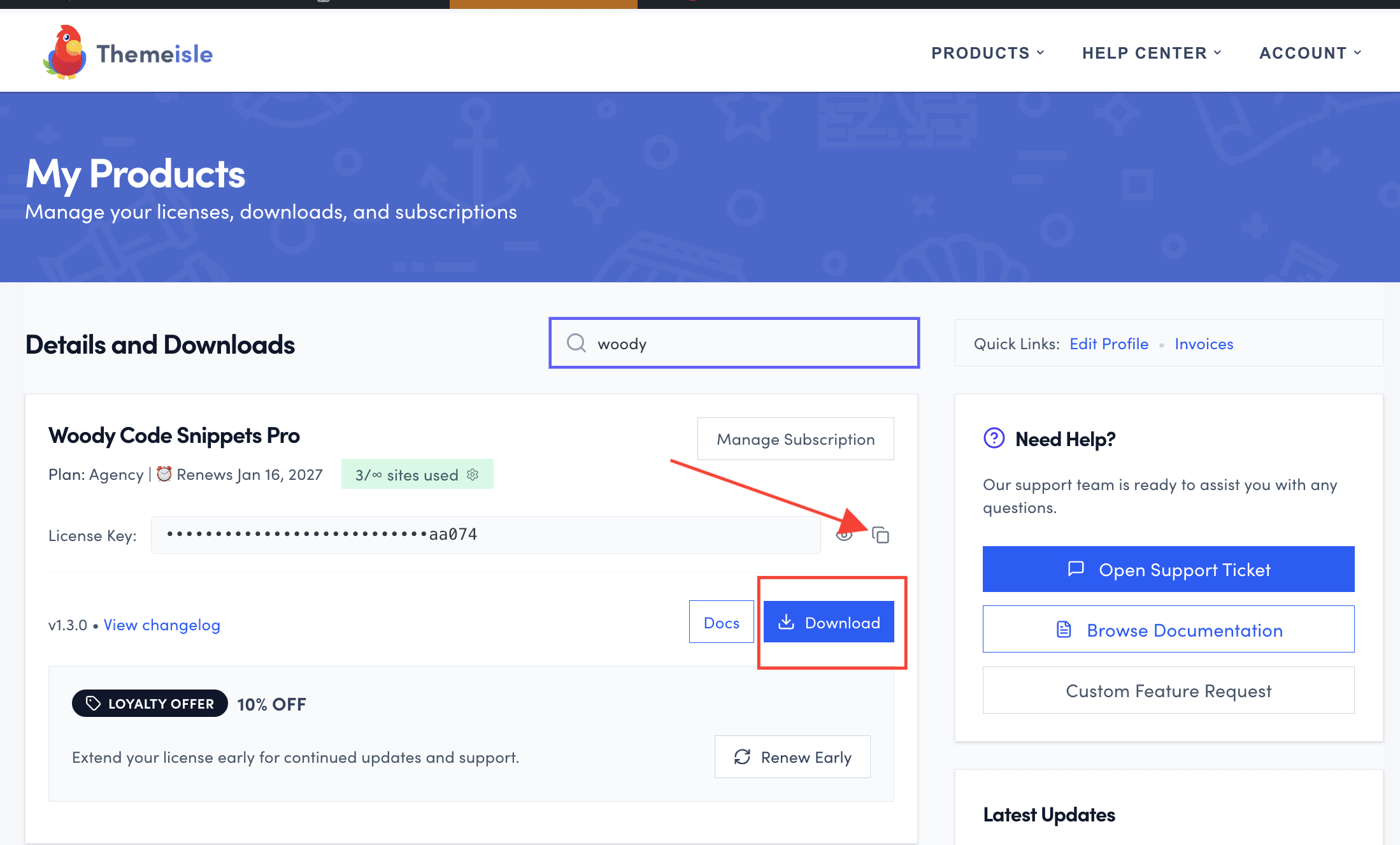
- Download Woody Code Snippets Pro from your Purchase History. The file should be a .zip
- In your WordPress Dashboard, navigate to Plugins.
- Click on Add New Plugin, upload the .zip file, and click on the Install Now button.
- After the install is done, click on Activate.
Note: The free version needs to be installed in order for the premium version to work.
Migrated from Freemius?
Woody Code Snippets Pro has moved from Freemius to the Themeisle store. If you originally purchased the plugin through Freemius and cannot find your download or license key, please contact our support team to get your new license key and download link.
📝 Note: The Freemius dashboard is no longer used for Woody Code Snippets updates or license management. All future updates and license keys are managed through store.themeisle.com.
How to activate the license key
Navigate to your account on https://store.themeisle.com/, search for Woody, and copy the license key.
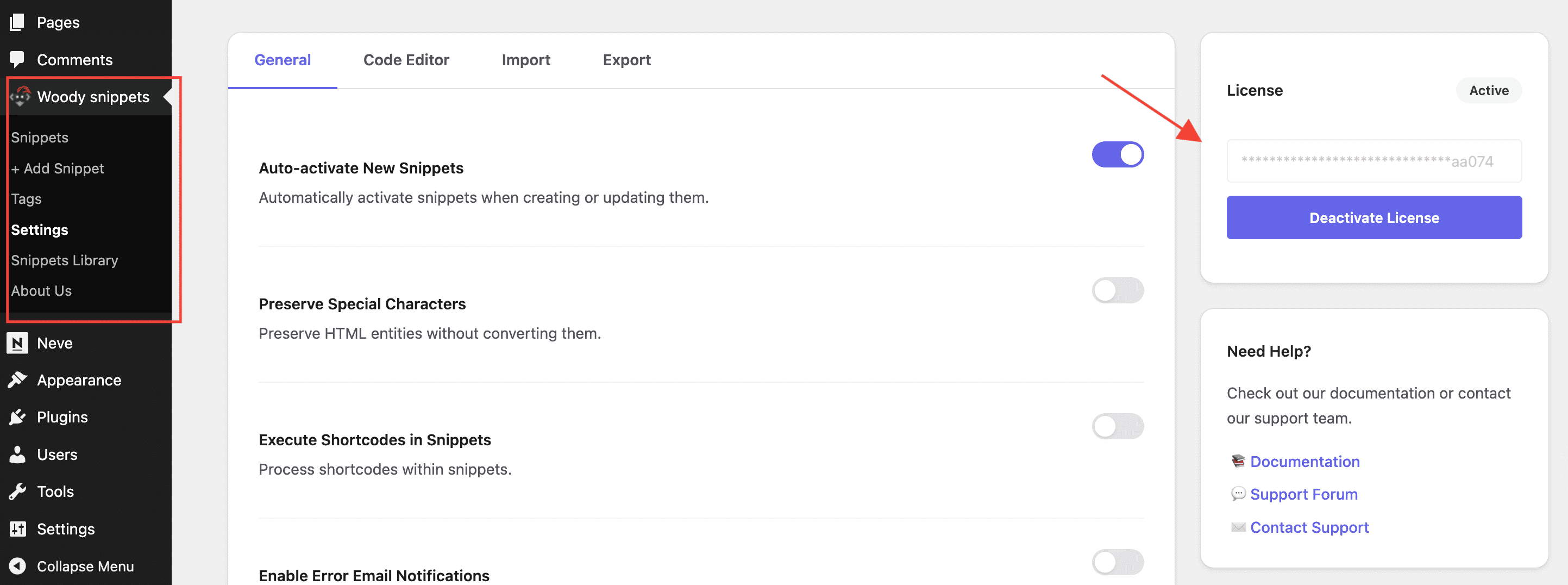
Copy your license key and add it in the License card in the Woody snippets > Settings page sidebar. Then click Activate License.
Troubleshooting
- If activation returns an "Invalid license key" or HTTP 500 error, see Fix: Woody Code Snippets Pro License Activation Fails with "Invalid License Key" or 500 Error.