Translating Mapped Content with TranslatePress
The WP Landing Kit integrates with TranslatePress so you can serve localized versions of your landing pages—including an optional language switcher—on each mapped domain.
Install and activate TranslatePress
Install the TranslatePress plugin from the WordPress repository and activate it.
Configure your translations
In the WordPress admin, go to Settings → TranslatePress and add your target languages. Then translate your page content using the built-in language switcher in the front-end editor.
Map your translated page
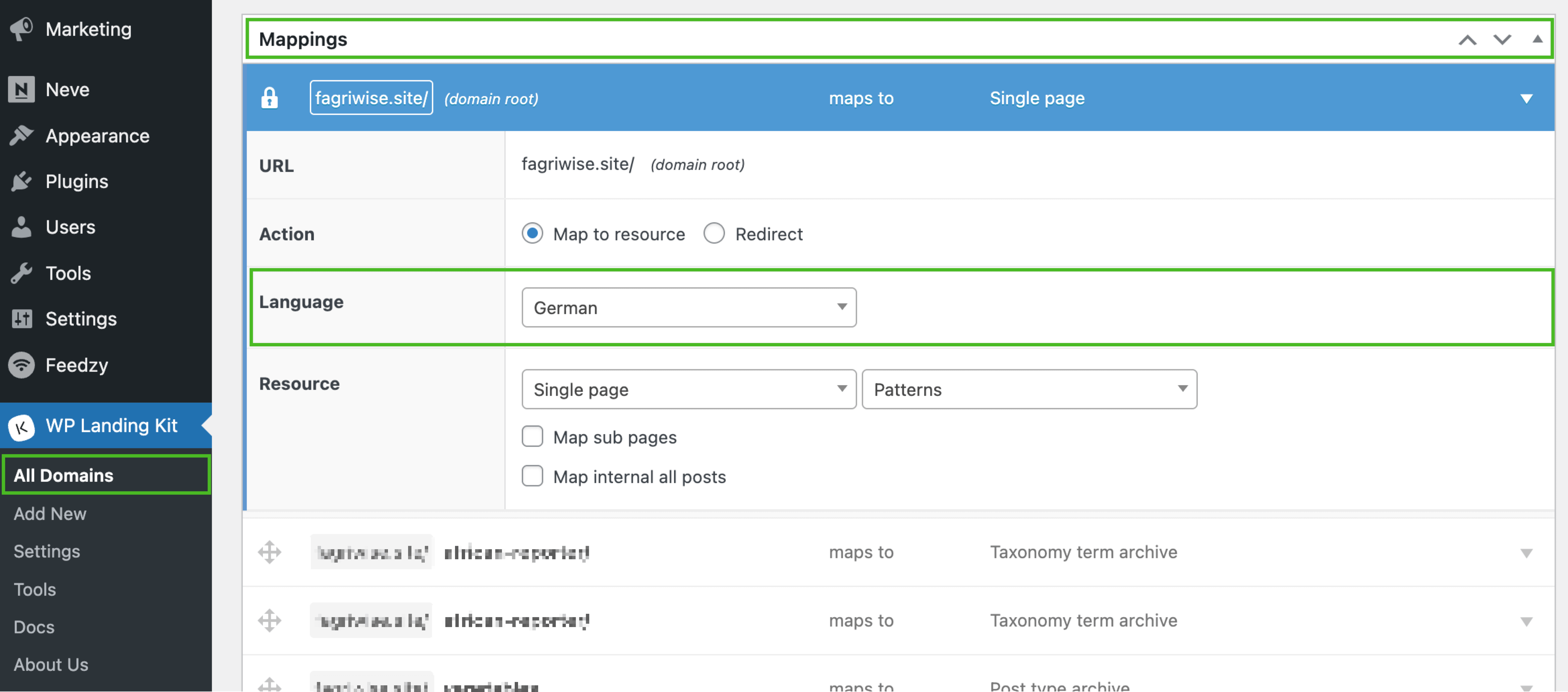
Go to Dashboard → WP Landing Kit → All Domains and click Edit on the domain you want to localize.
Select the default language
In the Mappings metabox, open the mapping row and use the Language field to choose which language you’d like to serve by default for that domain.
Save your changes
Click Save Changes at the bottom of the screen.