How do I upgrade my Landing Kit license?
You can upgrade any Landing Kit license at any time by paying the difference between the license you’ve purchased and the license you want to upgrade to:
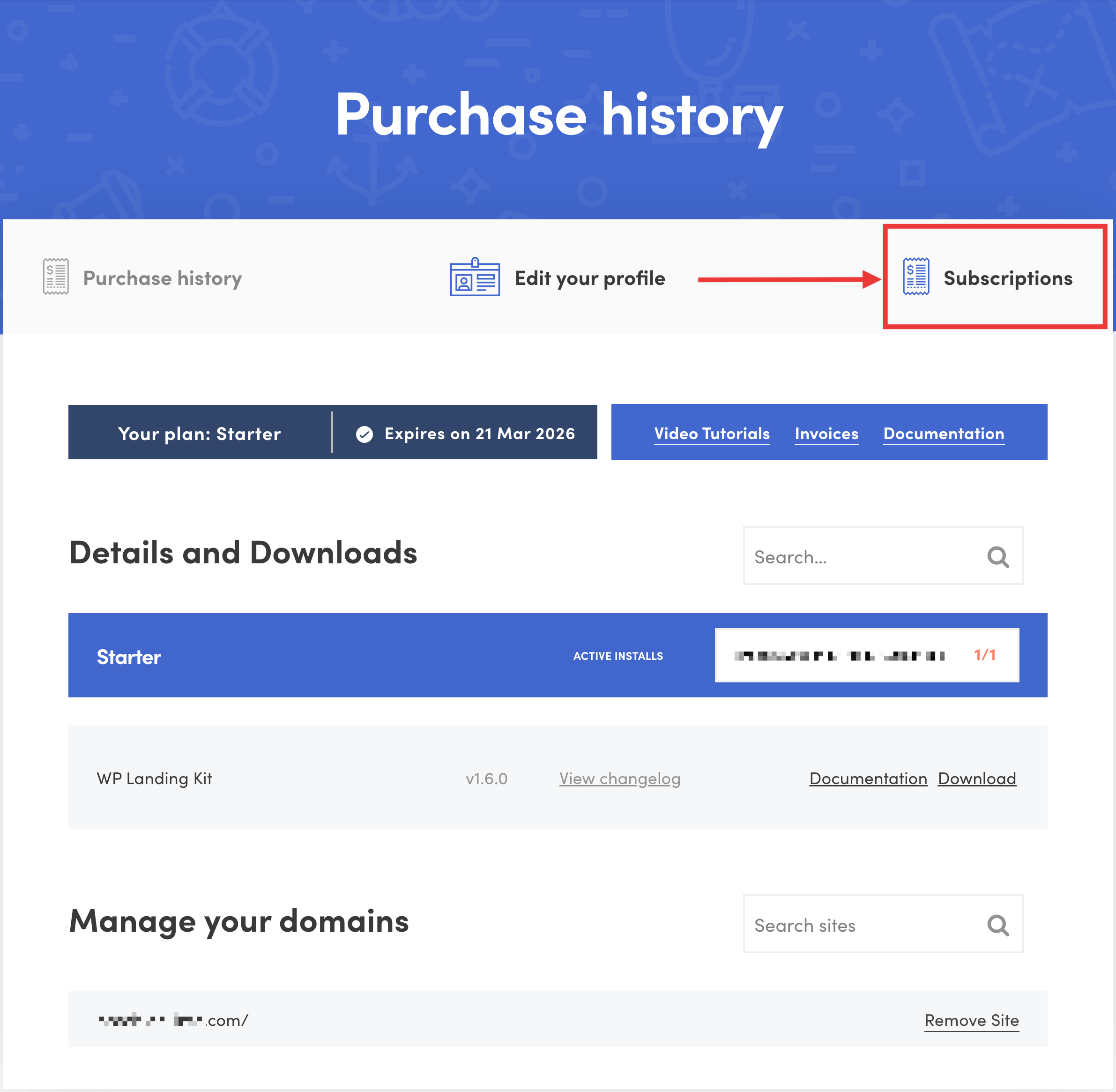
- Log in to store.themeisle.com, then click "Subscriptions".
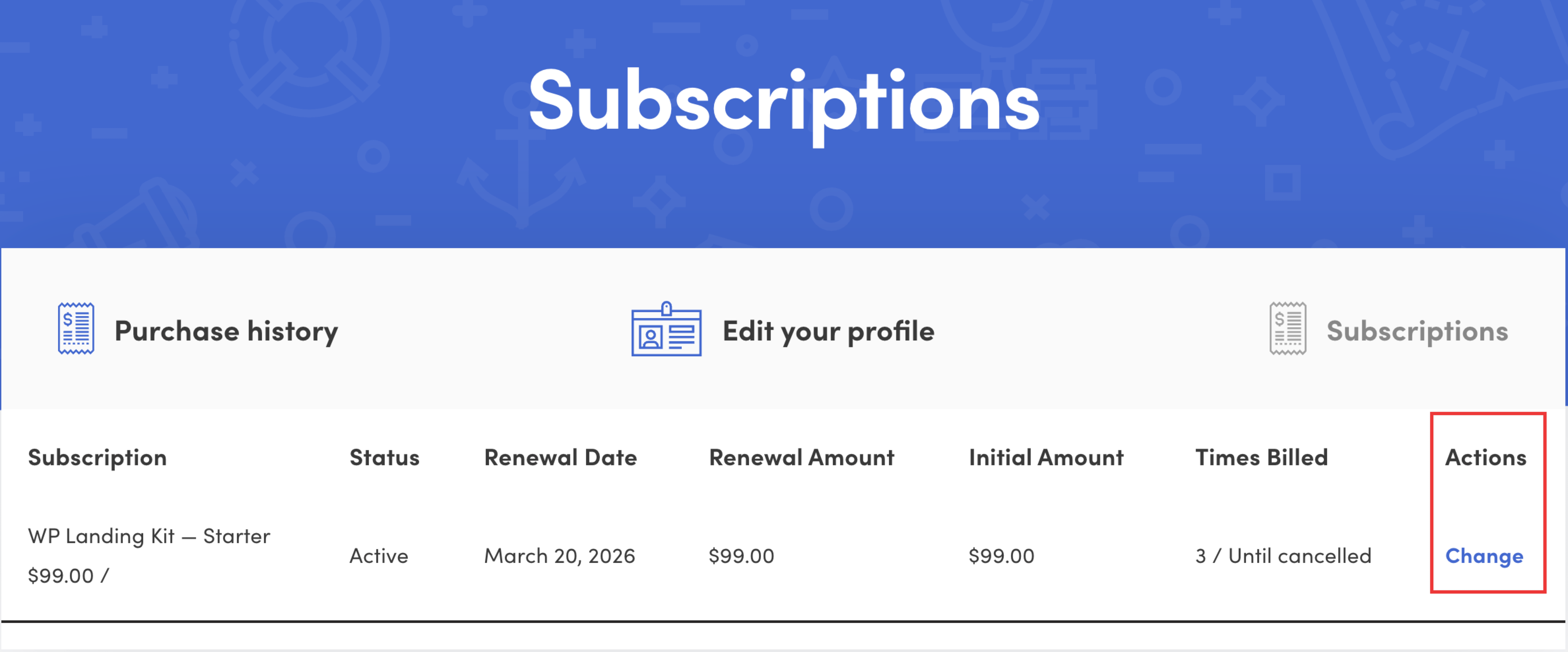
- Click "Change" next to the subscription you want to upgrade, then click "Upgrade plan" to initiate the upgrade process.
If the Upgrade plan button is not available for your subscription, contact our support team via the Billing form and we will assist you further with the upgrade.