
Understanding FreshRank's Revision System
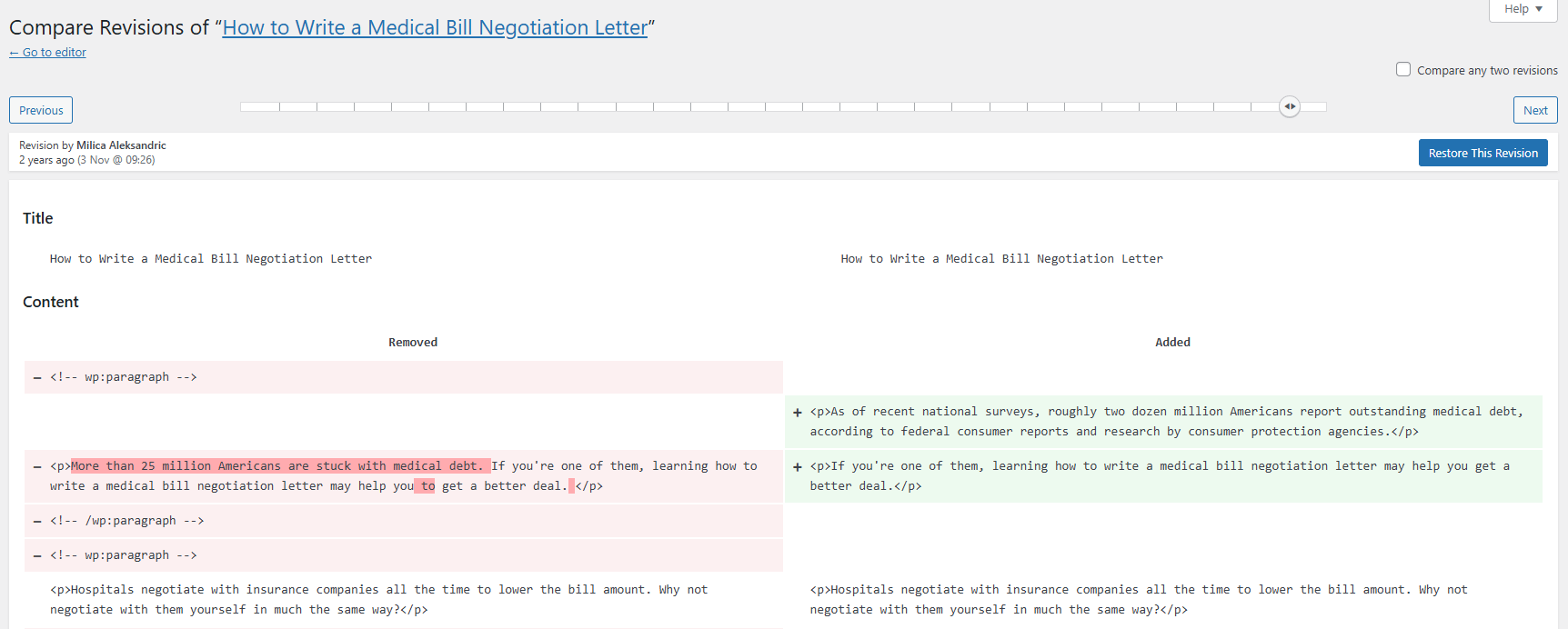
When WordPress revisions are enabled for the post, FreshRank uses a special approach to integrate with WordPress's native revision system. In that case, generating a draft creates two new revisions for your original article:
- First revision: Temporarily replaces your post content with the generated draft
- Second revision: Immediately restores your original content
This is why your published post remains unchanged while you review the draft, and why the FreshRank-generated draft appears as the next-to-last revision in your WordPress post's revision history when revisions are available.
If revisions are disabled globally, or the selected post type does not support revisions, FreshRank skips the revision-based method and creates a standalone draft post instead. This fallback keeps the live post unchanged and avoids temporarily replacing live content when WordPress cannot store a safe revision checkpoint.
What this means for you:
- Your original content is never at risk during draft creation
- When revisions are enabled, you can compare the draft using WordPress's built-in revision tools
- When revisions are unavailable, you can still review, preview, edit, approve, or reject the standalone draft, but the WordPress revision comparison may not be available
- If you reject the draft, these revisions remain in your history but have no effect on your live content
Why we do this: This approach lets FreshRank provide seamless draft comparison using WordPress's own tools, rather than building a separate comparison system. It's more reliable and feels natural to WordPress users.