
The Product Wishlist Module - Sparks
📝 Note: The Product Wishlist module is part of the Sparks plugin, which you can get from here.
The Product Wishlist Module ensures your customers' visits through the possibility of storing their favorite products in a special wish list.
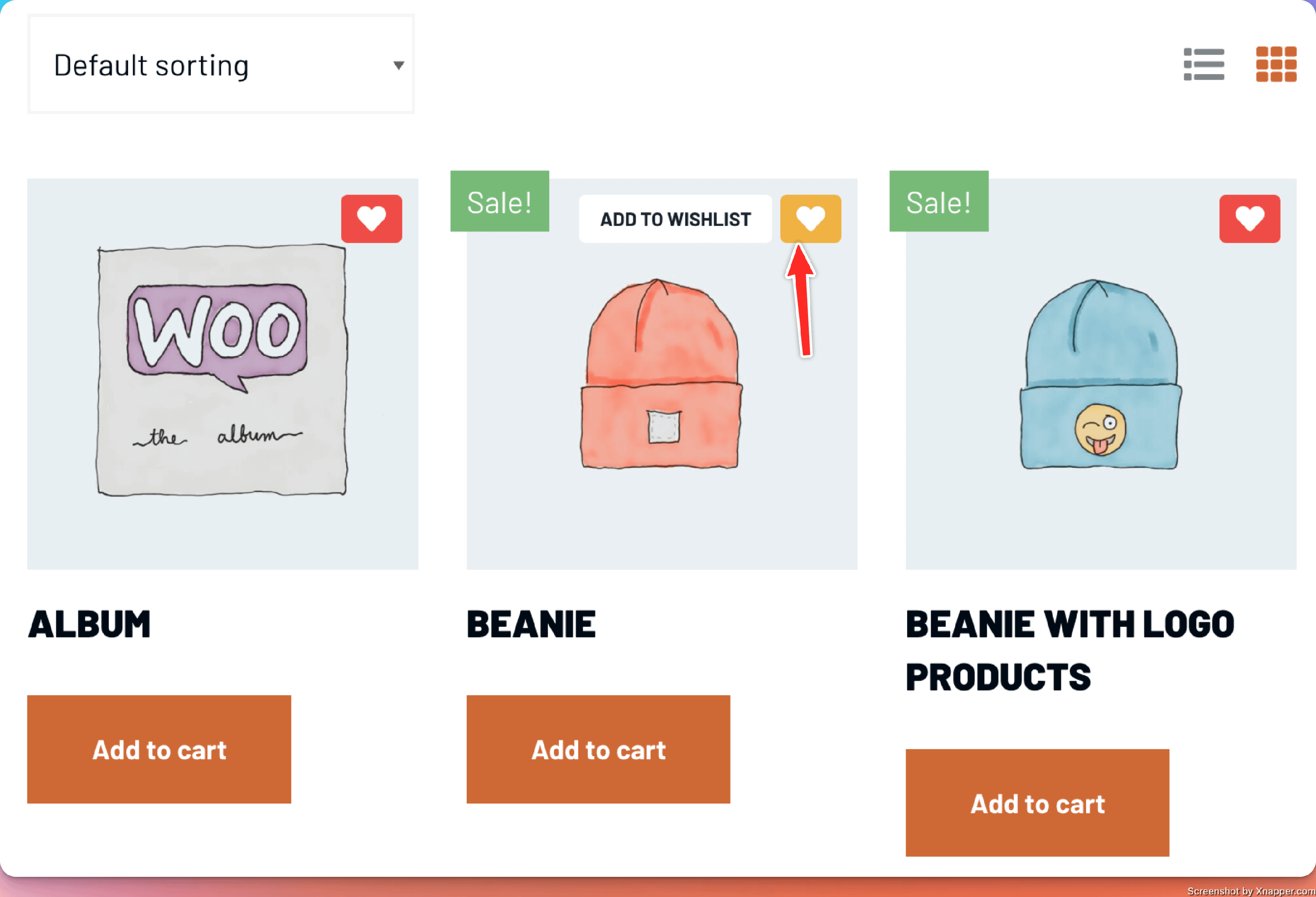
Activating the plugin
1. Install Sparks and activate the license key by following the steps provided here.
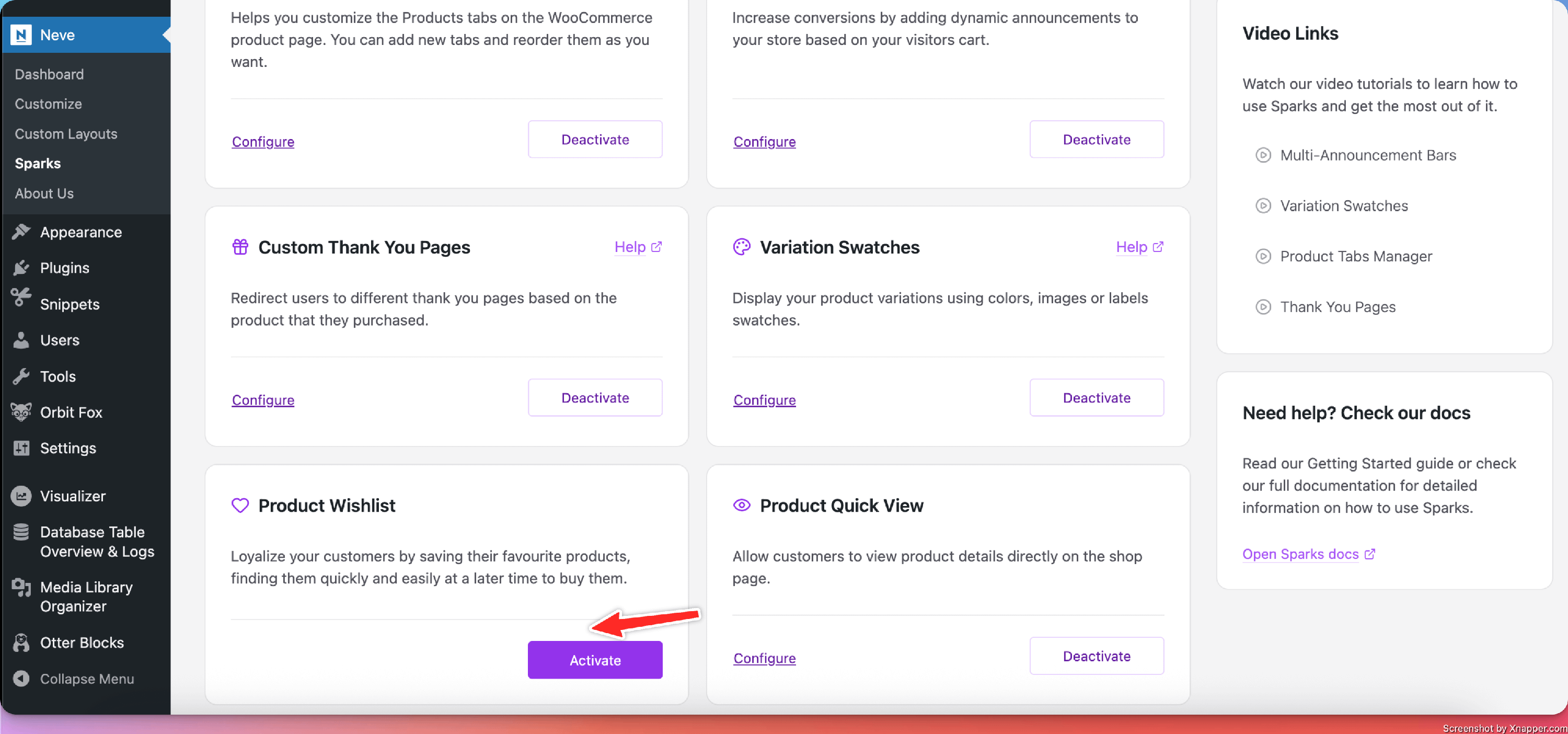
2. Navigate to Settings > Sparks and activate the Product Wishlist module.
NOTE: If you are using Neve, navigate to Neve > Sparks to access Sparks's options.
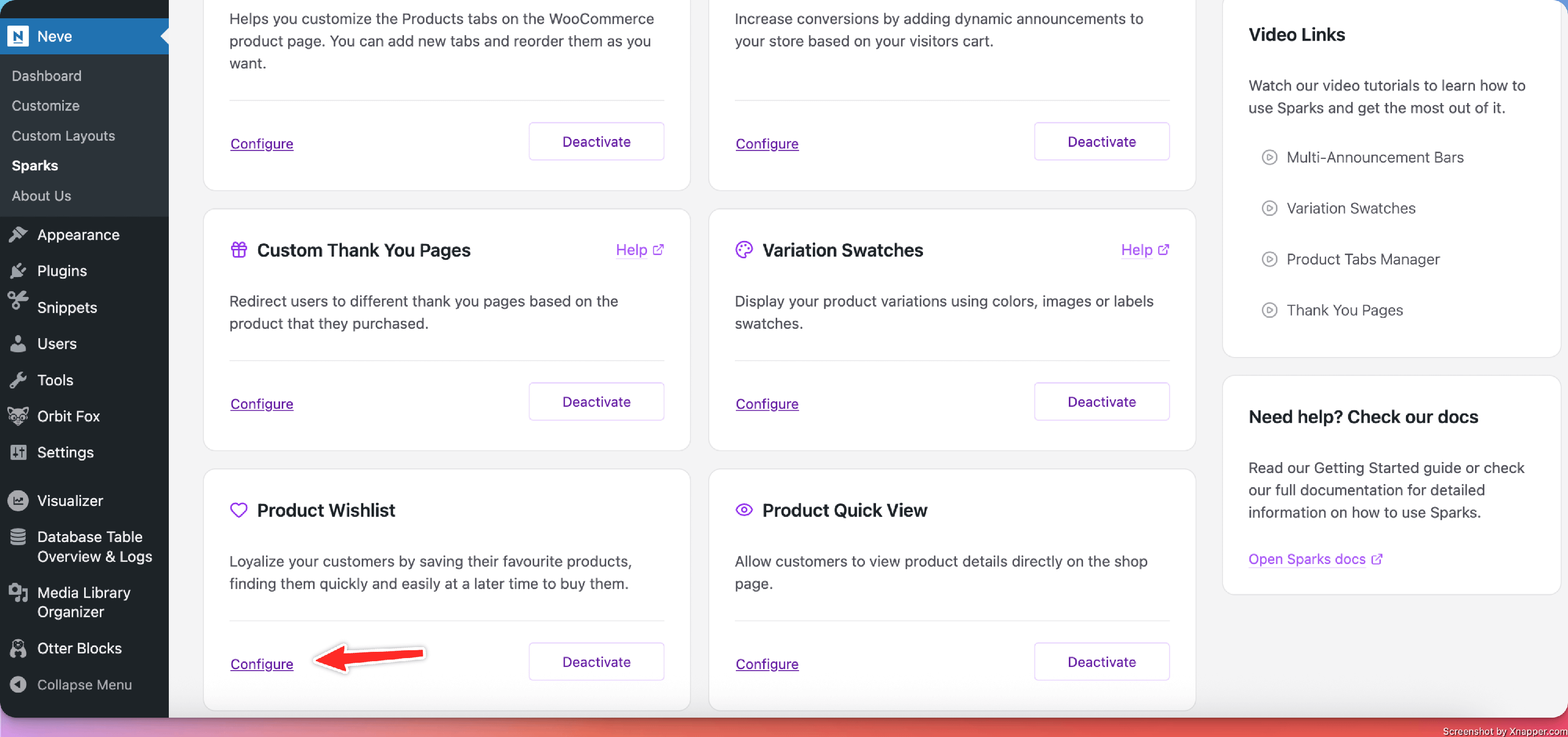
Configuring the module
Once you have activated the module, click on the Configure button to start using it.
From that point, you will be able to access the wish list's options:
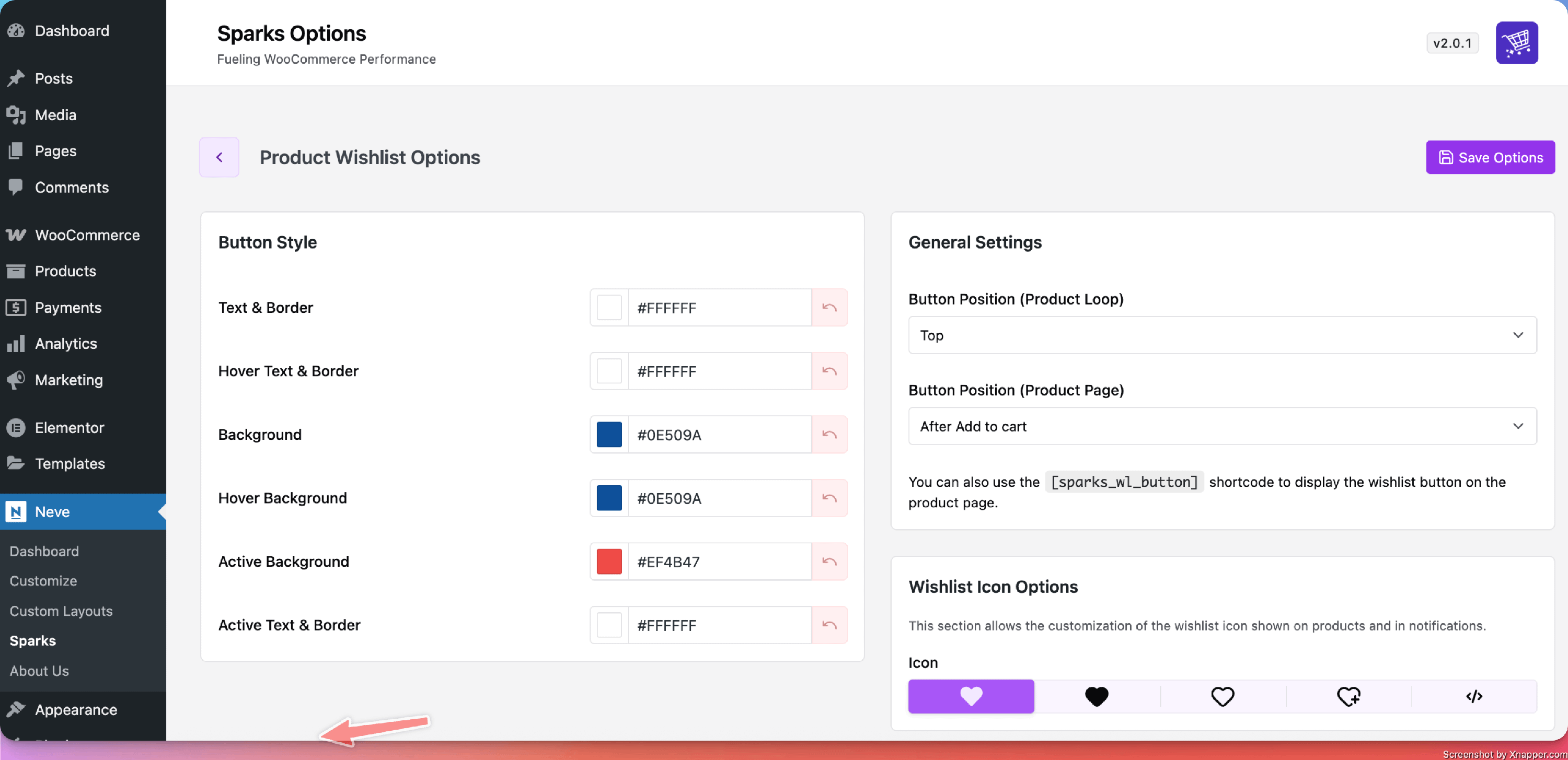
Options available for customization:
- Color options for the Add to wishlist button:
- Text & Border / Hover Text & Border
- Background / Hover Background
- Active Text & Border / Active Background
- Positioning controls for the wishlist button:
- Product Loop: choose between None, Top, Bottom, or In Product Body.
- Single Product Page: choose between None, After Add to cart, or After the summary.
- You can also use the [sparks_wl_button] shortcode anywhere on the product page to display the Add to wishlist button
- Different icons to choose from