Cookie Notice - Orbit Fox module
📝 Note: This module is part of the Orbit Fox plugin. For more information about the plugin, please check the main documentation.
This module allows you to add a simple cookie (or any other) notice at the bottom of your website.
Activating the Module
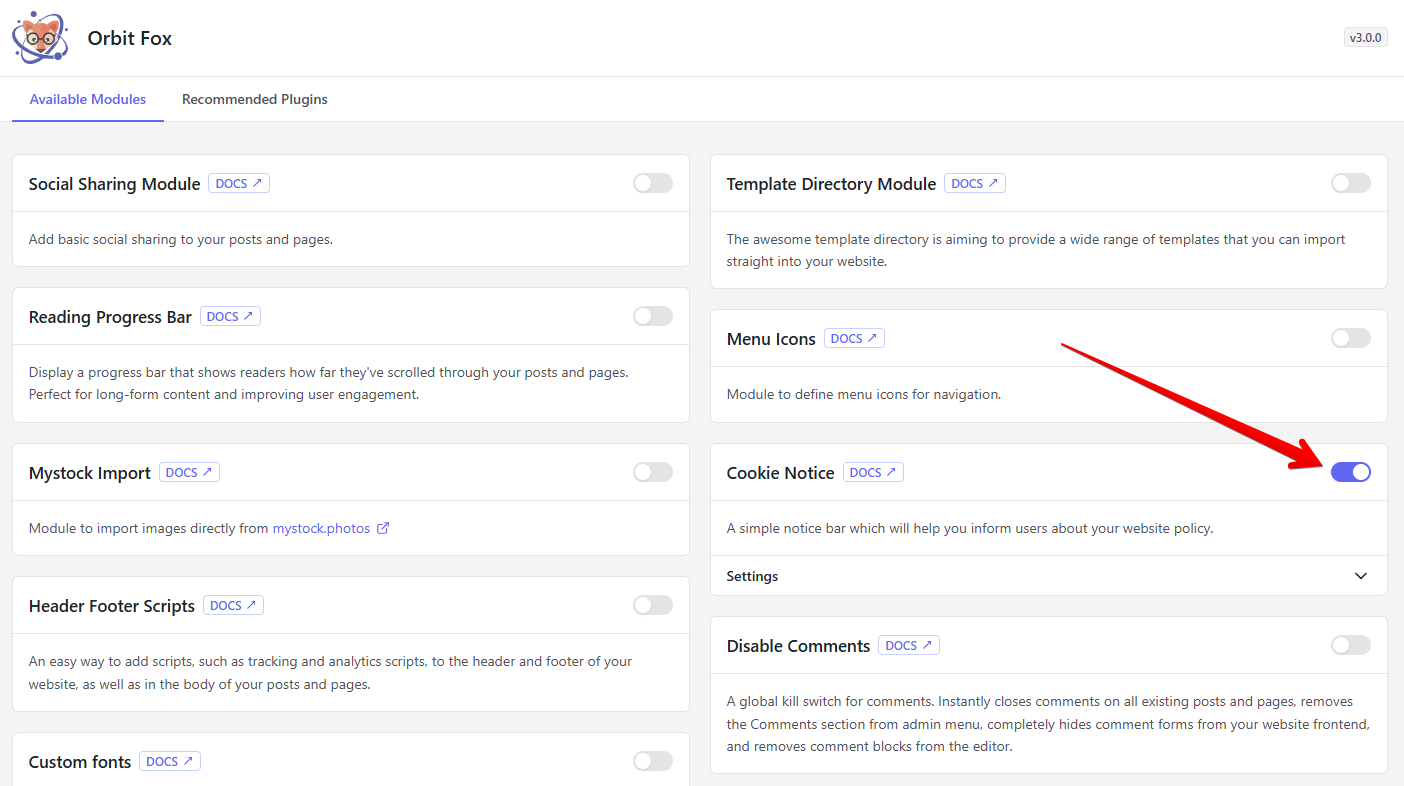
1. Navigate to Orbit Fox > General Settings.
2. Find the Cookie Notice module and enable it.
Using the Module
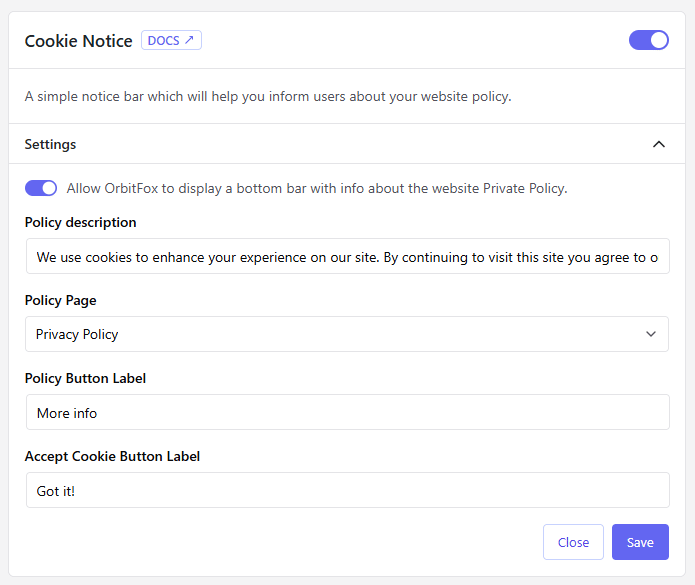
The settings available here are:
- Policy description - modify the text that appears on the bar.
- Policy Page - pick a page for the policy button to link to.
- Policy Button Label - edit the text that appears on the policy button.
- Accept Cookie Button Label - edit the text that appears on the accept button.
💡 Result - how it appears on the frontend