Menu Icons - Orbit Fox module
📝 Note: This module is part of the Orbit Fox plugin. For more information about the plugin, please check the main documentation.
Add icons to ANY menu on your WordPress website. The icon picker combines the built-in WordPress Dashicons with Font Awesome icons, so you can customize your navigation menus from a wide range of choices.
📝 Note: This module works with classic (non-block) themes that use traditional WordPress navigation menus. Full Site Editing (block) themes don't include the classic menu editor, so the icon picker isn't available with them.
Activating the Module
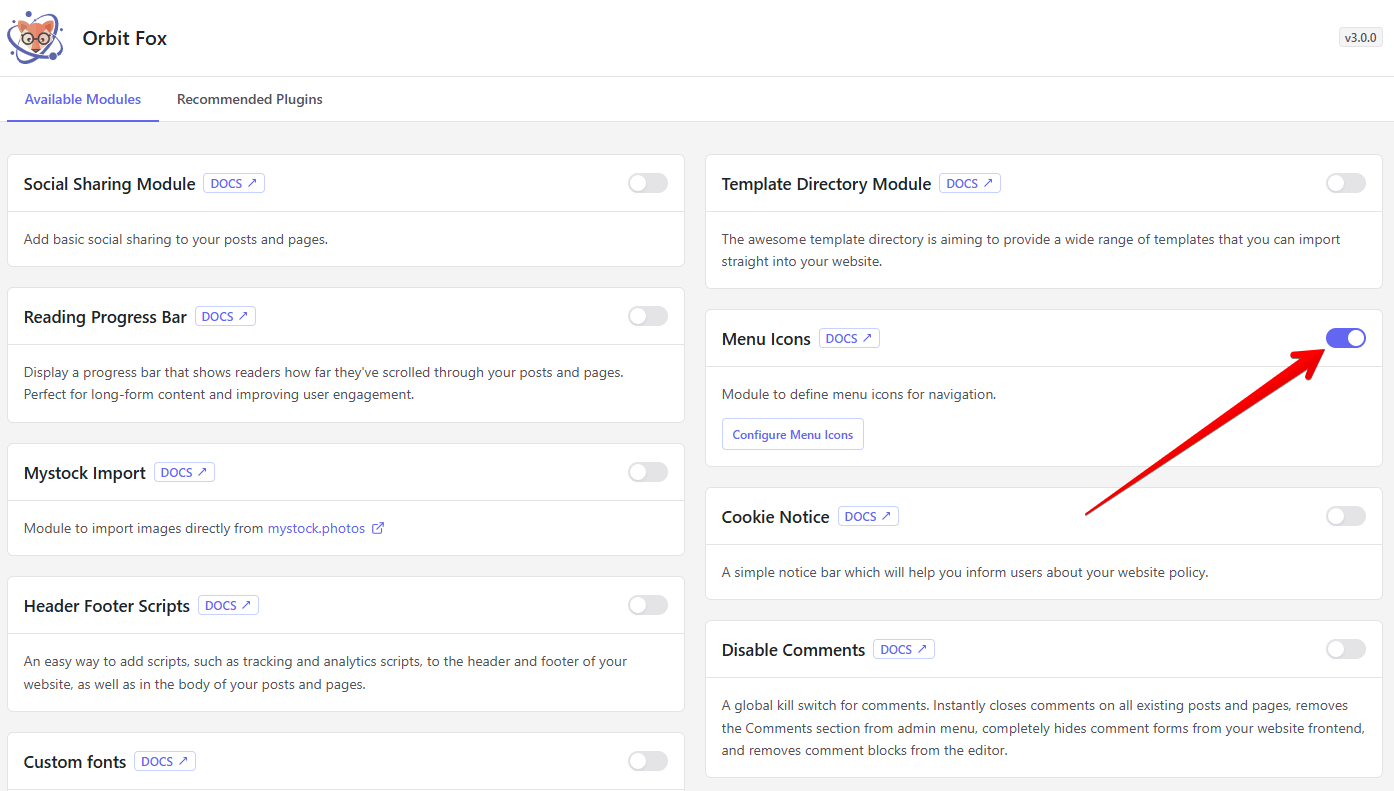
1. Navigate to Orbit Fox > General Settings.
2. Scroll down until you find the Menu Icons module and enable it.
Using the Module
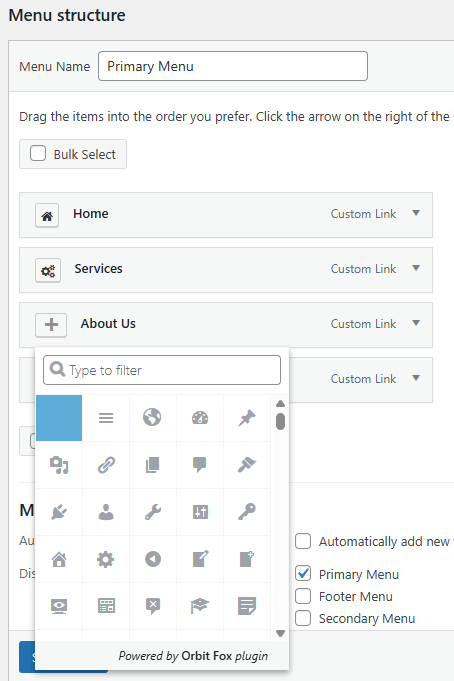
- Navigate to Appearance > Menus.
- Select the menu you wish to add icons to from the menus dropdown
- Click on the plus icon in front of the menu item and pick an icon to display next to that menu item.
💡Result - how the menu icons appear on your website: