
How to upgrade my subscription
Thank you for choosing one of our products!
If you are interested in upgrading your subscription to unlock more options available in the desired product, this can be done through our Stripe integration.
📝 Note: Please note that upgrades are available as long as the current subscription is active ( not expired ).
💡 Upgrade pricing: When upgrading your plan, you only pay the difference between your current plan and the new one — not the full price of the new plan. The credit applied toward the upgrade is calculated based on the remaining value of your current billing cycle, so the closer you are to your renewal date, the smaller the credit will be.
The amount you see in the Stripe portal is the final upgrade charge after this remaining-cycle credit is applied.
In this article
Do public discounts apply to upgrades?
Public website discounts and promotional prices are usually for new subscriptions unless a specific campaign says otherwise.
If you already have an active subscription, do not purchase a new plan from the public pricing page to upgrade. Instead, use Manage Subscription or Upgrade Plan in your Themeisle account so Stripe can calculate the correct prorated upgrade amount.
Stripe Integration
To upgrade through the Stripe integration, please follow these steps:
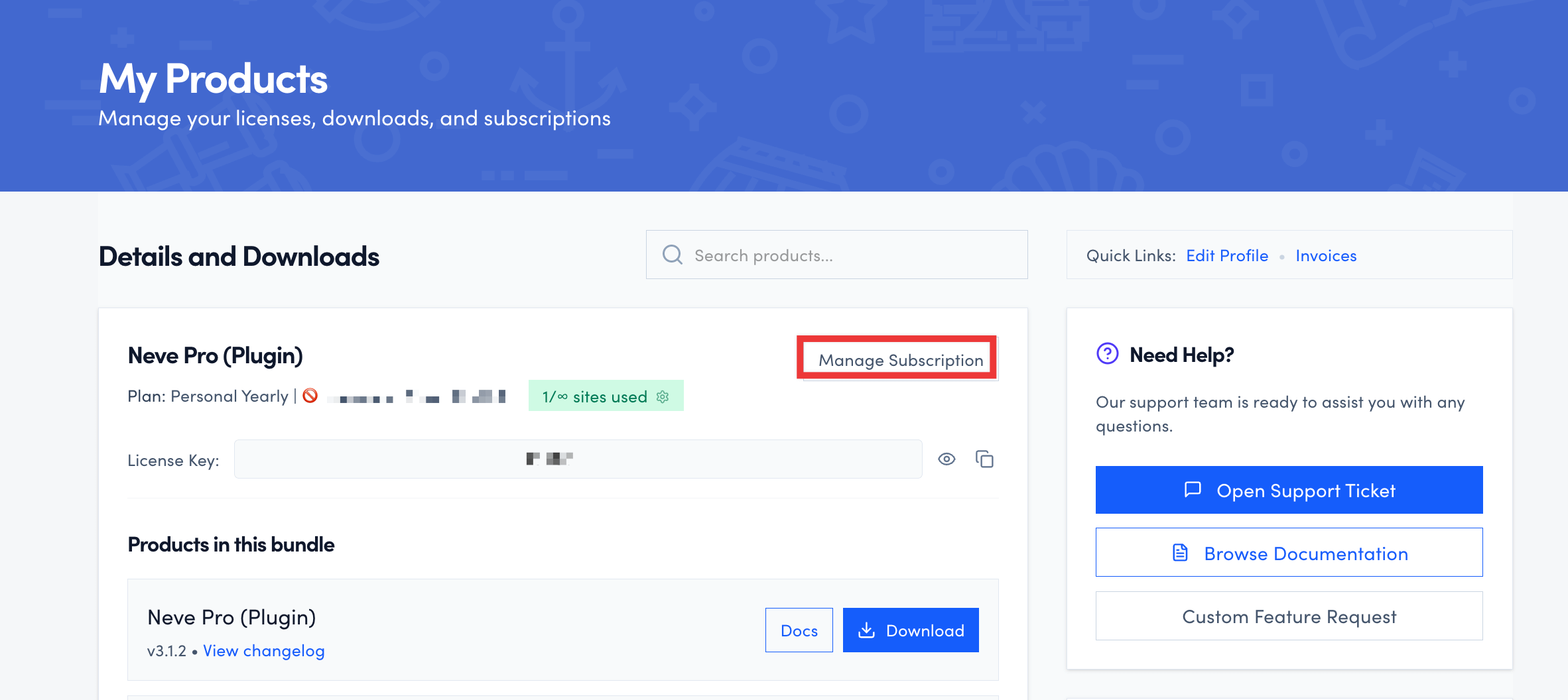
- Login to your Themeisle account and you’ll see a list of your active products and subscriptions.
- Click Manage Subscription button next to your subscription details.
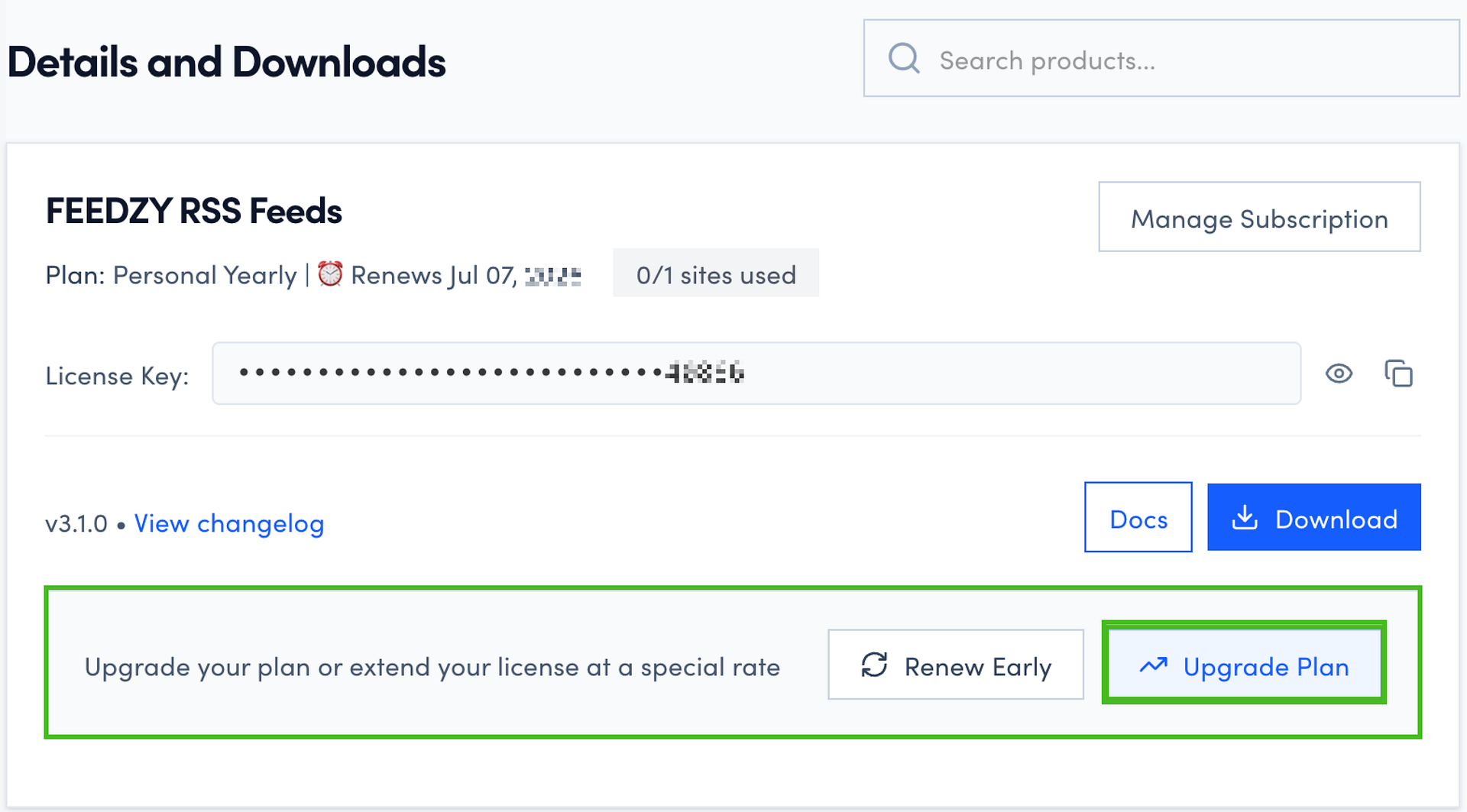
Alternatively, you can also upgrade your plan by clicking the Upgrade Plan button available within the banner displayed in your account.
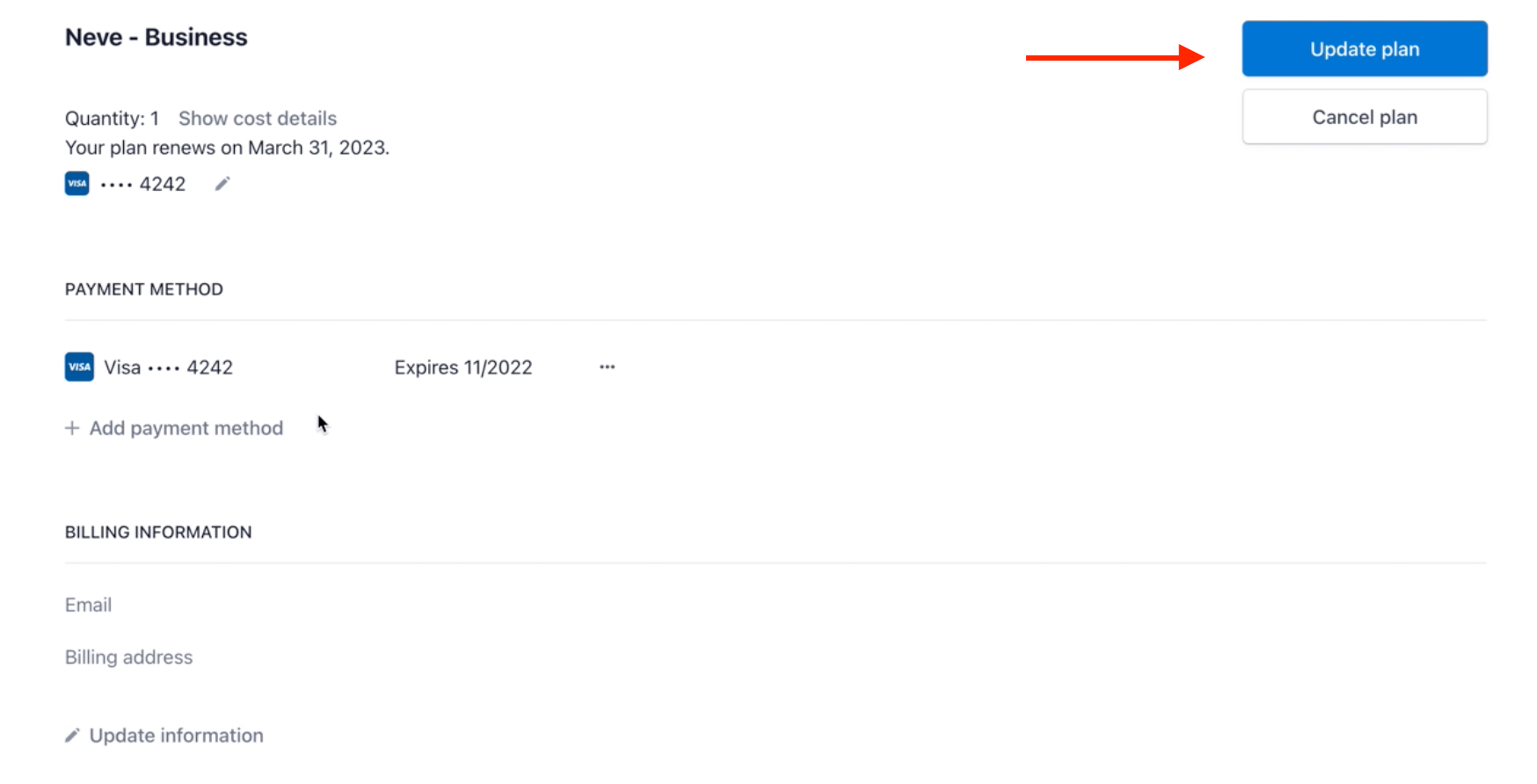
- You will be redirected to the Stripe portal, from where you can select the desired plan. After that, click on the Update plan button.
If no upgrade option is shown
If your subscription was renewed in advance — so it is already paid past its next regular renewal date — self-service upgrades are not available for it. Your account does not offer upgrade options for that subscription, even though the subscription is active and your license is valid.
This is expected. Because the subscription is already paid for a future term, the upgrade amount cannot be calculated automatically, so the billing team applies the change manually instead.
To upgrade a subscription that was renewed in advance, contact the billing support team and include:
- Product name
- Account email
- Current plan
- Plan you want to upgrade to
- Date your subscription is paid through
The billing team will work out the amount due for the remaining prepaid term, send you the total to approve, and apply the plan change after you confirm. Do not buy a new subscription from the pricing page instead — that creates a second subscription rather than upgrading your existing one.
Check the final price before paying
Before you click Update plan, review the amount shown in Stripe.
If the upgrade price still looks incorrect:
- Stop before completing the payment.
- Contact support and include:
- Product name
- Account email
- Current plan
- Plan you want to upgrade to
- Price shown in Stripe and the price you expected
⚠️ Cross-product and bundle upgrades: The Stripe portal only lists upgrade options available for your current subscription. If the plan you want is not shown — for example, when adding a product that is sold as a separate bundle — you cannot complete this through the portal. Do not purchase a new subscription expecting an automatic prorated credit from your existing one. Contact the billing support team before buying, and include your current product and plan, the product or plan you want, your account email, and your renewal date. When a direct prorated upgrade is not possible, the billing team may offer an alternative such as a discount coupon for the unused portion of your subscription.
Please note the subscription can't be upgraded if the auto-renewal for it was disabled. You can temporarily un-cancel it for upgrading.
📝 Note: For enabling the additional features after upgrading the subscription, please reactivate the license key as per the following guides.