How to use custom folders in Robin Image Optimizer
The "Custom folders" is a premium option of the Robin Image Optimizer plugin. Ensure the license key is activated to access this option.
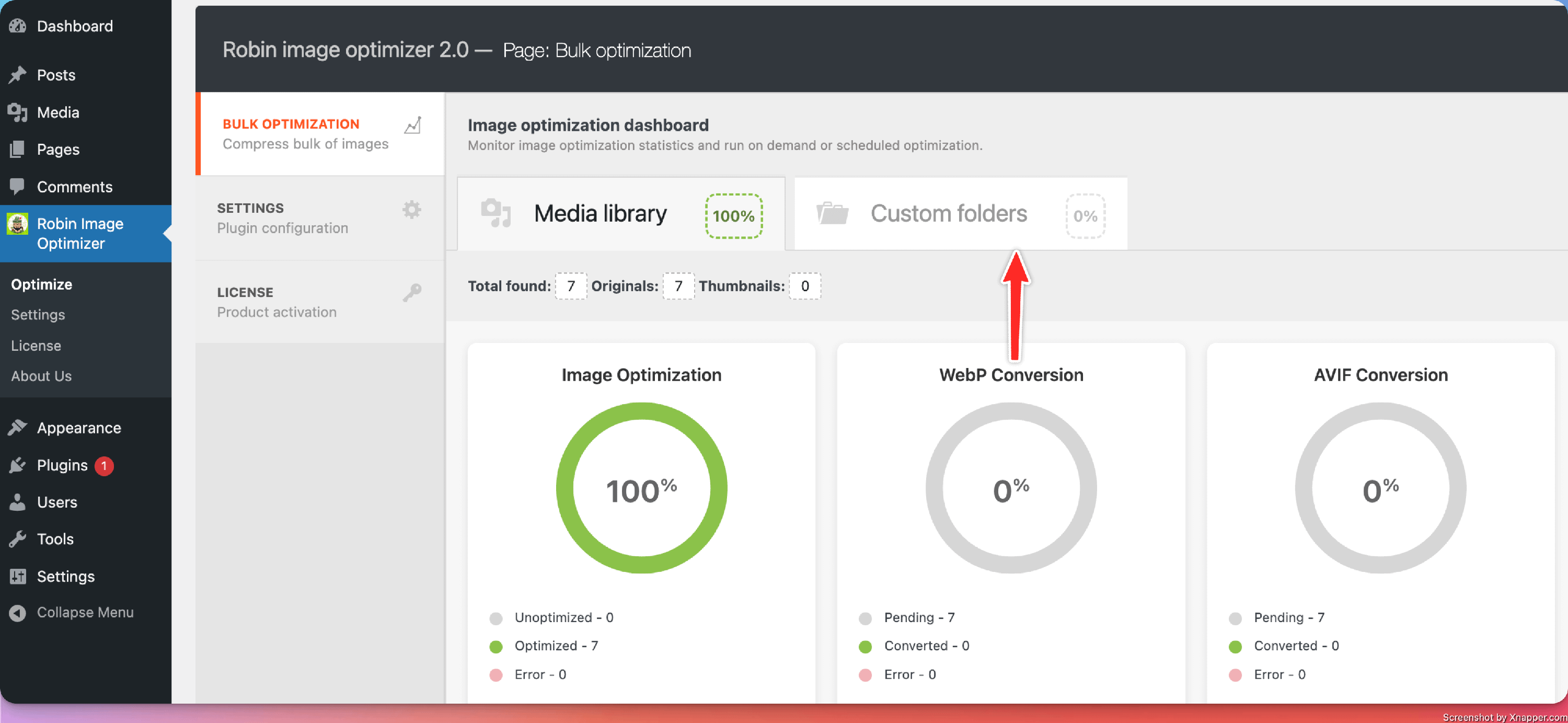
The "Custom folders" option can be enabled by going to the WordPress dashboard > Robin Image Optimizer > Optimize > Custom folders.
There, you need to select a dedicated folder from your site, from which you want to optimize images. ( Robin Image Optimizer will optimize images from the selected folders and their subfolders ).
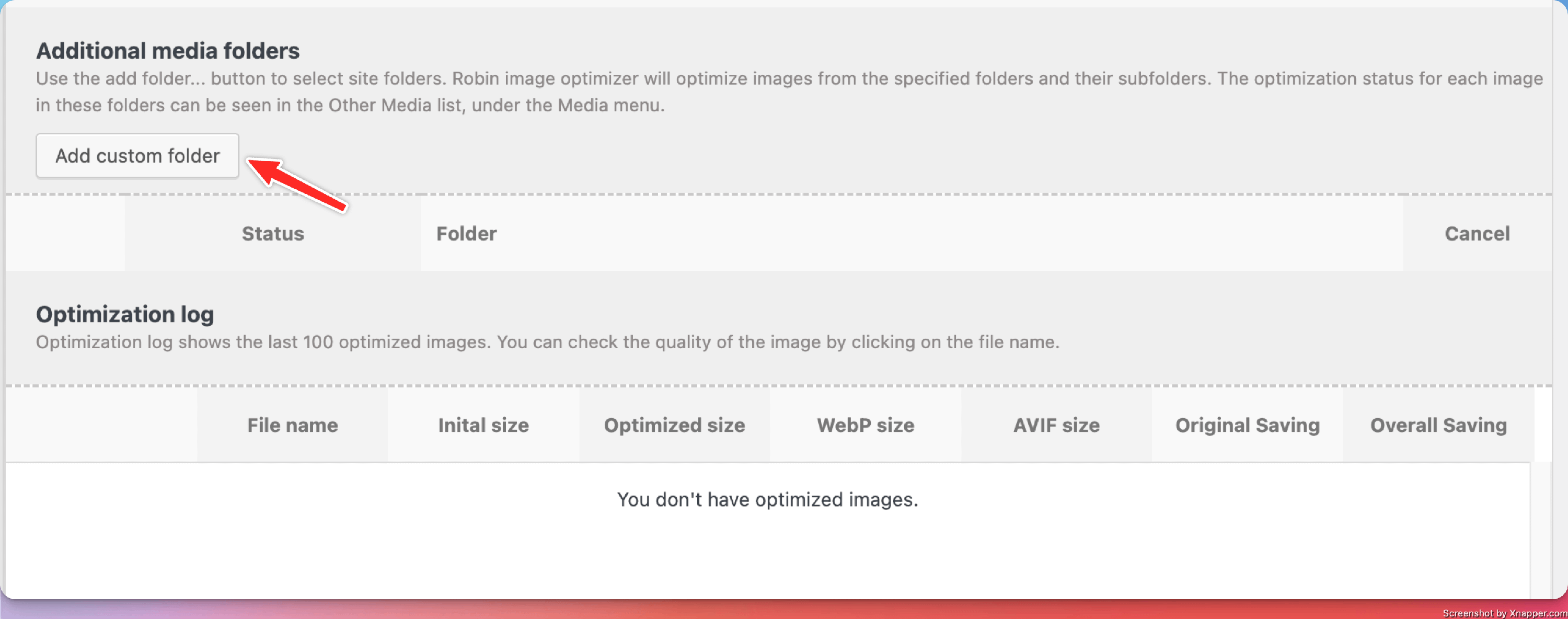
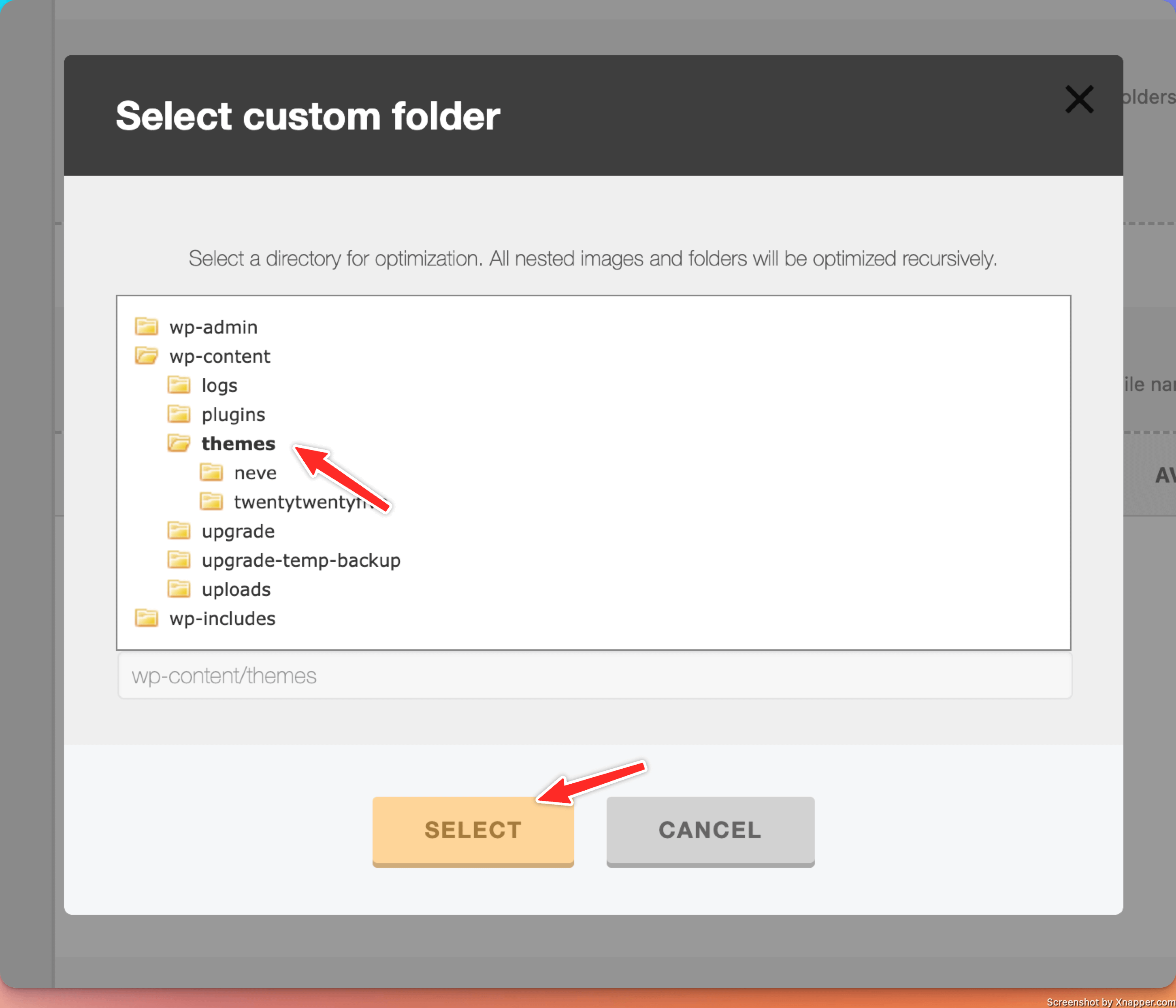
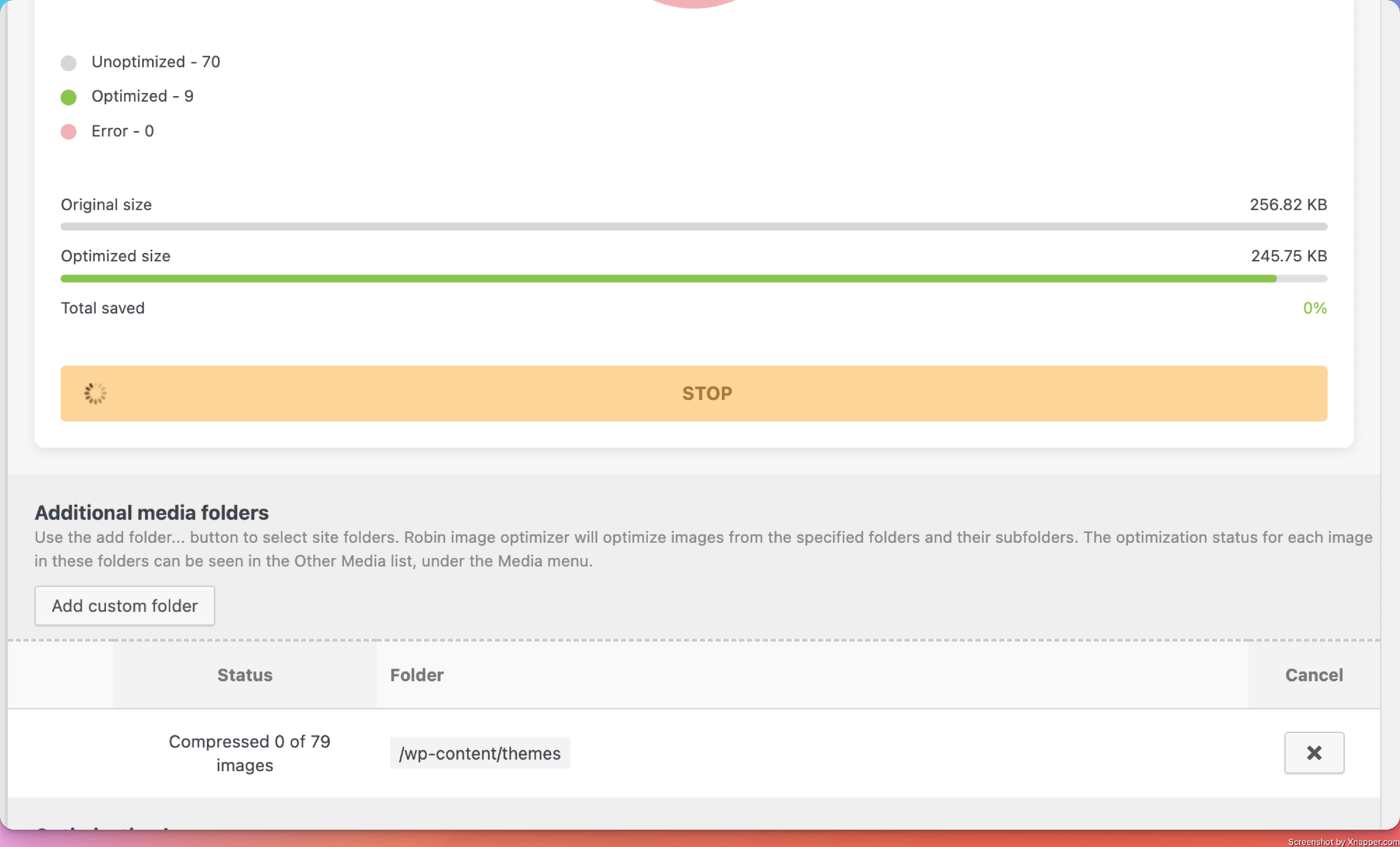
Once the custom folder is selected, click "Optimize original" to start the optimization process.
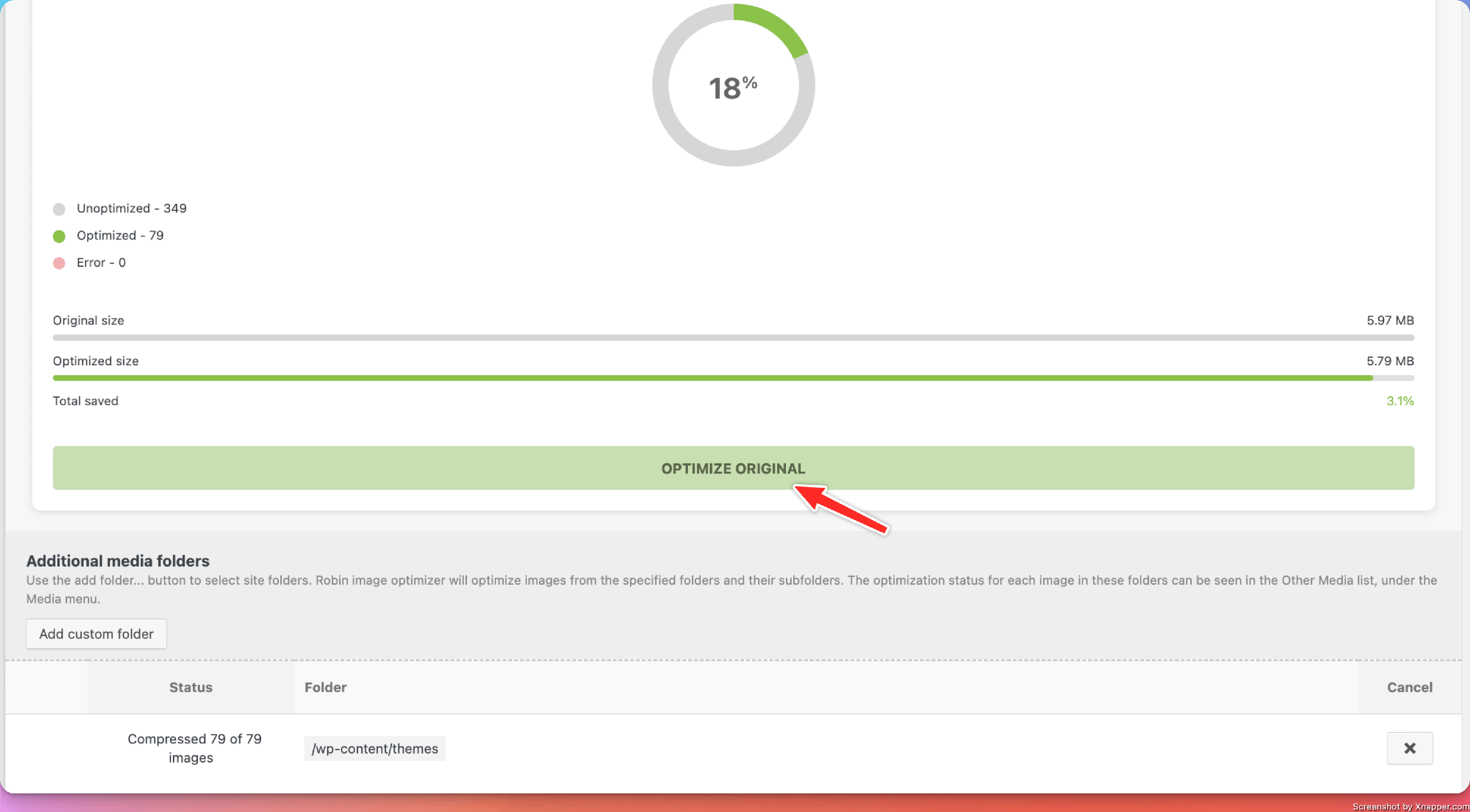
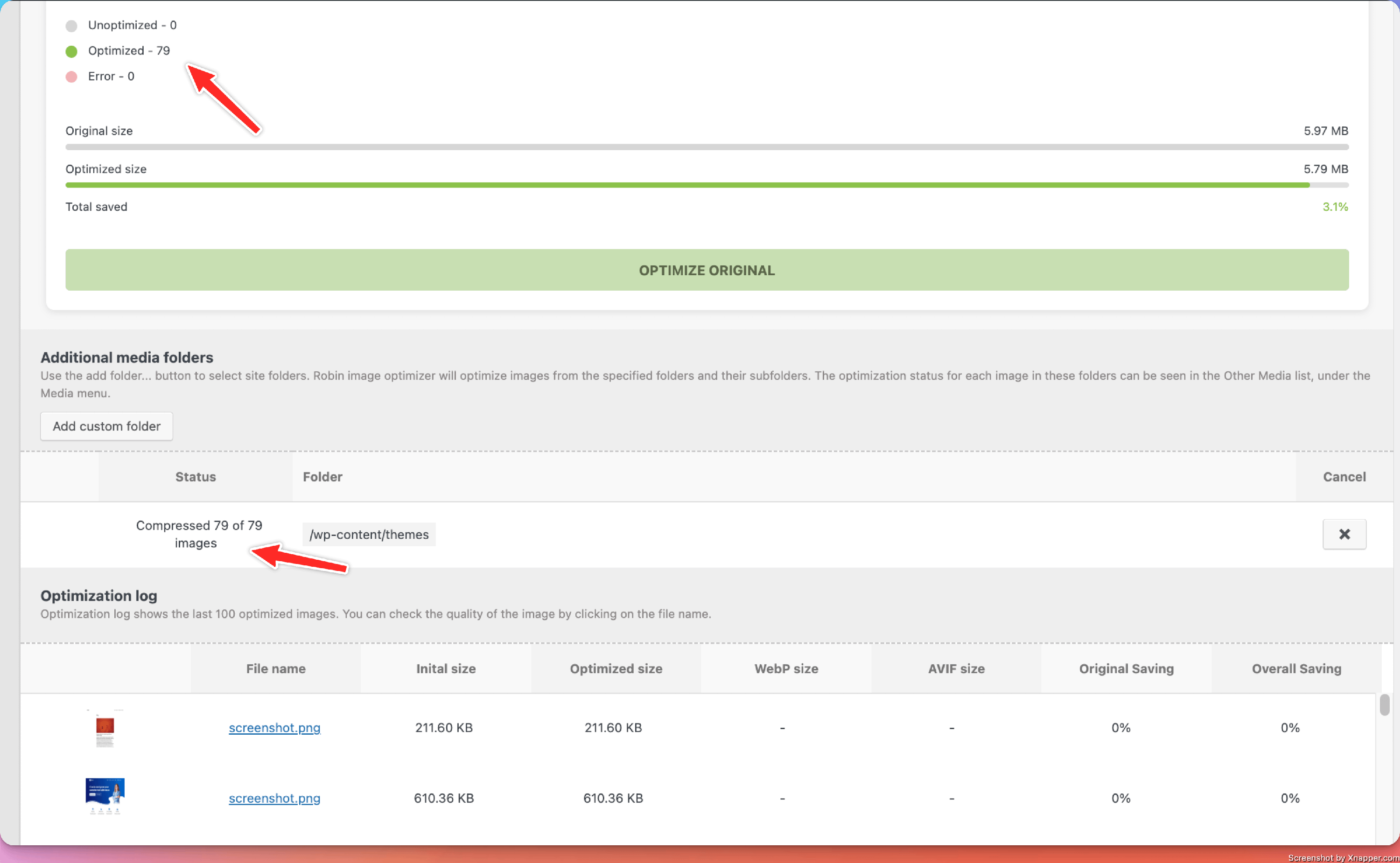
Once the optimization process is completed, you will be able to see a full report of the optimized images.