
How to Connect Manus to WordPress
Connecting Manus to your WordPress site lets the autonomous AI agent work on your content directly: researching and drafting posts, updating pages, organizing media, or running multi-step publishing tasks. Easy MCP AI runs the MCP server inside WordPress, and Manus connects to it as a custom MCP connector.
Manus connects with an API token. Unlike some other clients, it does not use OAuth, so you'll create a token in WordPress first.
In this article
Prerequisites
- A WordPress site served over HTTPS with Easy MCP AI installed and activated (see the installation guide).
- Pretty permalinks enabled (Settings > Permalinks set to anything other than "Plain").
- A Manus account.
- An Easy MCP AI API token. Create one in Easy MCP AI > API Token & OAuth and copy it when it's shown.
You'll need your site's MCP endpoint URL, which is always your domain followed by /wp-json/easy-mcp-ai/v1/mcp:
https://yoursite.com/wp-json/easy-mcp-ai/v1/mcpYou can copy it from Easy MCP AI > Dashboard in your WordPress admin, in the Quick Start: Connect Your AI Client section.
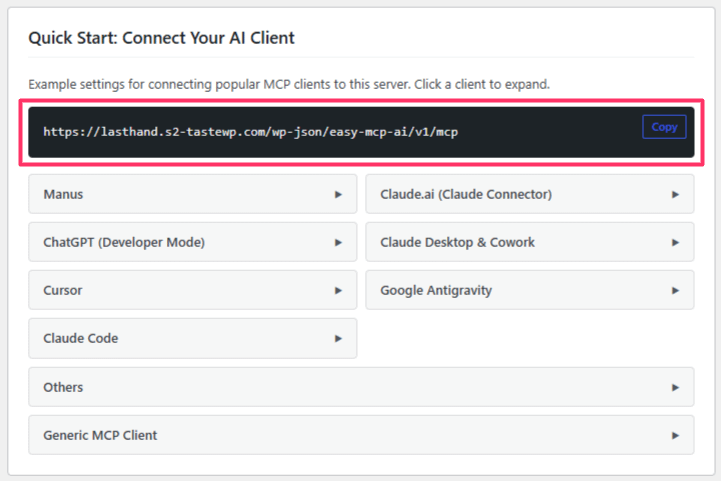
Connect Manus to Your Site
Manus uses a configuration form rather than a JSON file:
- In Manus, open Settings > Connectors, click + Add connectors, then choose the Custom MCP tab and + Add custom MCP > Direct configuration.
- Fill in the form with these values:
Server Name:    WordPress
Transport Type: HTTP
Server URL:     https://yoursite.com/wp-json/easy-mcp-ai/v1/mcp

Custom headers:
  Header name:  Authorization
  Header value: Bearer YOUR_API_TOKEN
Replace the Server URL with your own endpoint and YOUR_API_TOKEN with the token you created. You can leave the Icon and Note fields empty, or add your own description.
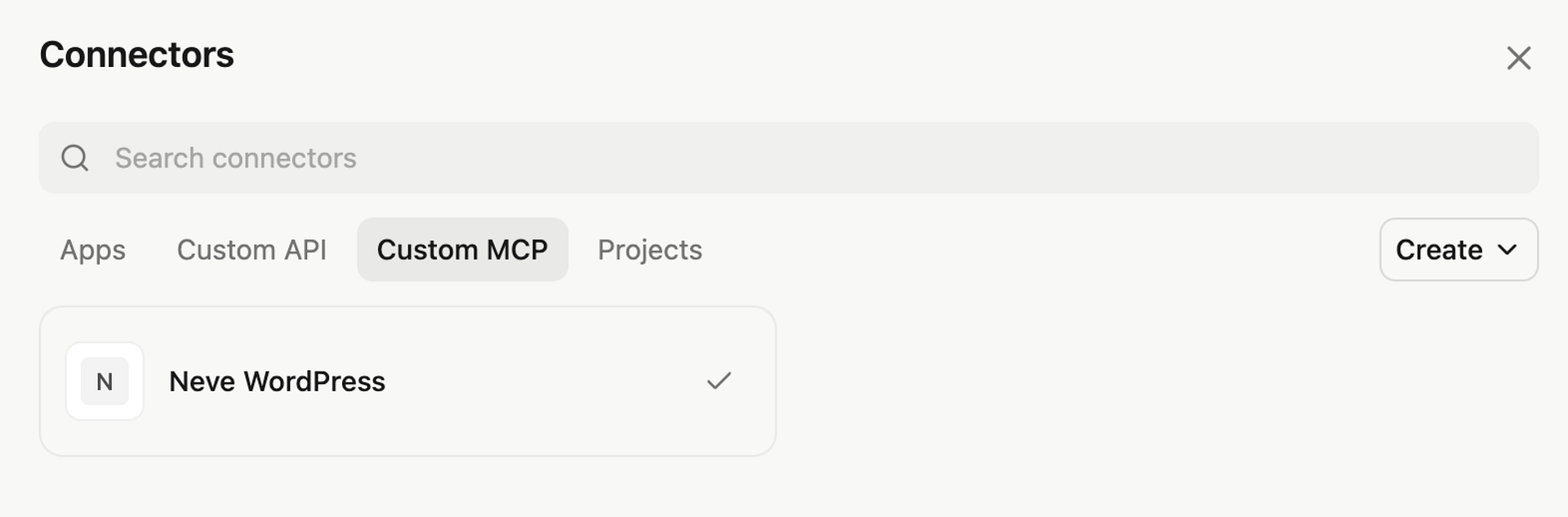
- Save the connector.
Verify the Connection
The WordPress connector now appears in your Manus connectors list, and its tools become available to your Manus agents.
Give it a first task:
Look at my WordPress site and summarize the five most recent posts.
What You Can Do Once Connected
Easy MCP AI exposes your site's capabilities as MCP tools, organized by area: posts, pages, media, comments, categories and tags, menus, custom post types, blocks, revisions, users, plugins, themes, site settings, and search. Integrations such as WooCommerce and SEO data sources are included when available. Because Manus works autonomously on multi-step tasks, it pairs well with content workflows:
Research what our three latest posts have in common and draft a follow-up post in the same style. Save it as a draft.
Go through my published pages and list any that haven't been updated in over a year.
Control What Manus Can Access
Everything Manus does runs through your API token, so the token is your control point: it acts as the WordPress user you assigned, and you can limit it to specific tools. For a read-only research agent, allow only the list, get, and search actions. Site-wide guardrails (globally disabled tools, rate limits, forced drafts, audit log) apply on top. See Creating and Managing API Tokens for details.
Security
If you identify a potential security vulnerability in this plugin, please disclose it responsibly. Follow the protocols on the Themeisle Security Page.