How to Add a Snippet Shortcode in a Text Widget?
How to Add a Snippet Shortcode in a Text Widget?
You can use snippet shortcodes in custom text widgets. It’s useful whenever you insert any ad unit to the sidebar or footer.
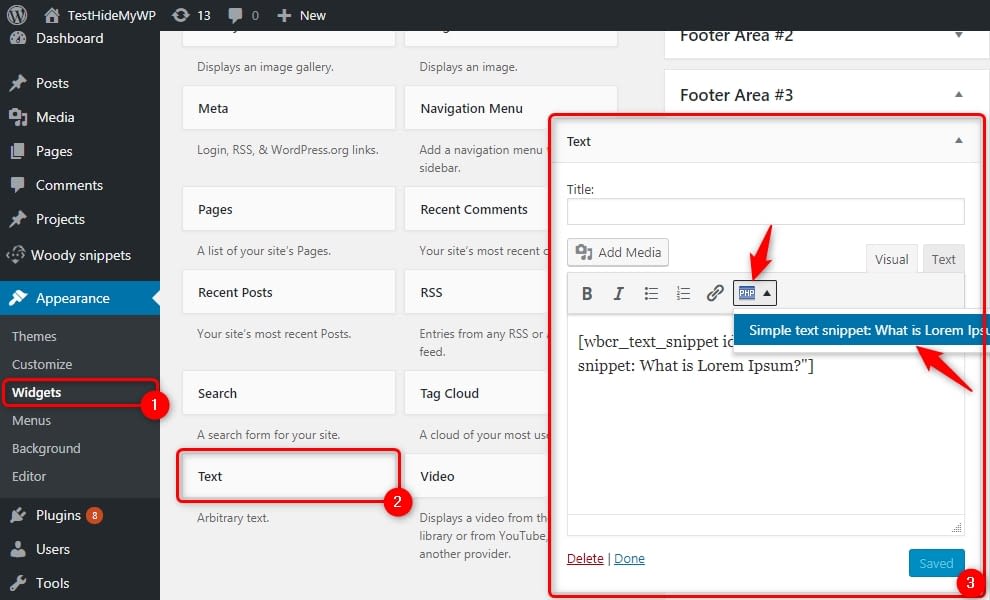
- Go to “Widgets”
- Add a new text widget to the sidebar;
- If you need to move widget content to a snippet select the content inside the snippet. Otherwise, just set the cursor in the text field.
- Click the plugin icon at the widget toolbar and select any snippet. Only active snippets with Shortcodes placement options are available at the list.