
Creating a Text Snippet
The simplest snippet type. You can use text or HTML in there. Works like a classic TinyMCE editor. We’ve created this snippet type for simple text messages. You can use original post signatures, create frequently used quotes, or cite documentation. This snippet type can insert a text unit on all pages automatically. Instead of making you do it manually for each new post.
Setup
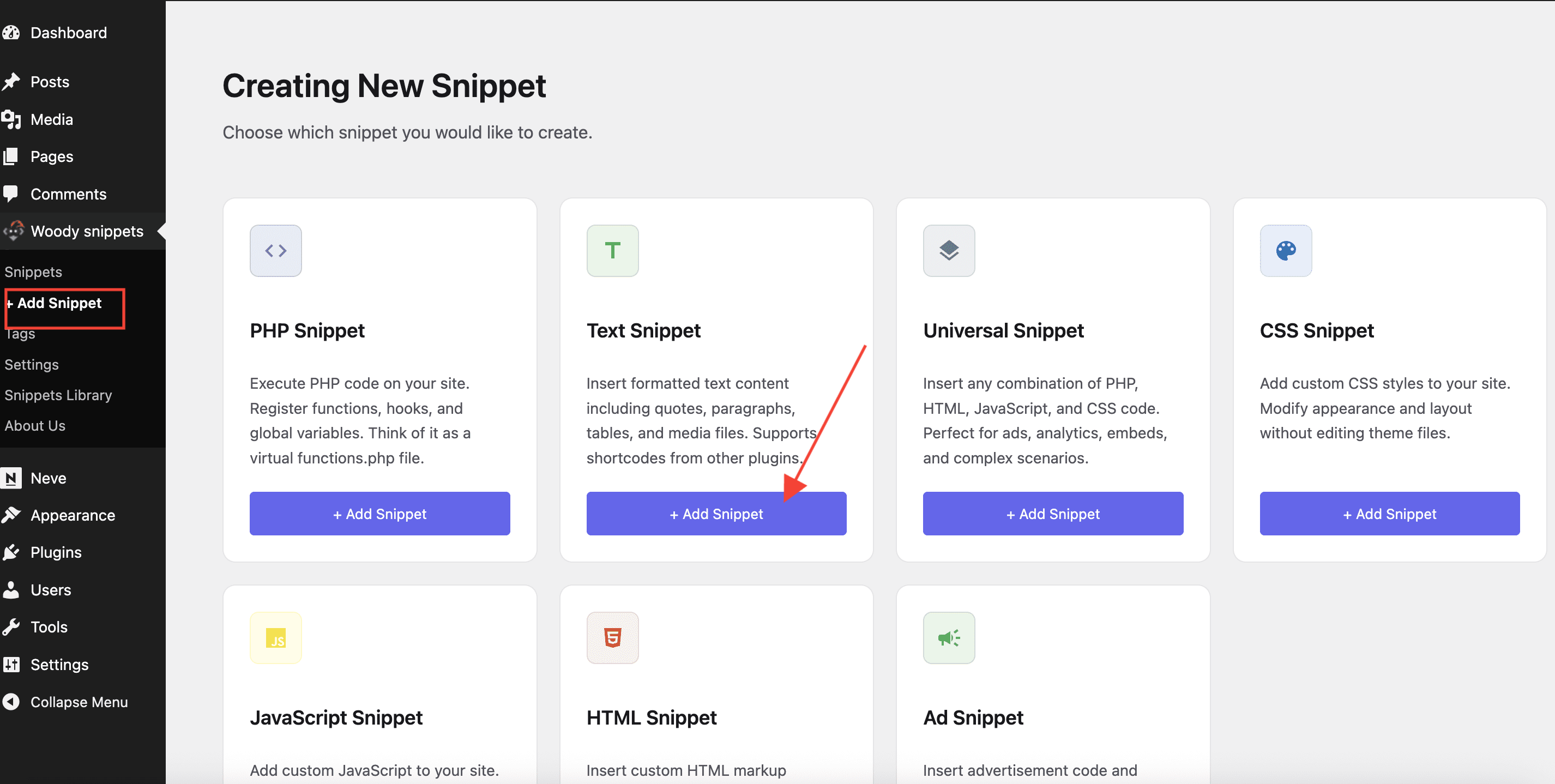
Let’s create your first text snippet. Go to “Woody snippets” from the side menu and press “+Add Snippet“. You should see the following :
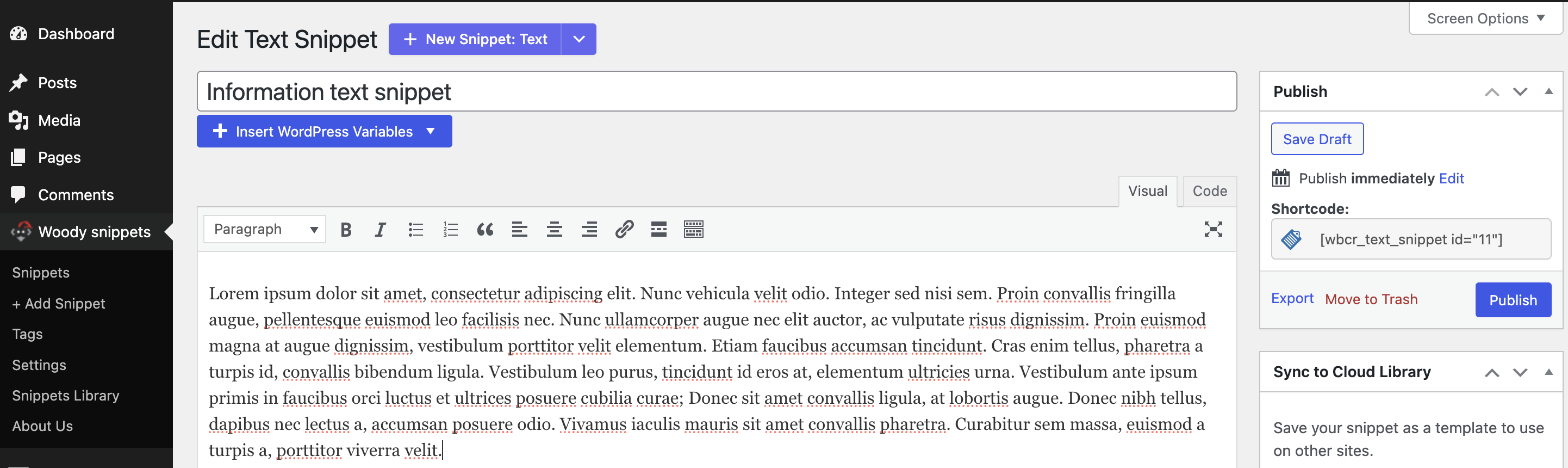
Add a snippet title. Think of a logical name – this way it’ll be easier to find this snippet among others in the list.
Creating a Universal Snippet
This is a complex snippet type, where you can combine PHP, HTML, JavaScript, and CSS. We’ve designed this snippet type as a handy way of inserting ad codes, widgets from external services, complex HTML forms, Google Analytics, Yandex metrics, Facebook pixels, and so on. You can place universal snippets on all pages automatically based on the conditional logic.
Setup
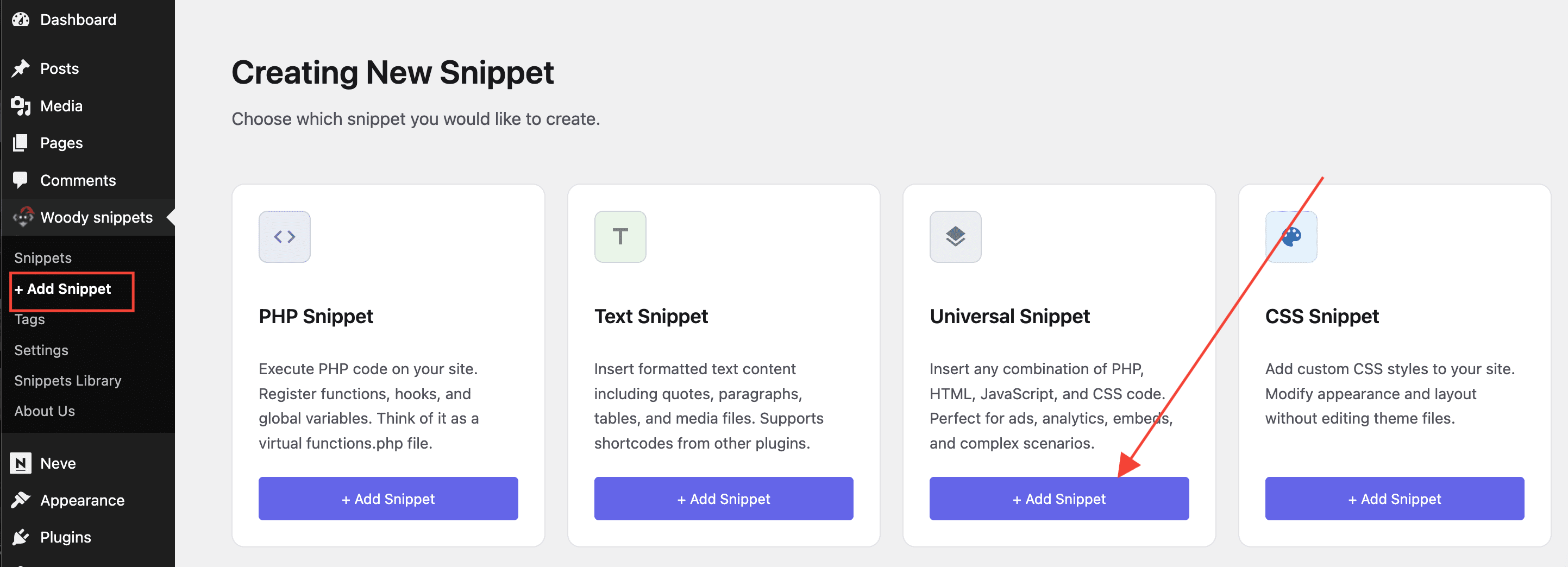
Let’s create your first universal snippet. Go to “Woody snippets “ from the side menu and press “+Add Snippet“. You should see the following:
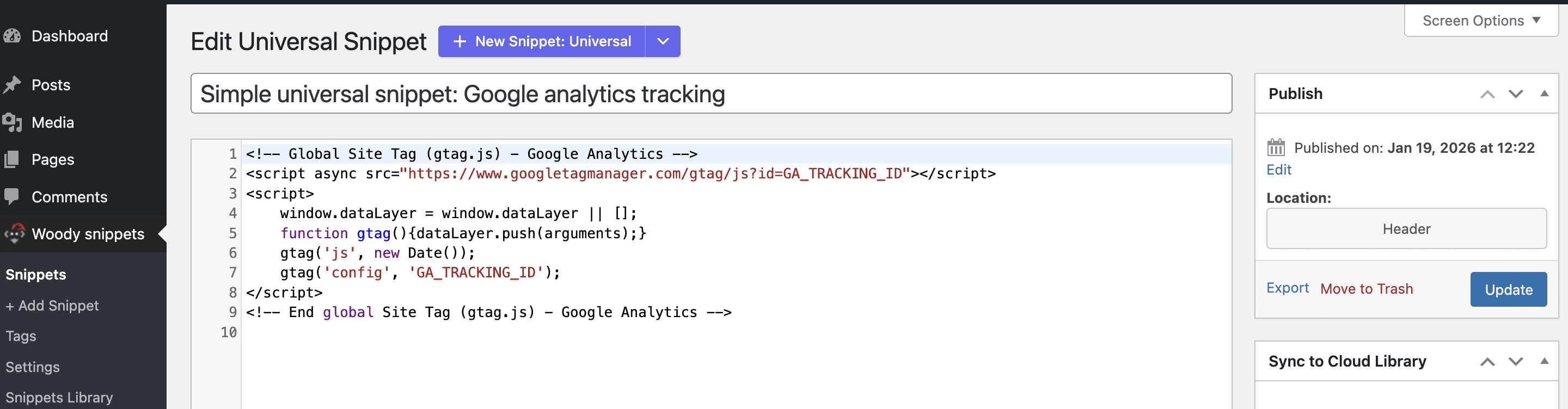
Add a snippet title. Think of a logical name – this way it’ll be easier to find this snippet among others in the list.
Additional Settings
Description – you can add a short description of a snippet. This way, your colleagues or administrators can understand what this particular snippet or text does.
Add a snippet title. Think of a logical name – this way it’ll be easier to find this snippet among others in the list.
Available attributes – you can define a list of attributes sent to the snippet through shortcodes. Use a comma as a separator. Example: we will add two attributes place and user, to the field. Now shortcodes of this snippet can get two new attributes [wbcr_php_snippet id=”4034″ place=”home_page” user=”admin”]. Their values are passed as $place and $user variables.
Placement options
Everywhere (for PHP snippets) – registration of functions, classes, hooks, and global variables. For example, when you plan to use a PHP function in other snippets, but don’t want to write code for each snippet. In this case, you just create a new snippet and choose the placement option “Run everywhere”. Now your function is available on the entire website. This option is similar to function.php. If you place the code in the function.php file, you’ll get the same effect.
Shortcode – can print any content on a certain page or inside a widget. The applicability is wide. For example, if you want to show how many days are left before the football game, or hide some content from unregistered users.
Automatic insertion (for universal and text snippets only) – Automatically inserts text and universal snippets anywhere on your website. It’s quite handy if you want to insert an ad code after each post or page.
Placement Scopes
On the entire website:
- Header – snippet is added to the source code before the tag.
- Footer – snippet is added to the source code before the tag.
Posts, pages, custom posts:
- Before Post – snippet is added to the source code before the tag.
- Before Content – snippet is added before the post/page content.
- Before Paragraph – snippet is added before a certain paragraph. A paragraph number is listed in the Location number field.
- After Paragraph – snippet is added after a certain paragraph. A paragraph number is listed in the Location number field.
- After Content – snippet is added after the post/page content.
- After Post – snippet is added after the post/page.
Categories, archives, tags, taxonomy:
- Before Excerpt – snippet is added before the post/page preview.
- After Excerpt – snippet is added after the post/page preview.
- Between Posts – snippet is added between posts.
- Before post – snippet is added before a certain post. A post number is listed in the Location number field.
- After post – snippet is added after a certain post. A post number is listed in the Location number field.
Display options
Brief description of snippet types.