WP Dashboard Customizer Module Documentation
Important: The WP Dashboard Customizer Module is part of Neve PRO Agency plan.

The WP Dashboard Customizer module introduces three key features that allow users to personalize the WordPress admin experience:
- Admin Pages Creator
- Admin Menu Editor
- Admin Bar Editor
1. Admin Pages Creator
This feature allows users to create custom admin pages directly within WordPress.
A new custom post type, Admin Pages, will be registered. By default, it will be accessible to users with the manage_options capability.
Admin Menu Integration
- The "Admin Pages" menu appears under the Neve top-level menu.
- It is only be visible when the WP Dashboard Customizer module is active.
Post Type Settings
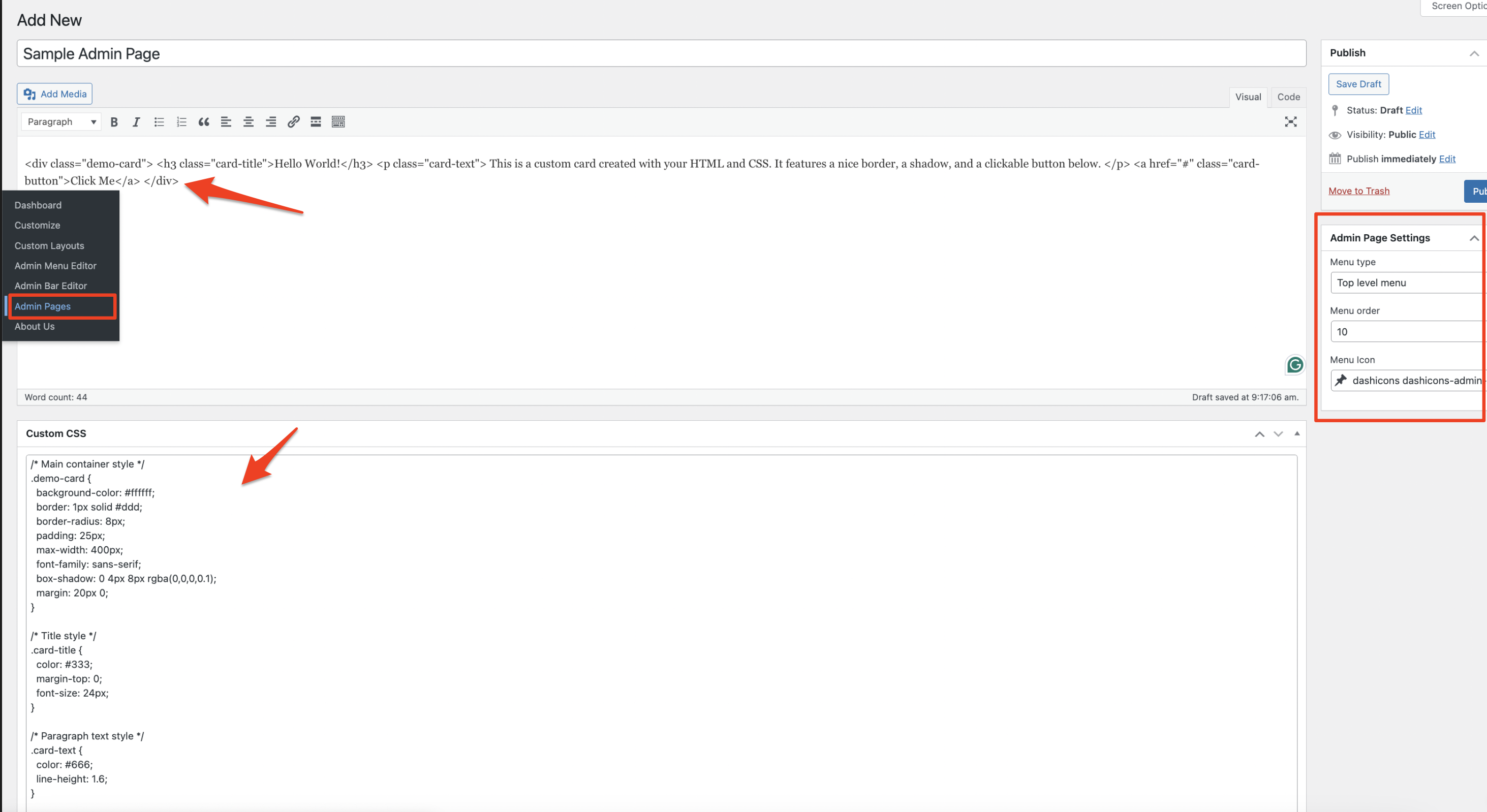
Each Admin Page has the following options:
- Menu Settings:
- You can define whether it's a **top-level page** or a **submenu** of an existing menu item.
- Set the menu order.
- Choose a menu icon.
- Content:
- Add custom HTML content via the post editor (
post_contentand title). - Custom CSS field to add styling specific to that page.
- Add custom HTML content via the post editor (
- Editor Compatibility:
- It support Gutenberg and Elementor
Here is how creation of a new page looks like:
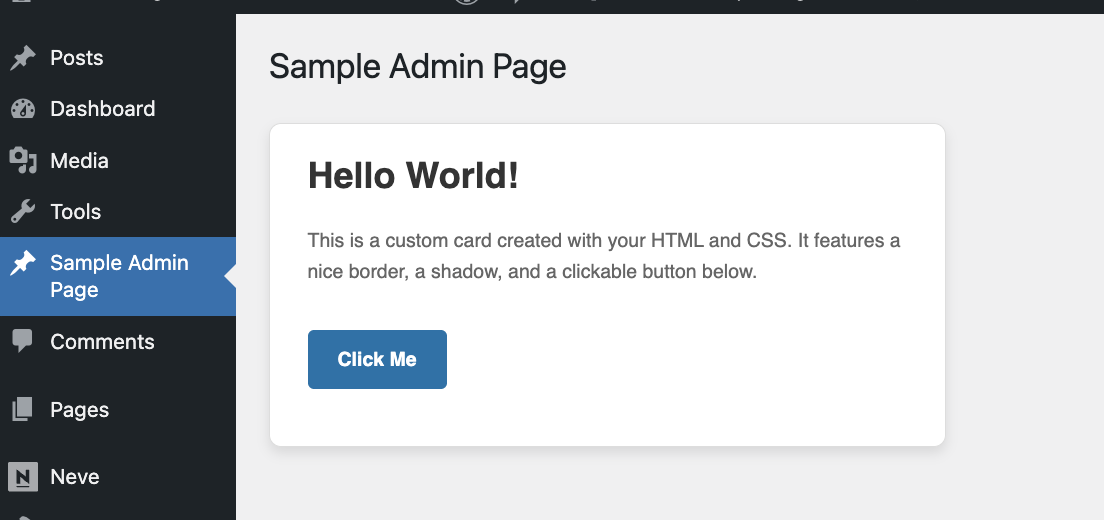
If I create such a page it appears as a new admin menu item and a page which you can dedicate for multiple purposes:
2. Admin Menu Editor
This tool allows editing of the WordPress Admin Menu for different user roles.
It is located under the Neve top-level menu and appear only when the module is active.
UI & Functionality
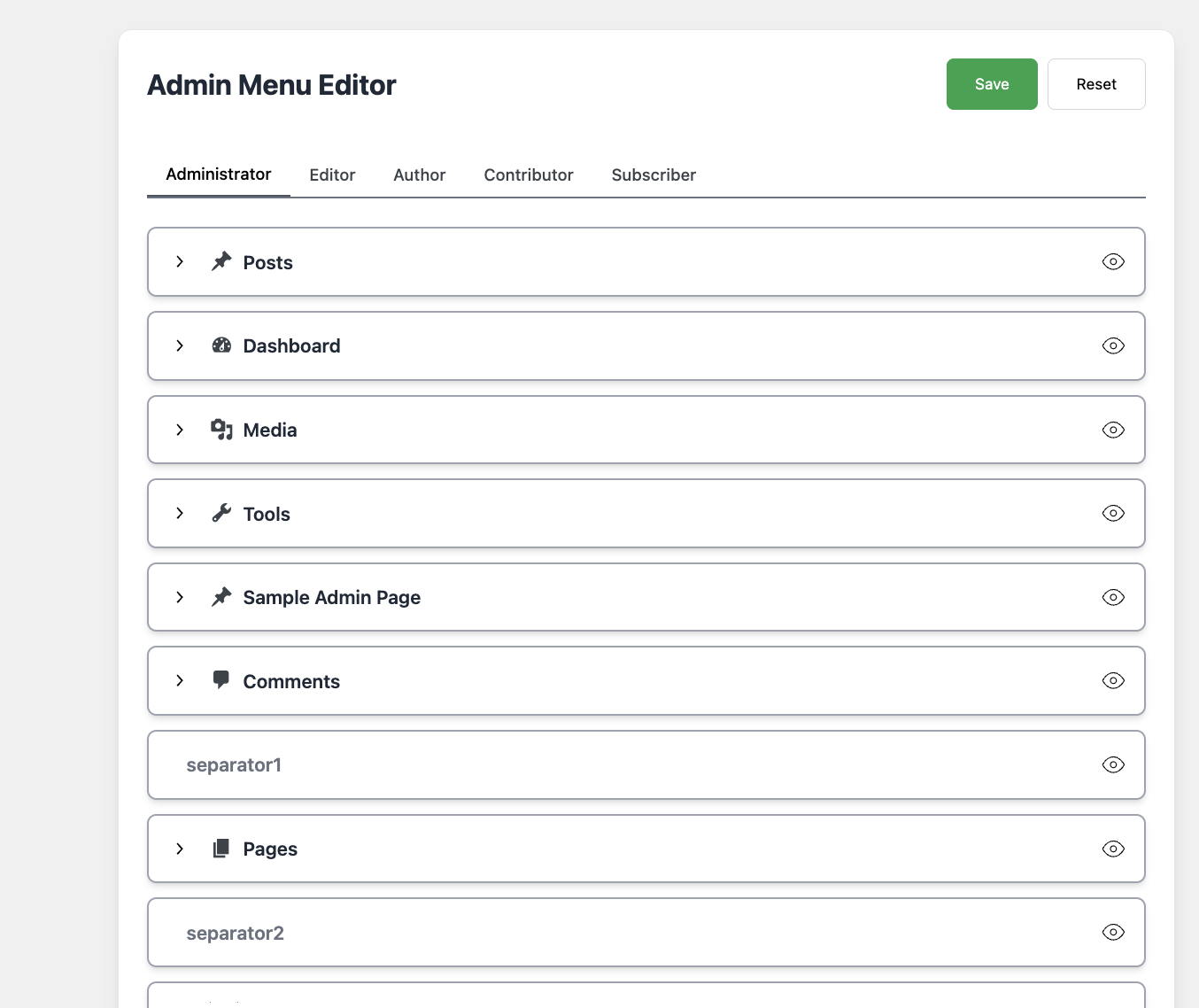
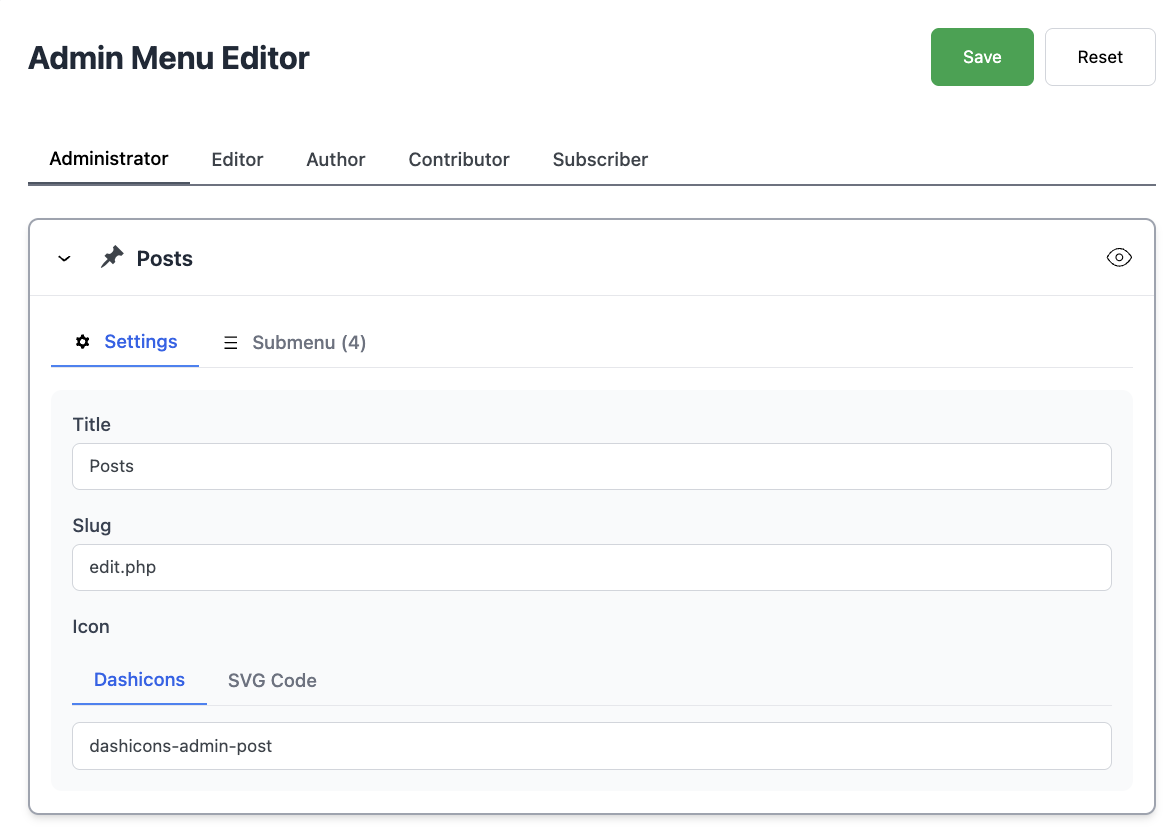
For each menu item (and submenu), per role you can:
- Change the title
- Change the icon (Dashicon or custom SVG)
- Hide menu items if desired
-
You can also drag&drop items to reorganize them for each role separately.
Editing each menu looks like this:
3. Admin Bar Editor
This feature provides similar functionality to the Admin Menu Editor but for the WordPress Admin Bar.
Capabilities
- View and customize existing admin bar items.
- Add new items to the admin bar.
- Modify, rename, or hide items for specific roles.
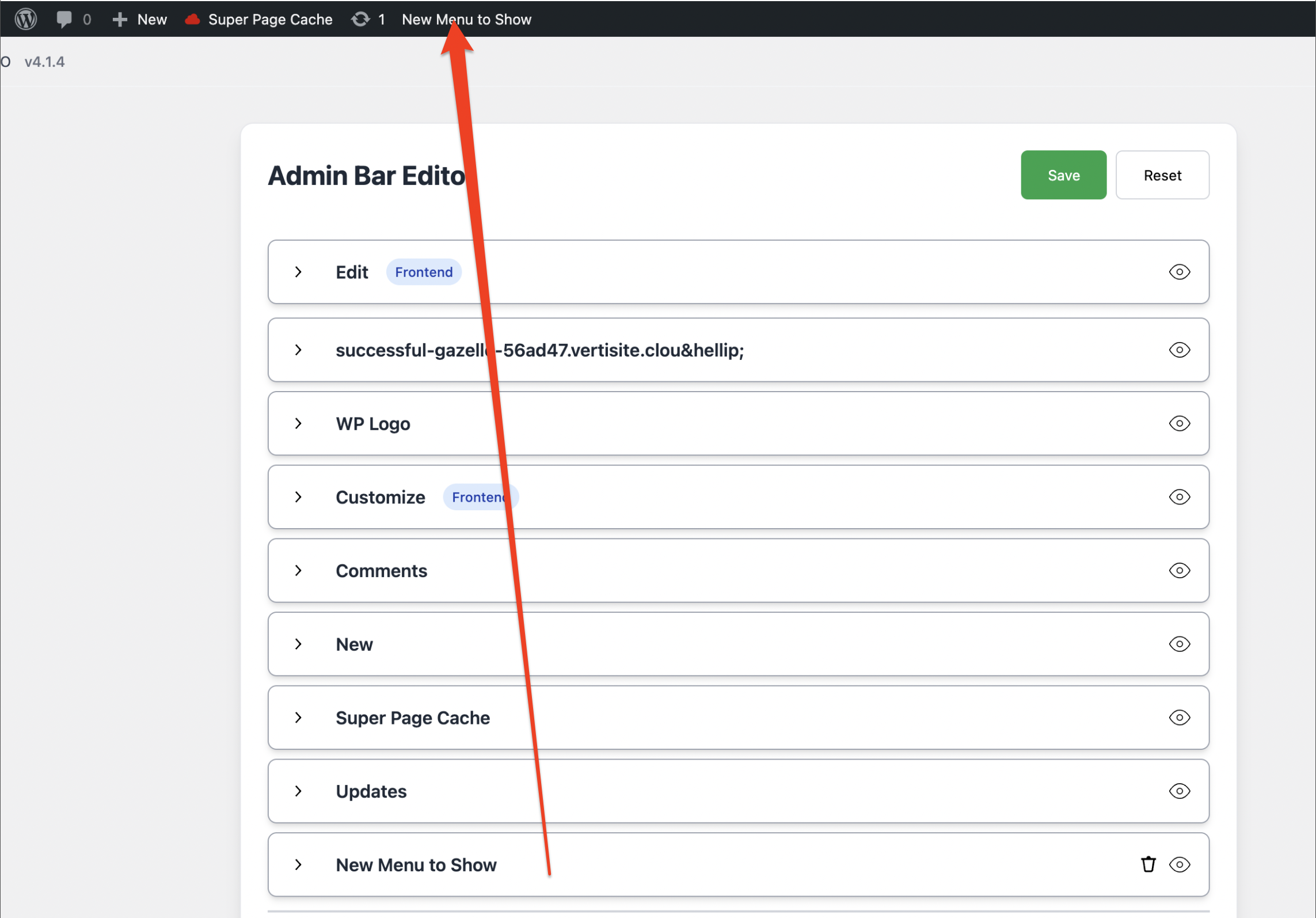
The user experience is similar to the Admin Menu Editor.
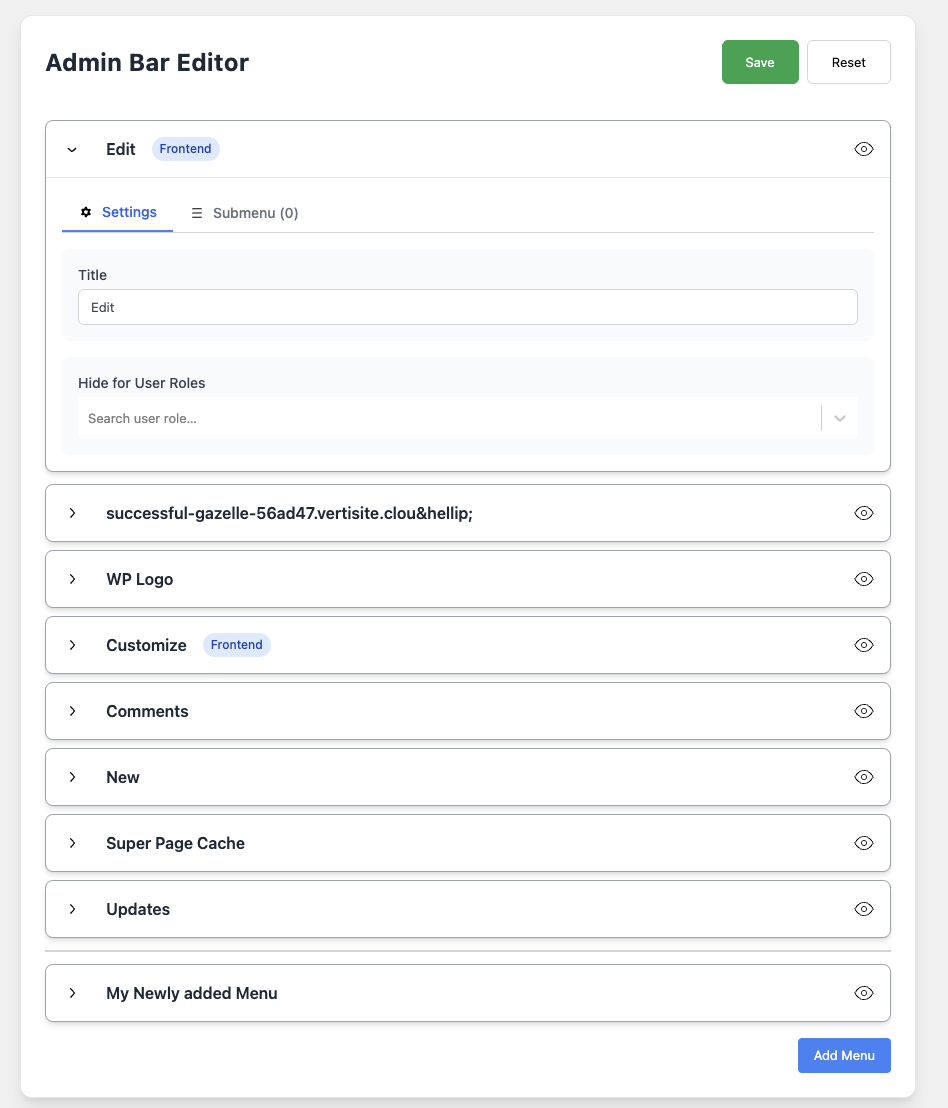
Once you create an item it appears in the top bar: